Want more mods for Burglin' Gnomes? Explore our entire collection!
Full Burrow (Bigger Crew)
"Six gnomes was never going to be enough."

How do I install Full Burrow (Bigger Crew)?
Download the free ProjectMods desktop app, then install Full Burrow (Bigger Crew) for Burglin' Gnomes in one click.
</>What does Full Burrow (Bigger Crew) do?
Burglin' Gnomes stops at six gnomes, which is fine right up until the seventh friend asks to come along. Full Burrow lifts that lid. Slide the crew size to wherever you want it, open a game, and the whole gang piles into the same garden. When do I turn it on? Before you host. The number of places is decided the moment your game opens, so switch Full Burrow on, set your crew size, then host - not the other way round. If you forget, it will have a go at stretching the game you already opened, but the reliable order is on first, host second. Either way there is a Check Lobby Size button that reads the real number of places back to you, so you can confirm the burrow really did get bigger before anyone else turns up. Only the gnome opening the game needs this. Your friends install nothing, change nothing and tick nothing - they just join the way they always do and find room for everyone. Do be sensible with the slider, though: a big crew leans on your connection and your PC, so if things get choppy at fourteen, come down a couple and try again. Sixteen thieves in one kitchen is chaos by design, not a promise it runs buttery on every machine.
</>What is Full Burrow (Bigger Crew)?
Burglin' Gnomes stops at six gnomes, which is fine until a seventh friend asks to come along. Full Burrow lets whoever hosts pick the crew size, then confirm it with a Check Lobby Size button before anyone joins. From ProjectMods, the community-first PC mod manager behind mods for Content Warning, PEAK and Wobbly Life.
</>Common questions about Full Burrow (Bigger Crew)
What does Full Burrow do in Burglin' Gnomes?
Full Burrow lifts the six-gnome limit in Burglin' Gnomes. You pick a crew size on a slider, open a game, and everyone piles into the same garden instead of one friend sitting the night out. Only the gnome opening the game needs it - your friends install nothing and join exactly the way they always do. There is also a Check Lobby Size button that reads back the real number of places your burrow has, so you can confirm the bigger crew took before anyone turns up. Six thieves in one kitchen was never going to be enough.
When do you need to turn Full Burrow on?
Before you host. The number of places in a Burglin' Gnomes game is decided the moment your game opens, so the reliable order is: switch Full Burrow on, set your crew size, then open the game up. Not the other way round. If you forget and turn it on afterwards it will have a go at stretching the session you already opened, but do not lean on that - close the session and do it in order if the number does not look right. Press Check Lobby Size afterwards and you will know for certain either way.
What does the Check Lobby Size button do?
It reads back how many places your burrow actually has right now, so you are not guessing whether Full Burrow took effect. Press it after you open a Burglin' Gnomes game and you get the real figure rather than the number you set on the slider - which is exactly what you want to see before eight people start trying to join. It works even when you are hosting on your own, so you can check quietly, adjust and re-host without an audience watching you sort it out. Treat it as the confirmation step every time you change the crew size.
How big can a Burglin' Gnomes crew get with Full Burrow?
As big as you set the slider, but be sensible with it. Full Burrow does not hold you at a polite number, so you can put fourteen or sixteen gnomes in one kitchen if you want the chaos. What it cannot do is promise that every machine and every connection keeps up: a bigger crew leans on the host's PC and connection, and Burglin' Gnomes was built around six. If things get choppy, come down a couple of places and try again rather than pushing through. Chaos is the point; a stuttering lobby is not.
Do your friends need Full Burrow to join a bigger crew?
No. Only the gnome opening the Burglin' Gnomes game needs Full Burrow installed. Everyone else installs nothing, changes nothing and ticks nothing - they join the way they always have and simply find that there is room for them. That is the whole point of it being a host-side setting: you can be the one person in the group running mods and still get the entire gang into the same garden. If you join someone else's game instead, your own crew size has no say over their lobby, since the places were decided when they opened it.
What options does Full Burrow (Bigger Crew) include?
Check Lobby Size
Reads back how many places your burrow actually has right now, so you can confirm the bigger crew took before anyone joins. Works even when you are hosting on your own.
Enabled
Master switch for the bigger crew. Turn this on before you host - the number of places is decided the moment your game opens. Off puts the normal six-gnome limit back.
Crew Size
How many gnomes can pile into a game you host. Set it before you open the game up. Bigger crews lean on your connection and your PC, so if things get choppy, come down a couple.
Full Burrow is a ProjectMods mod for Burglin' Gnomes that lifts the six-gnome limit on a game you host, so you can set your own crew size and fit the whole group into one garden.
System Requirements
What features does Full Burrow (Bigger Crew) include?
- Lift the six-gnome limit and pick your own crew size before you open a game up.
- Get the seventh, eighth and ninth friend into the same garden instead of benching them.
- Press Check Lobby Size to confirm the extra places really landed before anyone turns up.
- Only the gnome opening the game needs it, so everyone else joins the way they always do.
- Come down a couple of places if a huge crew starts leaning on your connection or your PC.
Best For
- Friend groups of eight who keep splitting into two houses on two separate nights.
- Community game nights where the same unlucky person always gets told to sit this one out.
- Streamers running viewer sessions who want a dozen thieves crammed into one kitchen.
- Hosts who want proof the burrow really stretched before the whole gang arrives and finds it full.
- Groups testing how much chaos a single upstairs landing can actually hold.
More Mods for Burglin' Gnomes
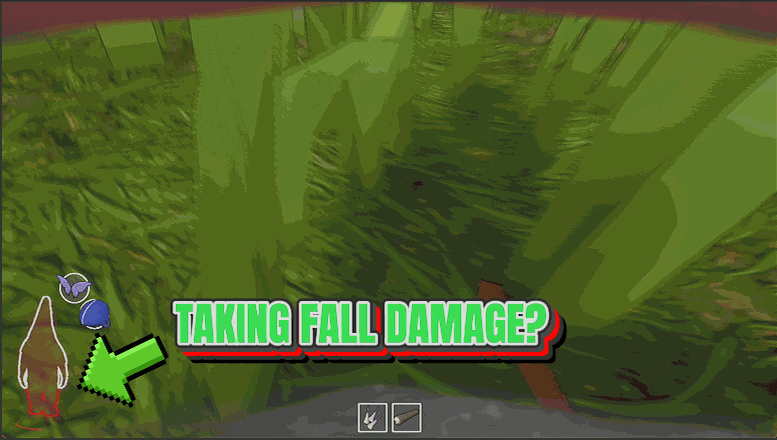
Soft Landing
Big drops stop hurting. No health gone, no broken legs, and no crumpling into a heap the moment you hit the floor.
/BurglinGnomesLawnNinja1.png)
Lawn Ninja (Never Spotted)
The owners, the cat, the dog and every critter in the house simply never see you. Noise is still noise, though.
/BurglinGnomesGardenOrnament1.png)
Garden Ornament (Unbreakable Gnome)
Nothing in the house can put your gnome down. No traps, no dogs, no shears, no last-second dash for the vortex.



























































































































































































