Want more mods for Burglin' Gnomes? Explore our entire collection!
Full Sack (Every Resource)
"Six materials, one button, no ladder involved."
/BurglinGnomesFullSack1.png)
How do I install Full Sack (Every Resource)?
Download the free ProjectMods desktop app, then install Full Sack (Every Resource) for Burglin' Gnomes in one click.
</>What does Full Sack (Every Resource) do?
Every plan in this game eventually stops on one missing material. You want the better gear, the gear wants chemicals, chemicals want another three houses turned over, and meanwhile the burrow sits half-decorated. Full Sack skips that. Set an amount and press one button for all six materials at once. There are two piles worth knowing about: what you are carrying, and the pile back home. Fill My Pockets loads up your gnome. Fill the Stockpile loads the pile back home - that is the one your crafting bench and your burrow upgrades actually spend from, so it is the one that unblocks a build. It counts every material before and after and tells you what really landed. If the pile is out of room you get told that plainly instead of a happy message and nothing to show for it. Empty My Pockets dumps everything you are carrying - gnomium included - when you want to start a run clean. Whoever opens the lobby turns this on; your friends do not need to install anything.
</>What is Full Sack (Every Resource)?
In Burglin' Gnomes the build you actually want is always one material short. Full Sack tops up all six at once - ceramics, metal, fabric, plastic, chemicals and gnomium - and keeps what you are carrying separate from the pile back home, which is the pile your crafting bench and burrow upgrades spend from. It counts before and after, so the number it tells you is the number you got. Whoever opens the session turns it on and friends install nothing. From ProjectMods, the community-first mod manager for 400+ PC games.
</>Common questions about Full Sack (Every Resource)
What does Full Sack do in Burglin' Gnomes?
Full Sack tops up all six Burglin' Gnomes materials in one press - ceramics, metal, fabric, plastic, chemicals and gnomium - so a plan never stalls on the one thing you are short of. You set an amount, then choose where it goes: onto your gnome, or onto the pile back home. It counts every material before and after and tells you what actually landed, so a full pile gets an honest answer instead of a cheerful message and nothing to show for it. Whoever opens the lobby is the one who turns it on.
What is the difference between Fill My Pockets and Fill the Stockpile?
They target the two separate piles Burglin' Gnomes keeps. Fill My Pockets loads the materials you are carrying around right now, which is what you want if you are out in a house and building or repairing on the spot. Fill the Stockpile loads the pile back home - and that is the one your crafting bench and your burrow upgrades actually spend from, so it is the one that unblocks a stuck build. If a recipe still reads as unaffordable after you filled your pockets, you filled the wrong pile. Use Fill the Stockpile instead.
How much of each material can Full Sack hand over at once?
You set the figure with Resource Amount, and one press applies it to all six materials together. The one hard ceiling is on your gnome: Burglin' Gnomes only lets you carry 10,000 of any single material, so asking for more than that simply tops out at the limit rather than failing. The pile back home has its own room to worry about, and if it cannot take everything you asked for, Full Sack says so plainly. Either way you get told the real amounts that landed, counted before and after, so you always know where you stand.
What does Empty My Pockets do in Full Sack?
It dumps everything your gnome is carrying back to nothing, in one press. That is genuinely useful when you want to start a Burglin' Gnomes run clean - no leftover metal skewing what you think you collected, no half-full bag hiding what the house actually gave you. One warning worth reading twice: it includes the gnomium you are carrying, not just the crafting materials. Gnomium is the stuff the whole job is about, so bank it in the burrow first if you want to keep it. There is no undo, so press it deliberately rather than curiously.
When should you use Full Sack in Burglin' Gnomes?
The classic moment is a burrow upgrade or a piece of gear you have been three chemicals short of for two nights. Rather than turning over another house for one material, set an amount, press Fill the Stockpile, and get on with the build. It is also handy for testing furniture layouts, or for a chaotic co-op night where nobody wants to grind first. The host is the one who turns it on, and friends install nothing. It pairs neatly with Thrifty Tinker for Burglin' Gnomes if you would rather crafting cost nothing at all.
What options does Full Sack (Every Resource) include?
Resource Amount
How much of each of the six materials one press hands over. Your gnome can only carry 10,000 of any single material.
Empty My Pockets
Press to dump everything you are carrying back to nothing. This includes the gnomium on you, so bank that first if you want to keep it.
Fill the Stockpile
Press to top up the pile back home. This is the one your crafting bench and burrow upgrades spend from, so use this when a build is stuck.
Fill My Pockets
Press to top up all six materials on your gnome - the stuff you are hauling around right now.
Full Sack is a ProjectMods mod for Burglin' Gnomes that tops up all six materials in one press - ceramics, metal, fabric, plastic, chemicals and gnomium - either on your gnome or on the pile back home.
System Requirements
What features does Full Sack (Every Resource) include?
- Top up all six materials in one press: ceramics, metal, fabric, plastic, chemicals and gnomium.
- Fill the pile back home, the one your crafting bench and burrow upgrades actually spend from.
- Choose the amount per press, and get the real number that landed rather than a hopeful message.
- Empty My Pockets dumps everything you are hauling when you want to start a run clean.
- Whoever opens the lobby presses the buttons, and the rest of the crew installs nothing.
Best For
- Builders whose burrow upgrade is stuck three chemicals short with no houses left worth robbing.
- Players who want the better gear tonight instead of turning over another four houses for metal.
- Decorators kitting the burrow out who would rather pick furniture than ration fabric.
- Hosts loading the pile at home before a build night so the whole crew can make what they like.
- Returning players restarting a save who do not fancy farming the early materials again.
More Mods for Burglin' Gnomes
/BurglinGnomesTaskGenie1.png)
Task Genie (Instant Demands)
Tick tonight's demands off the list whenever you like - the whole lot in one go, or one at a time when you are just one short of a good night.
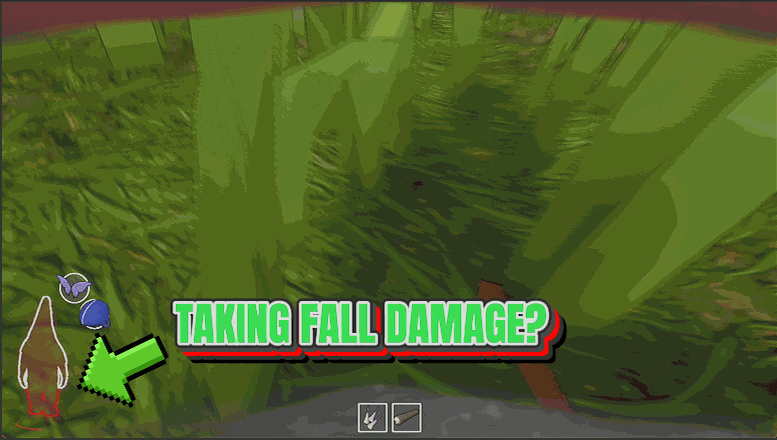
Soft Landing
Big drops stop hurting. No health gone, no broken legs, and no crumpling into a heap the moment you hit the floor.
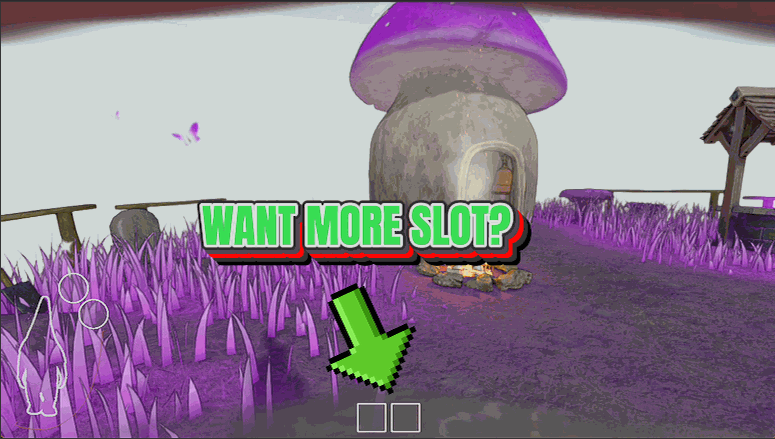
Deep Pockets
Carry the full six-slot loot bag from your very first house, no tracking down the in-game backpack first, so you make far fewer trips back to the burrow.



























































































































































































