Want more mods for Carpet Cleaning Simulator? Explore our entire collection!
Ghost Walker
"Lift off the floor and drift straight through the walls."
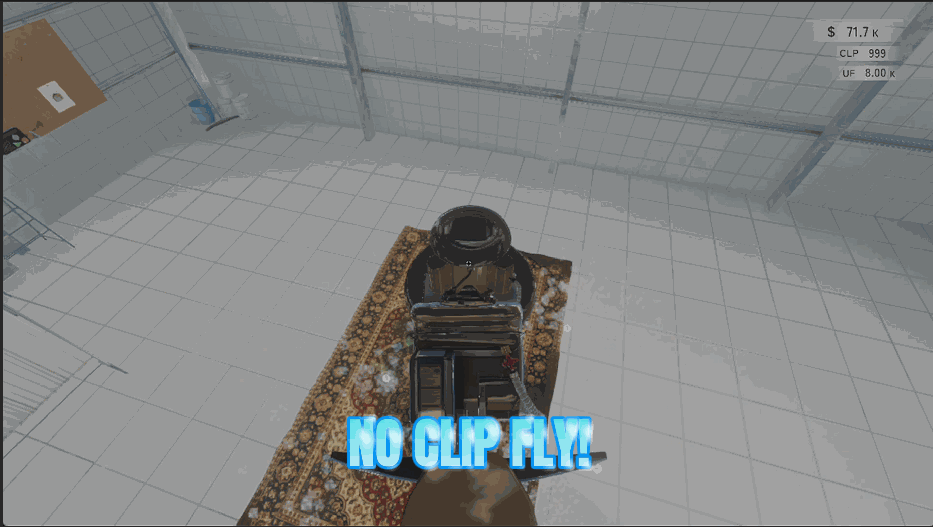
How do I install Ghost Walker?
Download the free ProjectMods desktop app, then install Ghost Walker for Carpet Cleaning Simulator in one click.
</>What does Ghost Walker do?
The shop looks completely different from ten feet up. Switch Ghost Walker on and you lift off the floor, hover wherever you like, and steer with WASD in whatever direction you're looking — so tilt your view up and you climb, tilt it down and you dive. E takes you higher, Ctrl brings you back down, and holding Shift kicks in a faster burst for crossing the whole place in a couple of seconds. Turn Noclip on and nothing stops you. Walls, floors and furniture all stop getting in the way, so you can slip outside for a look at the building, drop below the floor, or cut a straight line to the far corner instead of walking around every rack and rug. Leave Noclip off and you'll still fly, you'll just bump and nudge things on the way past — handy when you want a more grounded drift for filming. Two speed dials let you set the feel: a gentle cruise for lining up the perfect shot of a finished carpet, and a fast burst for getting somewhere in a hurry. It's brilliant for screenshots, for showing off a shop you're proud of, for finding the one stain you swear you already cleaned, and for anyone who has ever wondered what's on the other side of that wall. Flip it off whenever you like and you drop gently back to solid ground.
</>What is Ghost Walker?
Your Carpet Cleaning Simulator shop looks completely different from ten feet up. Ghost Walker lets you fly with WASD, rise with E, drop with Ctrl and hold Shift for a burst, with separate dials for cruise and sprint speed. Turn Noclip on and walls, floors and furniture stop getting in the way entirely. A free mod from ProjectMods, the PC mod manager for 400+ games.
</>Common questions about Ghost Walker
What does Ghost Walker do in Carpet Cleaning Simulator?
Ghost Walker lets you fly around your Carpet Cleaning Simulator shop and pass straight through solid objects. Switch it on and you lift off the floor, then steer with WASD in whatever direction you're looking, so tilting your view up makes you climb and tilting it down makes you dive. E takes you higher, Ctrl brings you back down, and holding Shift kicks in a faster burst for crossing the whole place in a couple of seconds. Switch Noclip on too and walls, floors and furniture stop getting in your way, so you can slip outside for a look at the building or cut a straight line to the far corner.
What are the flying controls?
WASD moves you in whatever direction you're facing in Carpet Cleaning Simulator, so your view doubles as your steering: look up to climb, look down to dive. E lifts you straight up and Ctrl drops you straight down, which is the easiest way to hold a height while you line something up. Holding Shift swaps you to the faster of Ghost Walker's two speeds for long crossings. Turning the Fly Enabled switch off lands you and hands normal walking back. The controls are the same either way — Noclip only changes whether things get in your way, not how you move.
What happens if I fly with Noclip switched off?
You still fly, you just can't pass through anything. With Noclip off in Carpet Cleaning Simulator you'll bump and nudge racks, rugs and walls as you drift past them, which sounds like a drawback but is genuinely useful for filming, because a grounded drift that respects the room reads much better on camera than gliding through a wall. Switch Noclip on and none of it touches you: drop below the floor, slip outside the shop for an exterior look, or take the direct line across the room. It only works while you're actually flying.
Can I control how fast I fly?
Yes, with two separate dials. Fly Speed sets your normal cruising pace, and Shift Speed sets the faster burst you get while holding Shift. Keeping the cruise low is the trick for anything you want to look good: lining up a slow pass over a finished carpet, easing into a corner, holding steady for a screenshot. The Shift dial is for the opposite job, crossing the whole Carpet Cleaning Simulator shop in a second or two when you just need to be somewhere else. Because Ghost Walker sets them independently, you can have a very gentle drift and a very quick sprint at once.
What is Ghost Walker actually useful for?
Screenshots and video, mostly. Getting above your Carpet Cleaning Simulator shop shows off a layout you can't see from head height, and a slow flight over a freshly finished carpet is a far better shot than standing next to it. Beyond that, it's the quickest way to find the one stain you swore you already cleaned, since you can hover directly over a rug and look straight down at it. It's also just fun to see what's on the other side of the walls. Switch Ghost Walker off at any point and you drop gently back to solid ground and walk normally again.
What options does Ghost Walker include?
Shift Speed
The faster pace you get while holding Shift, for crossing the shop in a hurry.
Fly Speed
Your normal flying pace. Keep it low for careful, steady shots.
Noclip
Drift through walls, floors and furniture without touching a thing. Only applies while you're flying.
Fly Enabled
Master switch for flying. WASD moves you where you're looking, E rises, Ctrl drops, Shift is a burst. Turn it off to land and walk normally again.
Ghost Walker is a free ProjectMods mod for Carpet Cleaning Simulator that lets you lift off the floor, fly wherever you're looking with WASD, and pass straight through walls, floors and furniture when Noclip is switched on.
System Requirements
What features does Ghost Walker include?
- Lift off the floor and steer with WASD wherever you're looking, E to climb, Ctrl to drop
- Hold Shift for a burst that carries you across the whole shop in a couple of seconds
- Switch Noclip on and walls, floors and furniture stop getting in your way
- Two speed dials set the feel: a gentle cruise for filming, a quick dash for getting somewhere
- Flip it off and you settle back onto solid ground and walk around as normal
Best For
- Screenshot hunters lining up an overhead shot of a carpet they just got completely spotless
- Curious players who have always wondered what the shop looks like from outside the building
- Stain hunters who swear they already cleaned that patch and want to spot it from above
- Players who would rather cut a straight line to the far corner than walk around every rack
- Creators giving viewers a flying tour of a shop built up over a dozen shifts
More Mods for Carpet Cleaning Simulator
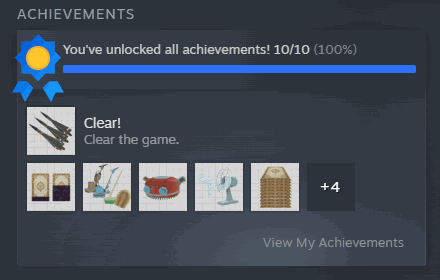
Spotless Record
Pick any achievement from the list and claim it on the spot, or fill the whole shelf in one click. Changed your mind? Clear them all just as easily.
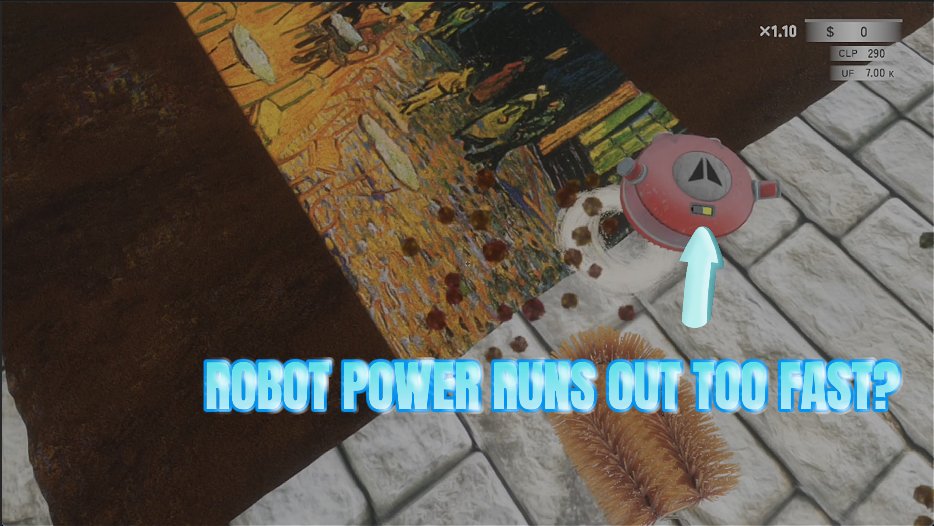
Robot Overtime
Keeps the helper robot charged forever and lets you dial in how fast it moves and how hard it scrubs, so it finally earns its keep while you work on another rug.

Long Arms
Interact with things and lay carpets and equipment down from way across the room. One slider sets how far your reach stretches.







