Want more mods for Choo-Choo Charles? Explore our entire collection!
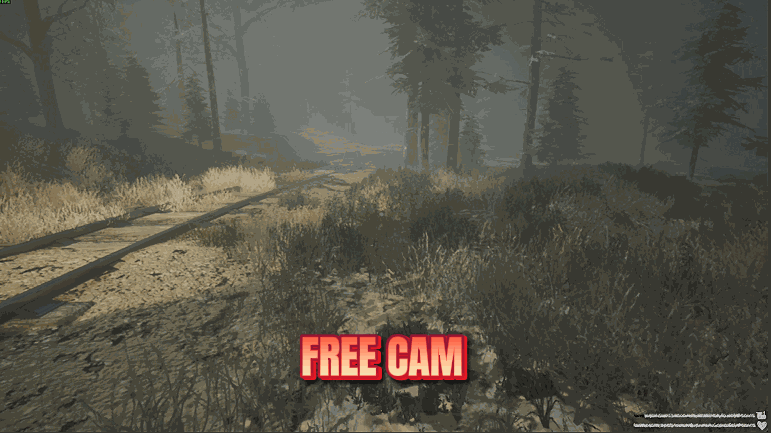
Free Camera
"Leave your body behind. Take the view for a flight."
How do I install Free Camera?
Download the free ProjectMods desktop app, then install Free Camera for Choo-Choo Charles in one click.
</>What does Free Camera do?
Choo-Choo Charles is first person, so you never see your own train from the outside or Charles from above. Free Camera hands you the view on its own. Switch on Free Camera and it leaves your character and flies: W A S D move it where you look, Space rises, Ctrl sinks and the mouse looks around. It starts from your current view, passes through everything and can go as far from your character as you like. Camera Speed is a percent from 25 to 400, default 100, and 100 is 10 metres per second. Hold Shift to go four times faster. Hide HUD takes the health bars, crosshair and the rest of the on-screen HUD away. It works with or without the free camera. Your character stands still where you left it and the game keeps running, so Charles and cultists can still reach it and hurt it. Switch Free Camera off and your view is back in your character, looking where it looked before. Switch Hide HUD off and the HUD is back as it was.
</>What is Free Camera?
Free Camera turns the first-person view of Choo-Choo Charles into a camera you fly yourself. The Free Camera switch detaches it, Camera Speed sets its pace in percent, and Hide HUD clears the screen with the camera on or off. It never pauses or slows the game, never protects your character while the view is away, and doesn't let you play in third person: your character can't be moved until the camera comes back.
</>Common questions about Free Camera
What does Free Camera do in Choo-Choo Charles?
It separates your view from your character so you can fly it around the island, and it can hide the HUD. It runs once you are in a game and keeps nothing afterwards. The camera keys respond while the game window is the active one and no menu is open.
Is my character safe while the camera is away?
No. The game keeps running, your character stands where you left it, and Charles and cultists can still reach and hurt it. Free Camera doesn't pause or slow anything. Changing how fast the game runs belongs to the Game Speed mod.
Why did the free camera let go for a moment?
The camera lets go whenever the game takes the view itself: when you talk to someone, when Charles catches you, or when you die. It starts again on its own once the view is back on your character. If you switch it on while you are dead or on one of the train's guns, it waits and starts by itself afterwards.
Does Hide HUD hide menus too?
No, only the main on-screen HUD: the health bars, the crosshair and the rest of it. Any menu you open, the map and the pause menu included, still shows as normal. Switching Hide HUD off shows the HUD again exactly as it was.
Can I walk around or play in third person with the camera detached?
No, your character can't be controlled while the camera is detached. W A S D, Space, Ctrl and Shift drive the camera instead. There are also no field of view, tilt or depth-of-field controls and no screenshot button, so take the picture with your usual screenshot key once the shot is framed.
What options does Free Camera include?
Free Camera
On: your view leaves your character and flies freely. W A S D move it where you look, Space rises, Ctrl sinks, Shift goes four times faster and the mouse looks around. Your character stands still where you left it, and the game keeps running around it. Not while you are dead or on the train's gun. Off: your view is back in your character, looking where it looked before.
Camera Speed
How fast the free camera flies, in percent. 100 is 10 metres per second. From 25 to 400, default 100.
Hide HUD
On: the health bars, crosshair and the rest of the on-screen HUD are hidden. It works with or without the free camera. Off: the HUD is back.
Free Camera is a ProjectMods mod for Choo-Choo Charles that detaches your view so you can fly it anywhere and hide the HUD for screenshots, while the game keeps running and your character stays where it stood, unprotected.
System Requirements
What features does Free Camera include?
- Free Camera flies your view with W A S D, Space, Ctrl and the mouse, starting from where you were looking with the same field of view.
- Camera Speed goes from 25 to 400 percent in steps of 25, which is 2.5 to 40 metres per second.
- Holding Shift multiplies the camera's speed by four, up to 160 metres per second.
- Hide HUD removes the health bars and crosshair, with or without the free camera.
- The camera passes through everything and has no distance limit from your character.
Best For
- You want a screenshot of your train from the outside. Switch on Free Camera and Hide HUD, set Camera Speed to 25 for fine positioning, and frame it.
- You want to know where Charles is before you step off the train. Switch on Free Camera, hold Shift and go up for a look across the island. He keeps moving while you look.
- You are playing normally but want a clear screen. Switch on Hide HUD on its own and leave Free Camera off.
- You want to see what is inside a building before walking in. Fly the camera through the wall, look around, and switch Free Camera off to be back in your character.
More Mods for Choo-Choo Charles
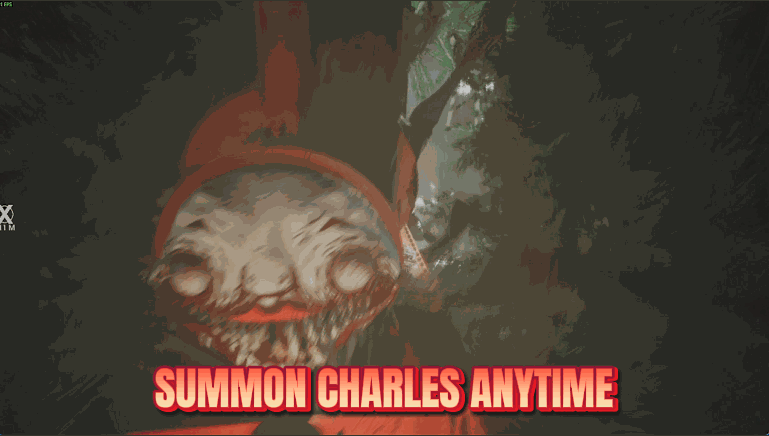
Summon Charles
Call Charles to you with one button, a short run away and already hunting, or send him off to one of his retreat spots with the other.
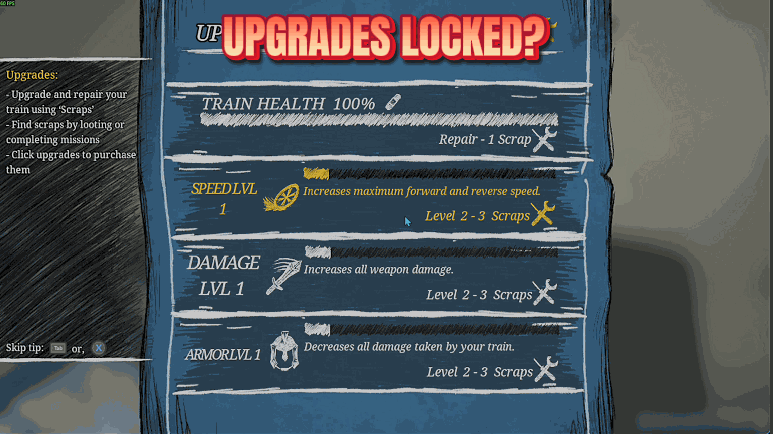
Free Train Upgrades
Every Speed, Damage and Armor level in the train's upgrades menu costs 0 scraps while the switch is on, and repairs cost nothing too. Your scrap count never moves.
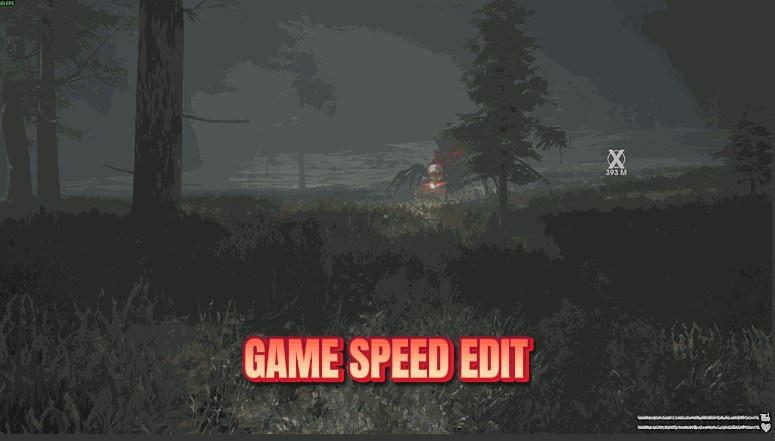
Game Speed
Run the whole game from 25% to 300% of normal speed. You, your train, Charles and the cultists all slow down or speed up together.







