Want more mods for Choo-Choo Charles? Explore our entire collection!
Free Train Upgrades
"Level 10 everything. Keep every scrap."
How do I install Free Train Upgrades?
Download the free ProjectMods desktop app, then install Free Train Upgrades for Choo-Choo Charles in one click.
</>What does Free Train Upgrades do?
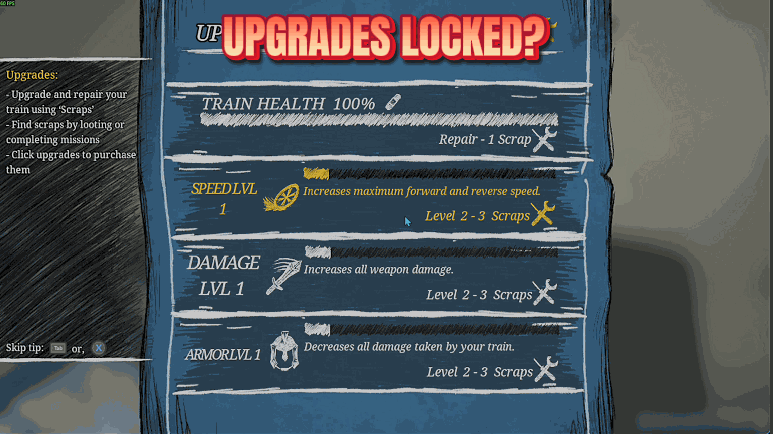
Maxing one train upgrade takes 126 scraps, and all three take 378. That is a lot of scavenging before the train can stand up to Charles. Free Train Upgrades hands you one switch, Free Upgrades And Repairs. It starts off. Switch it on, then open the train's upgrades menu: every level of Speed, Damage and Armor shows a price of 0, and you click your way up to level 10 as usual. Repairs stop charging as well. A repair normally takes 1 scrap for 10 train health, and with the switch on it goes through even when you are carrying no scraps at all. Your scraps are never touched, so whatever you had is still there afterwards. Switch it off and the game's normal prices come back. The levels you bought and the health you repaired stay with your save.
</>What is Free Train Upgrades?
Free Train Upgrades removes the scrap cost from the train's upgrades menu in Choo-Choo Charles. Switch on Free Upgrades And Repairs and all 10 levels of Speed, Damage and Armor cost 0, as does each repair. You still click every level yourself, the cap stays at level 10, and the mod never adds scraps to your inventory. Switching off brings back the normal prices and keeps what you bought.
</>Common questions about Free Train Upgrades
What does Free Train Upgrades do in Choo-Choo Charles?
It stops the train's upgrades menu from charging scraps. With Free Upgrades And Repairs on, each level of the three upgrades is priced at 0 and so is every repair. Nothing is bought for you: you open the menu and click each level, exactly as you would when paying.
Why does the upgrades menu still show the old prices after I switched it on?
The price labels only refresh on your next purchase or when you reopen the menu. If you flip Free Upgrades And Repairs while the menu is already open, purchases cost nothing straight away but the numbers on screen lag one click behind. Switching it on before you open the menu avoids that. It works the same in reverse: switch off with the menu open and the next purchase is charged normally, even if the label still reads 0.
How many scraps does a full set of train upgrades normally cost?
378 scraps. Each upgrade has 10 levels, and level 1 already costs nothing in the game. Levels 2 to 10 cost 3, 5, 7, 10, 13, 16, 20, 24 and 28 scraps, which comes to 126 per upgrade. With the switch on, every one of those reads 0.
Can I go past level 10 or repair above 100 train health?
No. Upgrades stop at level 10 as they do in the game, and a repair does nothing once the train is at 100 health. The mod changes what those purchases cost and nothing else. It also only acts inside the train's upgrades menu in a loaded game, so there is nothing for it to do at the main menu.
Does it unlock Speed Demon, Heavy Hitter or *Almost* Impenetrable?
Not by itself. Those three achievements ask for a fully upgraded speed, damage and armor, and the game hands them out when an upgrade reaches level 10. This mod doesn't unlock achievements. It zeroes the price, and you still buy level 10 through the game's own menu.
What options does Free Train Upgrades include?
Free Upgrades And Repairs
While on, every Speed, Damage and Armor level in the train's upgrades menu costs 0 scraps, and repairing the train costs nothing, even with 0 scraps. Open the upgrades menu after switching it on. Switch it off and the game's normal prices are back; the levels you bought stay. Default: off.
Free Train Upgrades is a ProjectMods mod for Choo-Choo Charles that sets every Speed, Damage and Armor level and every train repair to 0 scraps while its switch is on, without adding scraps or buying levels for you.
System Requirements
What features does Free Train Upgrades include?
- Free Upgrades And Repairs prices all 10 levels of Speed, Damage and Armor at 0 scraps in the train's upgrades menu.
- Repairing the train costs nothing and works with 0 scraps in your inventory.
- The scraps you carry are left exactly as they were.
- Switching off restores the game's prices, while bought levels and repaired health stay in your save.
Best For
- You have only just started and Charles turns up before you can afford anything, so switch on Free Upgrades And Repairs and take Armor to level 10 first.
- Charles has left the train nearly wrecked and you are out of scraps, so switch on Free Upgrades And Repairs and repair 10 health at a time back up to 100.
- You want to feel what a single level changes, so leave the switch on, buy Speed one level at a time and drive a stretch of track between each.
- You'd rather earn most of your upgrades. Switch it on for the one level you are a couple of scraps short of, then switch it off and the next purchase is charged normally.
More Mods for Choo-Choo Charles
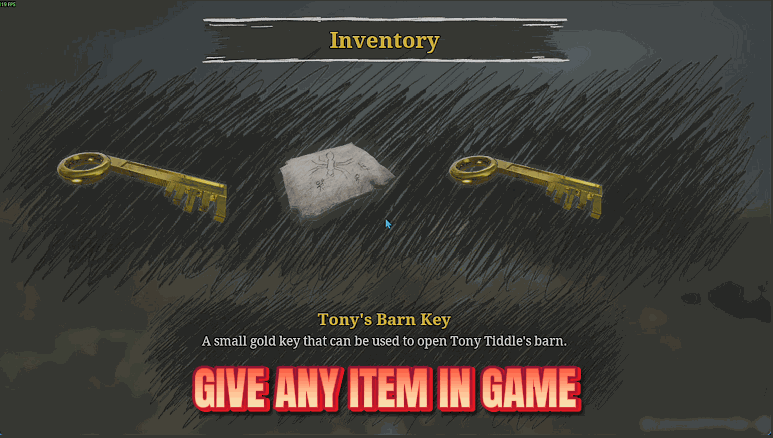
Give Item
Pick any of the game's 25 keys and mission items, set an Amount from 1 to 10 and press Give Item to add it to your inventory with the game's own pickup message.
Game Speed
Run the whole game from 25% to 300% of normal speed. You, your train, Charles and the cultists all slow down or speed up together.
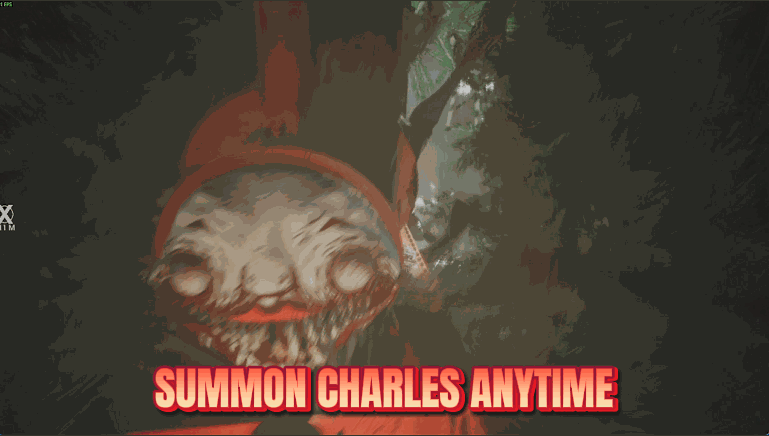
Summon Charles
Call Charles to you with one button, a short run away and already hunting, or send him off to one of his retreat spots with the other.







