Want more mods for Clone Drone in the Danger Zone? Explore our entire collection!
Clone Factory
"Stack up backup lives on demand."
How do I install Clone Factory?
Download the free ProjectMods desktop app, then install Clone Factory for Clone Drone in the Danger Zone in one click.
</>What does Clone Factory do?
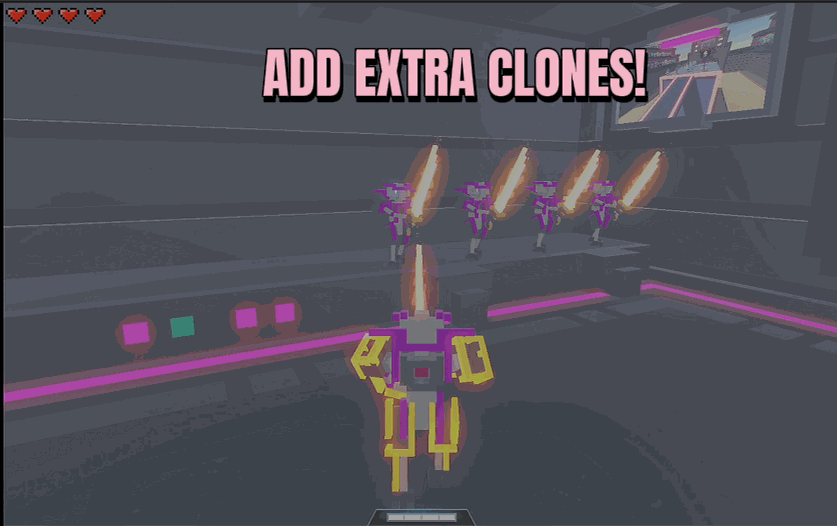
In Clone Drone, every clone is another shot at survival - and losing your last one ends the run. Clone Factory lets you decide how many you get. Set how many backup clones you want (up to twenty), press Set Clones, and they line up ready to take over the moment you fall. It's the safety net for anyone who just wants to enjoy the fights without a game over screen ending things early. Want a real challenge instead? Press Remove All Clones and play it one-life, no do-overs. Clone Factory puts your survival dial fully in your hands - dead simple to use, and completely free.
</>What is Clone Factory?
In Clone Drone in the Danger Zone, every clone is another shot at survival and losing your last one ends the run. Clone Factory puts that dial in your hands: pick how many backup clones you want, up to twenty, and they line up ready to take over the moment you fall. Want the opposite? Remove all clones and play one-life, no do-overs. Free from ProjectMods, a community-first game modding platform.
</>Common questions about Clone Factory
What does Clone Factory do in Clone Drone in the Danger Zone?
Clone Factory lets you decide how many backup lives you carry in Clone Drone in the Danger Zone. Every clone is another chance to keep a run going, and losing your last one ends it. With Clone Factory you set the number of backup clones you want - up to twenty - press Set Clones, and they line up ready to take over the instant you fall. It is a safety net for anyone who just wants to enjoy the fights without a sudden game-over screen. Prefer the opposite? Press Remove All Clones and play one-life with no do-overs.
What do the Set Clones and Remove All Clones options do?
They are the two controls in Clone Factory for Clone Drone in the Danger Zone. Set Clones is where you choose your safety margin: pick any number up to twenty, press the button, and that many backup clones queue up behind you, each one stepping in when the last falls. Remove All Clones does the reverse - it strips your reserves down to nothing so a single mistake ends the run. Between them you can tune your survival however you like, from a near-endless cushion of lives for casual play to a brutal one-and-done challenge where every fight truly counts.
How many backup clones can Clone Factory give me?
Clone Factory lets you stack up to twenty backup clones at once in Clone Drone in the Danger Zone. That is a deep cushion - enough to push through a rough endless streak, learn a punishing level by trial and error, or just relax into the fights without worrying about the run ending. Set the number, press Set Clones, and the reserves are waiting immediately. If twenty feels like too much of a safety blanket, dial it lower for a bit of tension, or press Remove All Clones to play with a single life and no margin for error at all.
Can I change my clone count in the middle of a run?
Yes. Clone Factory's controls in Clone Drone in the Danger Zone work whenever you want them, so your survival dial is not locked in at the start. Set Clones to a high number early on while you learn a tricky section, then press Remove All Clones later if you decide you want the tension of a final one-life push. Re-press Set Clones any time to top your reserves back up. It is dead simple - a number, a button, and your backup lives update on the spot - which makes it easy to match your safety margin to how the run is actually going.
Why would I use Clone Factory in Clone Drone?
Clone Factory is about putting the difficulty of Clone Drone in the Danger Zone in your own hands. Stack twenty clones when you just want to enjoy the arena and never see an early game-over, which is great for casual sessions, long endless runs, or filming without losing a take. Or strip your clones to zero for a self-imposed one-life challenge that makes every swing matter. It pairs naturally with Crash Guard from ProjectMods for marathon endless runs you do not want anything to cut short. Your survival, your rules - and it is completely free.
What options does Clone Factory include?
Remove All Clones
Clear out your extra clones.
Number Of Clones
How many backup clone lives to line up.
Set Clones
Stack up your clone lives to the number above.
With Clone Factory from ProjectMods, you set how many backup clones wait in the wings in Clone Drone in the Danger Zone - up to twenty extra lives on demand, or none at all for a one-life run.
System Requirements
What features does Clone Factory include?
- Pick how many backup clones you want, up to twenty, then press Set Clones to line them all up ready
- Every spare clone takes over the moment you fall, so a bad hit doesn't have to end the run
- Press Remove All Clones for a bare one-life run where a single mistake is the whole story
- Dead simple survival dial - stack a safety net or strip it away whenever the mood changes
Best For
- Players who just want to enjoy the fights without a game over screen cutting things short
- Setting up a stacked buffer of lives before diving deep into a long endless streak
- Challenge runners who want the tension of one life and no do-overs from the very first arena
- Sandbox sessions where you would rather experiment freely than sweat every incoming hit
More Mods for Clone Drone in the Danger Zone
/CloneDroneInTheDangerZoneTitaniumNoDamage1.png)
Titanium (No Damage)
Turn your robot into an unbreakable titanium frame. Swords, spears, hammers, fire, lasers and lava all leave you standing without a scratch.
/CloneDroneInTheDangerZoneTrophyHeist1.jpg)
Trophy Heist (Unlock All Achievements)
Pop every Steam achievement whenever you want or all of them in one click, or the next locked one at a time.
/CloneDroneInTheDangerZonePointMachineSkillPoints1.png)
Point Machine (Skill Points)
Give yourself skill points instantly. No grinding, no waiting, just upgrades.







