Want more mods for Clone Drone in the Danger Zone? Explore our entire collection!
Crash Guard
"Keeps you playing even when the game trips over its own feet."
How do I install Crash Guard?
Download the free ProjectMods desktop app, then install Crash Guard for Clone Drone in the Danger Zone in one click.
</>What does Crash Guard do?
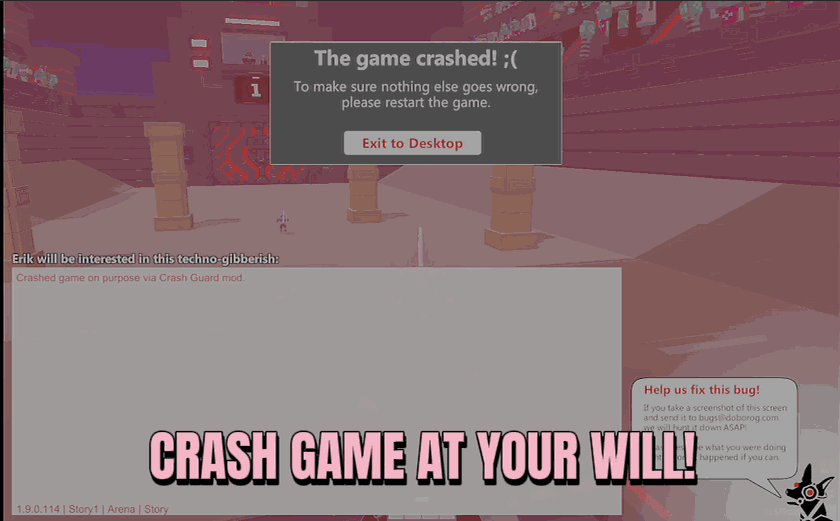
Every so often Clone Drone throws up a crash screen that freezes everything and threatens to boot you out mid-fight. Crash Guard hands the controls back to you. Flip on Disable Crash Handler and that screen simply never shows up. Your arena run, endless streak, or challenge attempt keeps rolling instead of grinding to a halt at the worst possible moment. Already staring at a frozen crash screen? Hit Uncrash Game and it clears away, the action unpauses, and you're dropped right back where you left off. Perfect for long endless runs you don't want to lose, creators recording a take they can't reshoot, and anyone tired of a surprise freeze eating their progress.
</>What is Crash Guard?
Every so often Clone Drone in the Danger Zone throws up a crash screen that freezes everything mid-fight. Crash Guard hands control back: turn on Disable Crash Handler and that screen never shows up, so your arena run or endless streak keeps rolling. Already frozen? Hit Uncrash Game and drop right back where you left off. From ProjectMods, a community-first modding platform.
</>Common questions about Crash Guard
What does Crash Guard do in Clone Drone in the Danger Zone?
Crash Guard keeps a crash screen from ending your session in Clone Drone in the Danger Zone. Every so often the game throws up a crash screen that freezes everything and threatens to boot you out mid-fight. Crash Guard has two parts. Turn on Disable Crash Handler and that screen simply never appears, so your arena run, endless streak, or challenge attempt keeps rolling instead of grinding to a halt at the worst moment. If you are already staring at a frozen screen, hit Uncrash Game and it clears away, the action unpauses, and you are dropped right back where you left off.
What's the difference between Disable Crash Handler and Uncrash Game?
They tackle the same problem in Clone Drone in the Danger Zone from two directions. Disable Crash Handler is preventative - flip it on before or during a run and the crash screen is stopped from ever interrupting you, so it is the one to leave enabled for a long session you do not want risked. Uncrash Game is the rescue button - if a crash screen has already frozen the game, pressing it clears the screen, unpauses the action, and returns you to exactly where you were. Use Disable Crash Handler to stay protected, and Uncrash Game to recover a run that is already stuck.
Will Crash Guard fix a run that's already frozen on a crash screen?
Yes - that is exactly what Uncrash Game is for in Clone Drone in the Danger Zone. If you are already looking at a frozen crash screen, pressing Uncrash Game clears it away, unpauses everything, and drops you back into the fight where you left off, so a surprise freeze does not have to eat your progress. It will not rewind time or restore something from minutes ago - it recovers the moment you were in when the screen appeared. For the best protection, turn on Disable Crash Handler at the start so the screen never interrupts you in the first place.
When should I turn on Disable Crash Handler?
Turn on Disable Crash Handler at the start of anything you do not want a crash screen to ruin in Clone Drone in the Danger Zone. It is a simple toggle in the ProjectMods options panel, and once it is on, the crash screen is kept from freezing your session for the rest of your play. The best moments to enable it are long endless runs where losing your progress would sting, challenge attempts you do not want interrupted, and recording sessions where a freeze means reshooting a take you cannot repeat. Leave it on the whole time and forget about it - it only steps in if a crash would have hit.
Why would I use Crash Guard in Clone Drone?
Crash Guard exists for the runs you cannot afford to lose in Clone Drone in the Danger Zone. A surprise freeze is at its most painful during a deep endless streak, a hard-won challenge attempt, or a recording where the take cannot be repeated - and Crash Guard is built for exactly those moments. It pairs well with Clone Factory from ProjectMods when you are stacking clones for a marathon run and want nothing, not even a crash, to end it early. Keep Disable Crash Handler on for peace of mind, and keep Uncrash Game in your back pocket for the rare freeze that slips through.
What options does Crash Guard include?
Disable Crash Handler
Stop the game's crash screen from ever interrupting you. Turn off to let it behave normally again.
Uncrash Game
Dismiss the crash screen and get back to playing.
Crash Guard, a ProjectMods mod for Clone Drone in the Danger Zone, stops the game's crash screen from cutting your run short, and clears one instantly with Uncrash Game so you drop straight back into the action.
System Requirements
What features does Crash Guard include?
- Switch on Disable Crash Handler and that run-ending freeze screen simply never shows up
- Already staring at a frozen crash screen? Hit Uncrash Game and you drop right back where you left off
- Keep long endless runs and challenge attempts rolling instead of grinding to a halt at the worst moment
- Hands the controls back to you so a surprise freeze can't eat your progress mid-fight
Best For
- Grinding a long endless run you really don't want to lose to a random freeze near the finish
- Creators mid-recording on a take they can't reshoot who can't afford an interruption
- Jumping straight back into the action after a crash screen instead of restarting the whole level
- Anyone tired of a surprise freeze wiping out a hard-earned streak right at the good part
More Mods for Clone Drone in the Danger Zone
/CloneDroneInTheDangerZoneBounceBackDeflection1.png)
Bounce Back (Deflection)
Turn incoming arrows into your own ammo. Deflect shots from any angle and bounce them straight back at whoever fired them.
/CloneDroneInTheDangerZoneTitaniumNoDamage1.png)
Titanium (No Damage)
Turn your robot into an unbreakable titanium frame. Swords, spears, hammers, fire, lasers and lava all leave you standing without a scratch.
Skill Unlocker (Master Key)
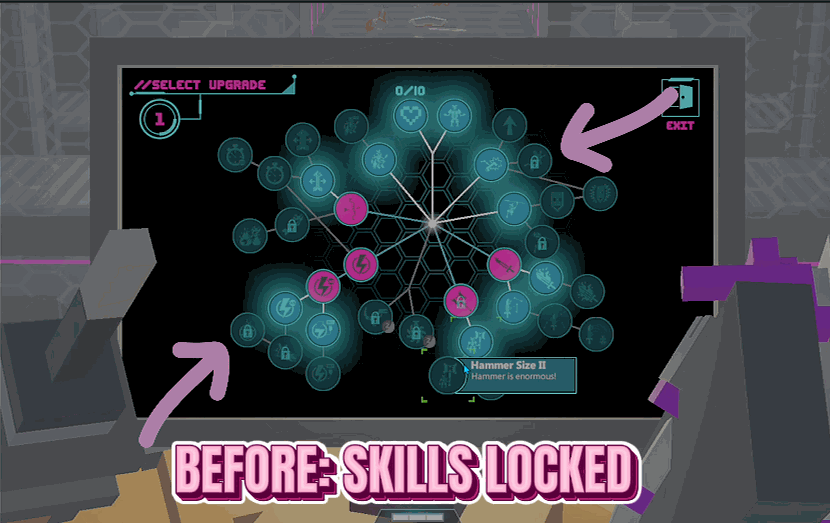
Opens up every upgrade on the skill screen so you can pick anything, without waiting on challenges or long-term progress to unlock it.







