Want more mods for Graveyard Keeper 2? Explore our entire collection!
Battle Bell
"Why wait for the bell? Pick any battle and fight it now."
How do I install Battle Bell?
Download the free ProjectMods desktop app, then install Battle Bell for Graveyard Keeper 2 in one click.
</>What does Battle Bell do?
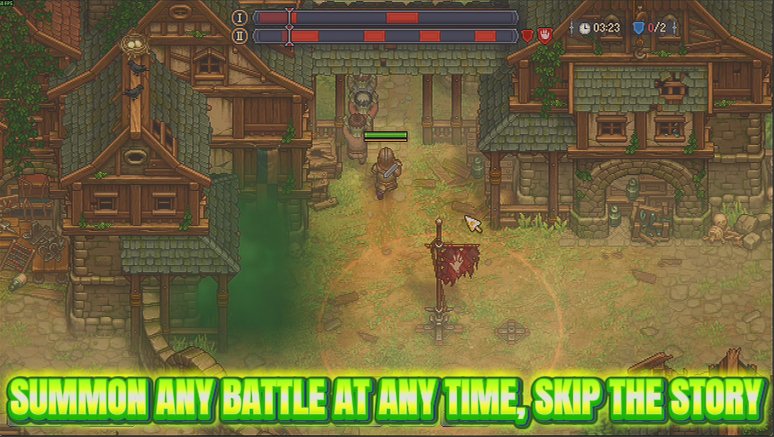
Battles in Graveyard Keeper 2 come when the story says so - usually after a word with the guards at the guard post. Battle Bell lets you ring that bell yourself. Pick any battle in your save from the list, press Start Battle, and the game's own battle screen opens wherever you are standing. Press the Start Fight! button there and you are on the battlefield. Every battle in the list is marked. Open battles are the ones your story has waiting for you, and they play out exactly as if you had started them the usual way - win one and the story moves on as normal. Won battles are rematches: fight them again for the rewards, and when it is over you are brought back to where you started, with the battlefield left the way your story had it. Battles marked not open are ones the story is not offering right now - you may not have reached them yet, or they have been and gone. Those ask for a second press before they start, because winning one early can move a quest along before its time, so they are best tried on a copy of your save. Afterwards you are brought back to where you started with your spoils at your feet, and every battlefield the fight touched goes back to how the story left it. The game's own rules still apply: you need armour and a sword equipped, and you can't be carrying more than one thing on your head, such as a body. Whatever is in your bag doesn't count. Your defences do not have to meet a battle's usual bar - you are told where you stand, so you know what you are walking into. And if a menu is open or you are busy when you press Start Battle, it waits up to two minutes for your hands to be free.
</>What is Battle Bell?
In Graveyard Keeper 2 a battle usually waits on the story and a trip to the guard post. Battle Bell lists every battle in your save: pick one, press Start Battle, and the game's own pre-battle screen opens wherever you stand. Fight the one your story has waiting, rematch old wins for their rewards, or test fresh gear. Premium mod from ProjectMods, the community-first PC mod manager.
</>Common questions about Battle Bell
What does Battle Bell do in Graveyard Keeper 2?
Battle Bell lets you start any battle in your Graveyard Keeper 2 save yourself, instead of waiting for the story to offer it, usually after a word with the guards at the guard post. You pick a battle from a list in the ProjectMods desktop app, press Start Battle, and the game's own pre-battle screen opens wherever you are standing, showing the battle's name, its rewards and your squads. Press the Start Fight! button there and you are off. A battle your story has waiting plays out exactly as if you had started it the usual way, so winning it moves the story on as normal. Handy for trying out gear, fighting for rewards again or just getting a scrap in. Battle Bell is a premium mod from ProjectMods, the community-first PC mod manager for 400+ games across Unity, Unreal, and Godot.
What do Open, Won and Not Open mean in Battle Bell for Graveyard Keeper 2?
Open, Won and Not Open are the marks Battle Bell gives each battle, showing where it stands in your Graveyard Keeper 2 story. Press Refresh List once you are in your save and the Select Battle picker fills with every battle you can fight there. Open means the story has it waiting for you. Won means you have already beaten it, so starting it gives you a rematch. Not Open means the story is not offering it right now: you have not reached it yet, or it has been and gone. Open battles are listed first, then Won, then Not Open, and the marks are checked again every time you press Start Battle, so they never go stale. The developers' own test arenas, and battlefields in parts of the world your save does not have, are left off the list.
Can I rematch a battle I have already won in Graveyard Keeper 2?
Yes. Battle Bell marks battles you have already beaten in Graveyard Keeper 2 as Won, and starting one gives you a rematch you can fight again for its rewards. Pick it in Select Battle, press Start Battle, and the game's own pre-battle screen shows what is on offer before you press its Start Fight! button. When the rematch is over, Battle Bell brings you back to where you started and, if you won, drops the rewards at your feet rather than at the battlefield's exit where the game would normally leave them. The battlefield is left the way your story had it. It is a handy way to go back for rewards, or to try a fresh set of gear against a fight you already know.
Can Battle Bell start a battle I have not reached yet in Graveyard Keeper 2?
Yes, Battle Bell can start one, but it asks you to confirm first. Any battle your Graveyard Keeper 2 story is not offering right now is marked Not Open, whether you have not reached it yet or it has been and gone. Starting one needs a second press of Start Battle within 30 seconds, because winning a battle early can move a quest along before its time, so these are best tried on a copy of your save. The ProjectMods desktop app tells you when to press again. When the fight is over you are brought back to where you started with your spoils at your feet, and every battlefield the battle touched goes back to how the story left it.
Do I still need armour and a sword to use Battle Bell in Graveyard Keeper 2?
Yes. Graveyard Keeper 2's own rules for walking into a battle still apply with Battle Bell: armour and a sword equipped, and no more than one thing carried on your head, such as a body. Whatever is in your bag doesn't count. Your defences, though, do not have to meet a battle's usual bar. Battle Bell tells you where you stand instead, so you know what you are walking into before you press the Start Fight! button. You do need a loaded save, because Refresh List can only fill the picker once you are in your game. And if a menu is open, or you are in the middle of a job or a conversation when you press Start Battle, it waits up to two minutes for you to finish rather than refusing. Battle Bell's own messages show up in the ProjectMods desktop app rather than inside the game.
What options does Battle Bell include?
Refresh List
Fills the battle picker below with every battle in your save, each one marked open, won or not open. Press this once after you are in your game.
Start Battle
Opens the game's own battle screen for the battle picked above, wherever you are. Press the Start Fight! button there to begin. You still need armour and a sword equipped, as for any battle. A battle marked not open asks you to press twice, because winning it early can move a quest along before its time. After a rematch or a not-open battle you are brought back to where you started with your spoils, and every battlefield it touched is put back the way your story had it. If a menu is open or you are busy, it waits up to two minutes for your hands to be free.
Select Battle
The battle you want to fight. Press Refresh List first to fill this in. Open battles are the ones your story has waiting for you, won ones are rematches, and not open means the story is not offering that battle right now - you may not have reached it yet, or it has been and gone.
With Battle Bell, a premium Graveyard Keeper 2 mod on ProjectMods, you can start any battle in your save from wherever you stand, whether it is the one your story has waiting, a rematch of one you have won, or one you have not reached yet.
System Requirements
What features does Battle Bell include?
- Fills the Select Battle list in the ProjectMods app with every battle in your loaded save, marked open, won or not open
- Pulls up the usual pre-battle screen wherever you're standing, with the rewards and your squads on show; nothing starts until you press its Start Fight! button
- Sends you into open battles exactly as if you'd started them the usual way, so your quests count them and wins move the story on
- Turns won battles into rematches, then brings you back where you started with any rewards at your feet and the battlefield as your story had it
- Asks you to press Start Battle twice for a not-open battle, since winning one early can move a quest along before its time
Best For
- Players knee-deep in burials and town orders when a battle comes up, who'd rather start it where they stand than walk over to the guards at the guard post
- Reward hunters who want another round of a battle they've already won, with the spoils dropped at their feet back where they started
- Anyone who's just put on new armour or a better sword and wants to try it out in a proper fight right now, without waiting for the story to call one
- Curious players itching to try a battle they haven't reached yet, even with defences below its usual bar, on a copy of their save to be safe
- Streamers and video makers who want to replay a favourite battle they've already won for chat or a clip, then carry on right where they left off
More Mods for Graveyard Keeper 2
Green Thumb
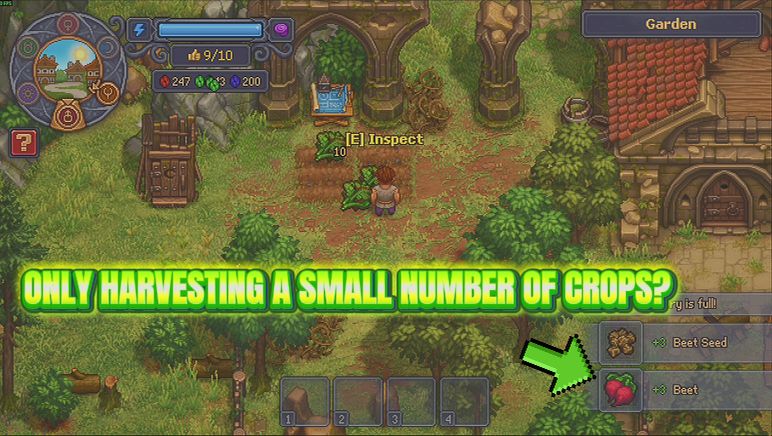
Fewer squares come up empty while you work a bed, more of your crop lands at silver and gold, and a slider decides how big the pile is when you pick it.
Natural Talent
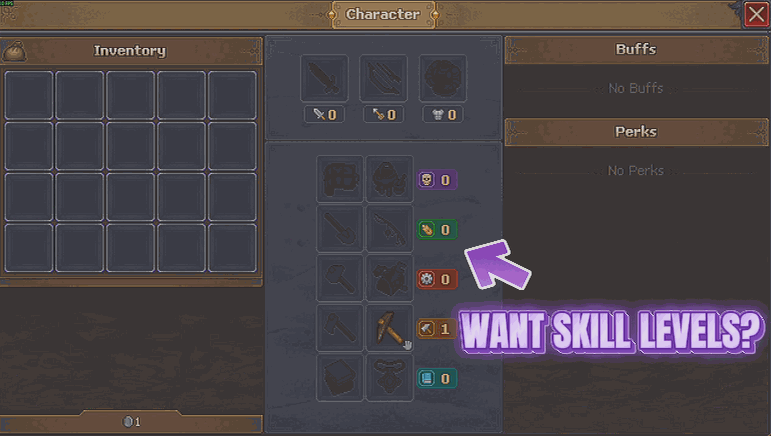
Brings all five skill lines up to whatever level you pick, so the harder recipes stop sitting behind a week of practice.
Poltergeist
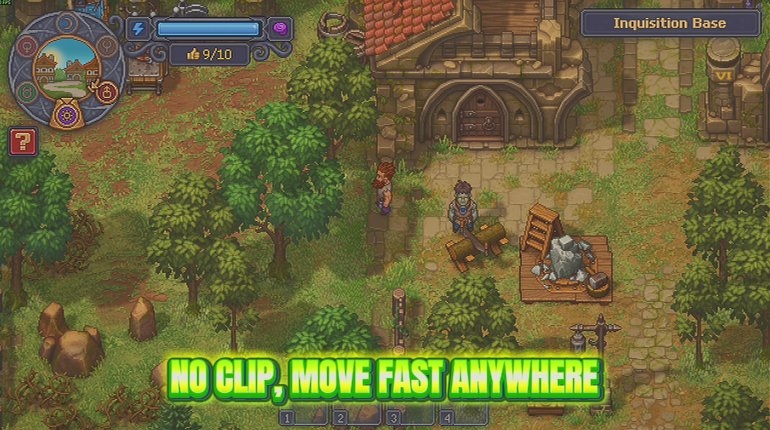
Lift off the ground and drift wherever you like, straight through walls and locked doors if you want, at whatever pace suits the trip.

















































































































































































