Want more mods for Graveyard Keeper 2? Explore our entire collection!
Carved in Stone
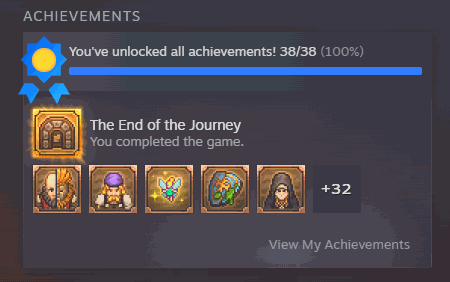
"Pick off the achievement you missed, or carve out all 38 in one press."
How do I install Carved in Stone?
Download the free ProjectMods desktop app, then install Carved in Stone for Graveyard Keeper 2 in one click.
</>What does Carved in Stone do?
Carved in Stone puts the game's whole achievement list in the launcher. Press Refresh List, pick the one you have been chasing, and it is yours - handy when you finish a run and one stubborn entry is still sitting there grey. Unlock All Achievements handles the full set of 38 in a single press and leaves anything you already earned alone. It then tells you the real number that landed, like "Unlocked 38 of 38", instead of just claiming it worked, so you always know exactly where you stand. Entries you already have are marked in the list, and the ones that count up to a target show how far along they are. Load into your save before you press anything. Your achievement record lives inside the save, so there is nothing to unlock from the main menu, and saving once afterwards is what makes it stick. Graveyard Keeper 2 has no achievement screen of its own either, so your Steam profile is where the entries turn up - which is exactly why the list lives in the launcher instead. There is no lock-everything button on purpose: the entries that count up share their progress, so winding one back would pull the others down with it, and your save would only hand them straight back.
</>What is Carved in Stone?
Carved in Stone puts the full Graveyard Keeper 2 achievement list in the ProjectMods launcher. Press Refresh List, pick the entry you have been chasing, and unlock it, or clear the whole set of 38 at once. Every press reports the real count that landed rather than claiming success. Load into your save first and save once afterwards, then check your Steam profile - the game has no achievement screen of its own. Free mod from ProjectMods, the community-first PC modding platform for 400+ games.
</>Common questions about Carved in Stone
What does Carved in Stone do in Graveyard Keeper 2?
Carved in Stone lists every achievement Graveyard Keeper 2 has inside the ProjectMods launcher and lets you unlock them. Press Refresh List to fill the picker, choose the entry you have been chasing, and press Unlock Selected. Unlock All Achievements handles the full set of 38 in one press and leaves anything you already earned alone. Entries you already hold are marked in the list, and the ones that count up towards a target show how far along they are. Every press reports the real number that landed, so you always know exactly where you stand rather than trusting a cheerful message.
What does the Refresh List button do?
Refresh List loads every achievement Graveyard Keeper 2 has into the picker underneath it, and it is the first thing you press in Carved in Stone. Do it once you are inside your save, because that is also when the list can mark which entries you have already earned. Entries use the game's own short name for each achievement, so you can type into the picker to narrow it down instead of scrolling. Anything that counts up towards a target shows its progress alongside it. Press Refresh List again later if you want those marks brought up to date after a session of normal play.
Does Unlock All Achievements really clear all 38?
It unlocks everything you do not already have and then tells you the real count, such as 38 of 38, instead of simply claiming it worked. Anything you earned yourself is left untouched. Carved in Stone also handles the entries that count up towards a target, and because several of those share the same progress, clearing a smaller one can nudge a bigger one along at the same time. You need to be inside a loaded Graveyard Keeper 2 save when you press it, since your achievement record lives in the save and there is nothing to unlock from the main menu. Save once afterwards so the unlocks stick.
Where do the achievements actually show up afterwards?
On your Steam profile. Graveyard Keeper 2 has no achievement screen of its own, which is exactly why Carved in Stone lists them inside the ProjectMods launcher instead of pointing you at an in-game menu. Load into your save before pressing anything, unlock what you want, then save once so the record sticks. After that, Steam is where the entries appear and where your completion percentage updates. The launcher list is there to show you what exists, what you already hold and how far along the counting ones are, all in one place while you play.
Why is there no button to lock achievements again?
It is left out on purpose. The entries that count up towards a target share their progress, so winding one back would pull the others down with it, and your save would only hand them straight back the next time it caught up. Rather than ship a button that quietly breaks your numbers and then undoes itself, Carved in Stone only goes one way. That is worth knowing before you press Unlock All Achievements, because there is no tidy route back to a partly finished list. If you want to earn a specific entry yourself, unlock the others individually and leave that one alone.
What options does Carved in Stone include?
Unlock Selected
Unlocks the one you picked, then checks the result and tells you whether it actually landed. Achievements that count up share their progress with their longer versions, so clearing a smaller one can nudge the bigger one along too.
Refresh List
Loads every achievement the game has into the list below. Press it once you are in your save and the list will also mark what you have already earned.
Select Achievement
The achievement you want. Press Refresh List first to fill this in, then type to narrow it down. Entries use the game's own short name for each achievement, the ones you already have are marked, and anything that counts up to a target shows how far along it is.
Unlock All Achievements
Unlocks everything you do not already have and reports the real count afterwards, such as 38 of 38. You need to be in a loaded save - there is nothing to unlock from the main menu.
Carved in Stone is a free Graveyard Keeper 2 mod from ProjectMods that puts the game's whole achievement list in the launcher, so you can unlock the one you missed or all 38 in a single press. It needs a loaded save, and the unlocks show up on your Steam profile.
System Requirements
What features does Carved in Stone include?
- Puts the game's whole achievement list in the launcher, with the ones you already earned marked - the game has no achievement screen of its own
- Unlock the single entry you have been chasing, or clear all 38 of them in one press
- Reports the real count afterwards, like 38 of 38, rather than just claiming it worked
- Shows how far along you are on anything that counts up to a target, so you know what is close
- Needs a loaded save, since your record lives in there - saving once afterwards is what makes it stick
Best For
- You finished a run and one stubborn entry is still sitting there grey
- You want the full set but would rather not start a second playthrough for a single missing line
- Steam is the only place these achievements show, and you want that page to match the run you actually played
- You earned something while Steam was offline and it never made it onto your profile
More Mods for Graveyard Keeper 2
Deep Shelves
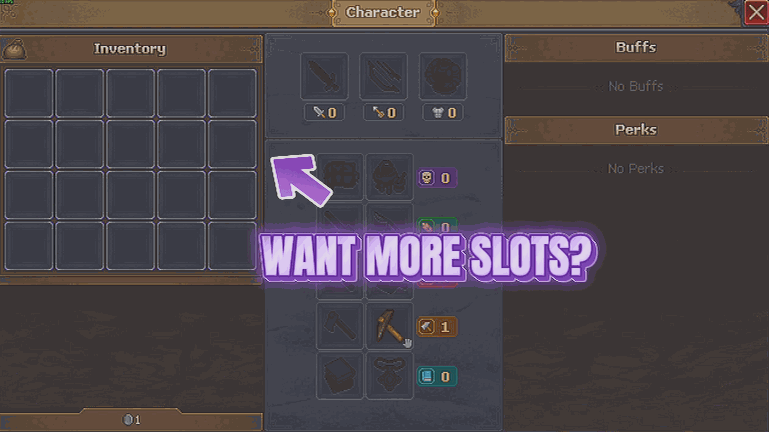
Piles get much deeper, so the wood, stone and clay you were ferrying home in five trips all come back in one. Tools and one-off items are left alone.
Timekeeper
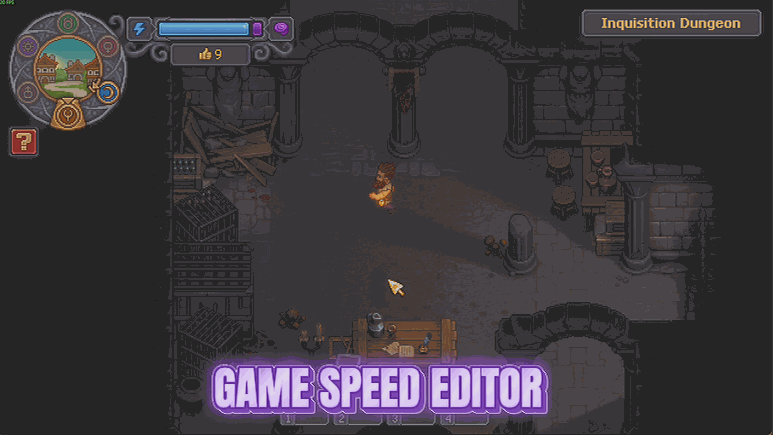
Two sliders: how many real minutes a day lasts, and how fast the world runs. Stretch the daylight out, or hurry the quiet bits along.
Second Thoughts
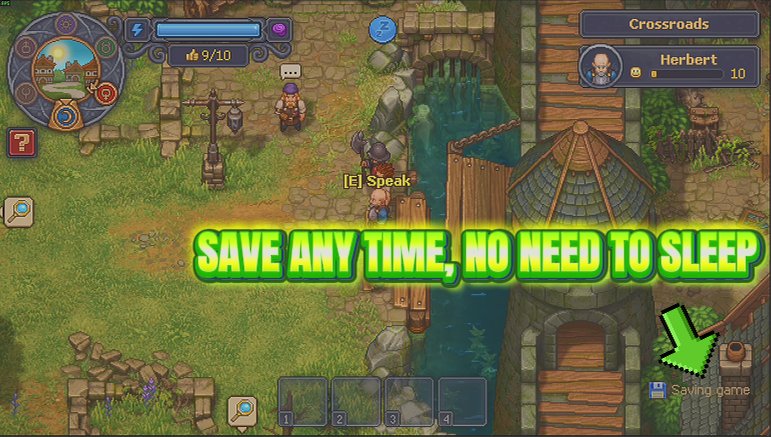
A Save Now button you can press whenever you like, plus an optional timer that saves for you, instead of only writing your progress when you sleep.

















































































































































































