Want more mods for House Flipper 2? Explore our entire collection!
Spotless (Instant Clean)
"One click, zero mess."
How do I install Spotless (Instant Clean)?
Download the free ProjectMods desktop app, then install Spotless (Instant Clean) for House Flipper 2 in one click.
</>What does Spotless (Instant Clean) do?
Tired of scrubbing every wall and picking up every piece of trash by hand? Spotless obliterates all dirt, grime, vacuum debris, and garbage across the entire property in one satisfying tap. It even marks your cleaning tasks as complete so you can focus on the fun part — designing and decorating. Turn any filthy fixer-upper into a spotless showroom without lifting a sponge.
</>What is Spotless (Instant Clean)?
Spotless by ProjectMods eliminates the tedious cleaning phase in House Flipper 2. One tap wipes out all dirt, grime, vacuum debris, and garbage across the entire property and marks your cleaning tasks as complete. Skip the scrubbing and jump straight to designing and decorating.
</>Common questions about Spotless (Instant Clean)
What does Spotless do in House Flipper 2?
Spotless from ProjectMods eliminates all dirt, trash, grime, vacuum debris, and garbage across your entire House Flipper 2 property in a single tap. Instead of scrubbing walls, picking up trash by hand, and vacuuming every room individually, one press of the button leaves the property spotless. The mod also marks your cleaning tasks as complete, so your job progress updates automatically. It transforms any filthy fixer-upper into a clean canvas ready for designing and decorating — no sponge required.
What types of mess does Spotless remove in House Flipper 2?
Spotless for House Flipper 2 handles every category of mess the game throws at you. Wall grime, floor stains, ceiling marks, scattered trash, leftover debris from demolition, dust that needs vacuuming, cobwebs, and any other form of dirt or garbage on the property — all of it vanishes in one tap. The mod doesn't discriminate between mess types or locations. Kitchen grease, bathroom grime, garage oil stains, garden rubbish — everything across every room and outdoor area gets cleaned simultaneously, saving you the most tedious phase of any renovation.
Does Spotless complete my cleaning tasks in House Flipper 2?
Yes. When you activate Spotless for House Flipper 2, it doesn't just remove visible dirt — it also marks your cleaning-related tasks as complete in the job tracker. This means your overall job completion percentage advances automatically to reflect the cleaned state. You won't need to manually scrub areas that the game requires as task objectives because Spotless handles both the visual cleanup and the task tracking in one action. This is especially valuable on jobs where cleaning accounts for a significant portion of the completion requirements.
How do I use the Clean Everything option in Spotless?
Spotless for House Flipper 2 keeps the controls minimal. Open ProjectMods, find the Clean Everything button, and press it. That's the entire process — the whole property is cleaned instantly. There's no area selection, no room-by-room workflow, and no configuration needed. Press the button once on any property and every surface, floor, and corner becomes spotless. You can use it at any point during a renovation — at the start to clear out the mess before planning, midway through to clean up demolition debris, or at the end for a final polish.
When is Spotless most valuable during a House Flipper 2 renovation?
Spotless from ProjectMods delivers the biggest time savings on heavily damaged or abandoned properties in House Flipper 2, where cleaning can take longer than the actual renovation. Properties covered in trash and years of accumulated grime normally require extended scrubbing sessions before you can even see the walls you're working with. Using Spotless at the start of these projects lets you immediately assess the property's layout and condition, then dive straight into the creative work of designing, demolishing, and rebuilding without spending your first hour picking up garbage.
What options does Spotless (Instant Clean) include?
Clean Everything
Wipe out all dirt, grime, and trash on the property.
Spotless from ProjectMods removes every speck of dirt, trash, and grime from your entire House Flipper 2 property in one click.
System Requirements
What features does Spotless (Instant Clean) include?
- Wipe out all dirt, trash, grime, and debris across the entire property in one tap
- Mark cleaning tasks as complete automatically so your progress tracker stays accurate
- Skip the scrubbing entirely and go straight to designing and decorating
- Turn even the filthiest fixer-upper into a blank canvas in seconds flat
Best For
- Decorators who love the design phase but absolutely dread the cleaning phase of every renovation
- Players tackling heavily trashed properties who'd rather spend their time on layout and furniture
- Speed-flippers looking to shave minutes off every job by skipping repetitive scrubbing
- Anyone who's cleaned one too many virtual bathrooms and just wants to get to the fun part
More Mods for House Flipper 2
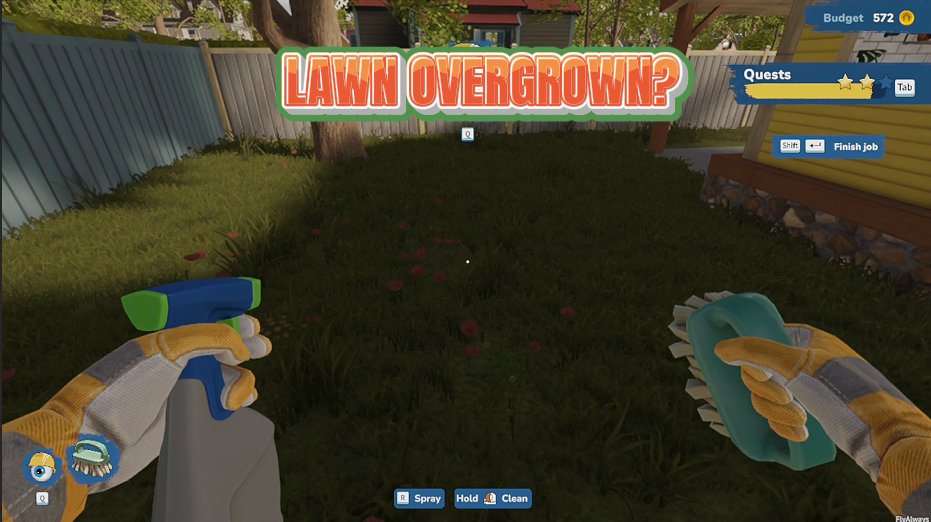
Lawn Genie
Set all the grass on the property to perfectly trimmed, tidily groomed, or wild and overgrown with a single click.
/HouseFlipper2ToolShed1.png)
Tool Shed (All Tools)
Unlock every renovation tool in one click — no grinding, no waiting, just pure creative freedom.
/HouseFlipper2OpenSeason1.png)
Open Season (All Jobs)
Unlock every renovation job and finish them at any completion level — skip the grind and pick whatever project catches your eye.







