Want more mods for Kindergarten 2? Explore our entire collection!
Do-Over
"Died again? Bounce right back and try something else."
How do I install Do-Over?
Download the free ProjectMods desktop app, then install Do-Over for Kindergarten 2 in one click.
</>What does Do-Over do?
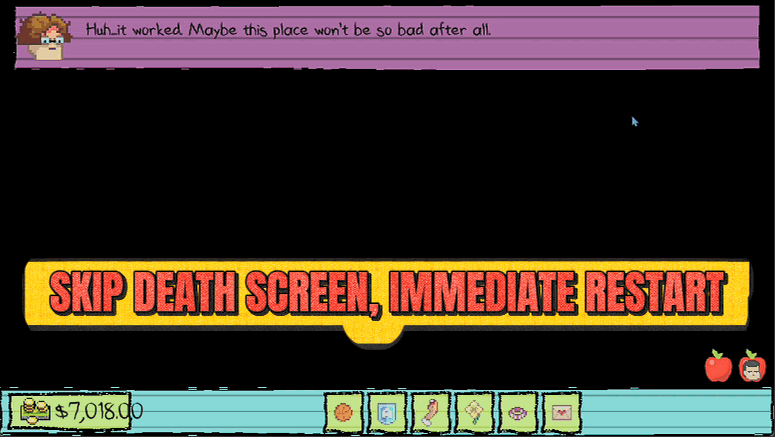
Dying is half the fun in Kindergarten 2, but clicking through the death screen every single time gets old. Do-Over cuts out the middleman: the moment you meet a grisly end, it instantly restarts the current block for you, with no menus and no waiting. Try wild plans, take the risky option, and get right back in the action when it blows up in your face. Flip it off anytime to bring the normal death screen back.
</>What is Do-Over?
Do-Over strips the wait out of dying in Kindergarten 2. The instant your kid meets a grisly end, it restarts the current block with no death screen and no menus, so you can gamble on risky plans and get straight back in. Flip it off any time to bring the normal death screen back.
</>Common questions about Do-Over
What does Do-Over do in Kindergarten 2?
Do-Over removes the death screen in Kindergarten 2 and instantly restarts the current block the moment your kid dies. Kindergarten 2 kills you constantly — bad choices, wrong items, grisly traps — and normally each death drops you onto a screen you have to click through before you can try again. Do-Over cuts that out entirely: the second things go wrong, you pop straight back to the start of the block, ready for another attempt. It turns dying from an interruption into a quick reset, so experimenting with dangerous plans costs you seconds instead of minutes and keeps the run moving.
How does the instant restart actually work?
When Instant Retry is on, Do-Over watches for the moment your kid dies in Kindergarten 2 and sends you straight back to the beginning of the block you were in, skipping the usual death screen. You start that block fresh, so it plays like a clean second attempt rather than a full save reload. There's no menu to dismiss and no loading wait to sit through — you pop back to the start and go again. That makes chaining attempt after attempt feel quick and fluid, which matters a lot when a plan in Kindergarten 2 needs a few tries before it finally lands.
Does Do-Over work for every kind of death in Kindergarten 2?
Yes. Do-Over responds to your kid dying in Kindergarten 2 however it happens — poison, explosions, angry teachers, botched missions, or any of the game's many grisly endings all trigger the same instant restart. It isn't tied to one specific hazard or story beat, so whether you got flattened during a science experiment or wiped out on a risky plan, you bounce back to the start of the block just the same. The one thing it doesn't do is undo progress you've already banked in earlier blocks; it resets the current block only, which is exactly what you want when a single section keeps ending you.
What does the Instant Retry toggle do?
Instant Retry is the single switch that controls Do-Over in Kindergarten 2. Turn it on and the death screen disappears — every death instantly restarts the current block. Turn it off and the normal Kindergarten 2 death screen comes right back, exactly as the game ships it. That makes Do-Over easy to dip in and out of: leave it on while you're brute-forcing a tricky section, then flip it off when you actually want to sit with a death, read the game-over flavour, or load a save the normal way. Nothing else to configure — it's one clean toggle you control from the mod card.
When is Do-Over most useful in Kindergarten 2?
Do-Over shines whenever Kindergarten 2 wants you to solve a section by trial and error. Many missions hide the right sequence of actions behind a death or two, and clicking through the death screen every attempt turns quick experiments into a slog. With Do-Over on, you can take the risky option, grab the suspicious item, or test a wild plan knowing a failure just snaps you back to the start of the block in a heartbeat. It's also great for speedrun-style replays and for content creators who want to show off different outcomes fast, without dead air between attempts while the death screen sits on screen.
What options does Do-Over include?
Instant Retry
Turn on to skip the death screen and restart the block the moment you die.
Do-Over is a ProjectMods mod for Kindergarten 2 that skips the death screen and instantly restarts the current block the moment you die, so you never sit through the menu again.
System Requirements
What features does Do-Over include?
- Skips the death screen the instant you die and restarts the current block for you, no menus, no waiting
- Turns a grisly end into a one-second reset so you're straight back in the action
- Encourages wild, risky plans since failing barely costs you any time
- Toggle it off whenever you want the normal death screen and retry flow back
Best For
- Experimenting with dangerous plans you know might get you killed, and wanting to retry instantly instead of clicking through menus
- Speedrunning a block over and over to nail the perfect sequence without the death-screen interruption
- Streamers taking chat's chaotic suggestions who need to bounce back fast when a dare goes wrong
- New players learning the game's many ways to die who'd rather just get back to trying things
More Mods for Kindergarten 2
Overtime
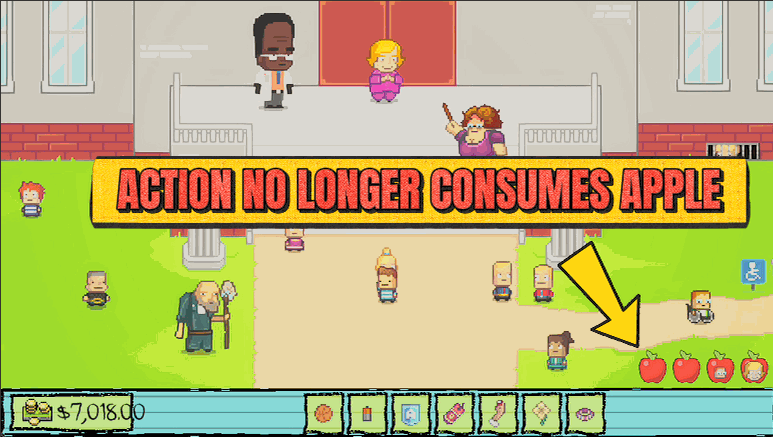
Stop the clock on your daily actions. Explore every room, talk to everyone, and try every plan without the day forcing you along.
Wall of Fame
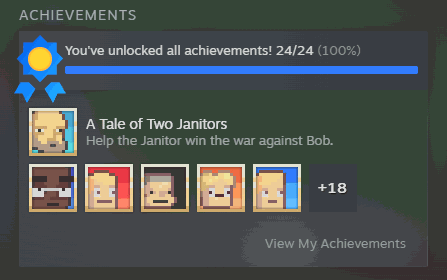
Award any Steam achievement, or all of them at once, and clear them back whenever you want a fresh slate.
Monstermon Collector
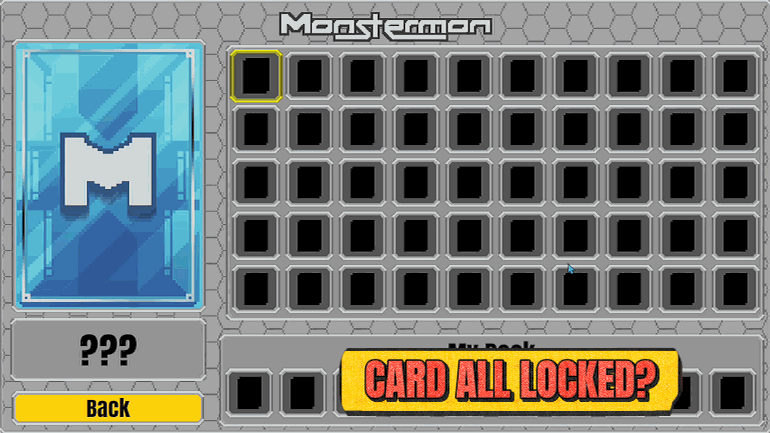
Fill your Monstermon binder instantly. All 50 cards unlocked, ready to build any deck you want.







