Want more mods for Kindergarten 2? Explore our entire collection!
Overtime
"The bell can wait. Take all the time you need."
How do I install Overtime?
Download the free ProjectMods desktop app, then install Overtime for Kindergarten 2 in one click.
</>What does Overtime do?
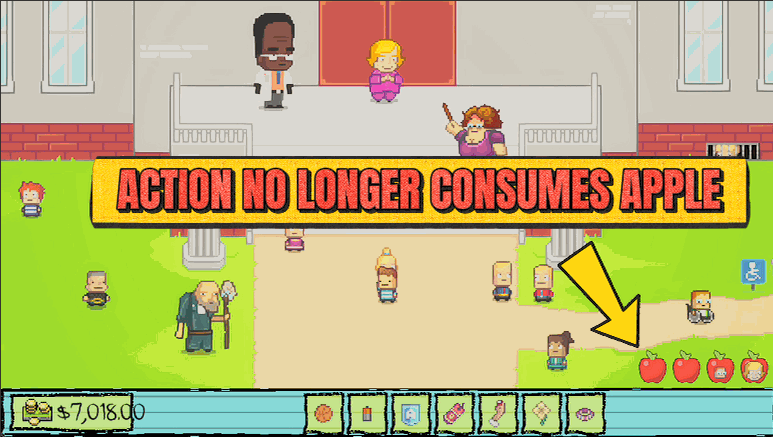
Every room in Kindergarten 2 only gives you a handful of actions before the bell drags you to the next scene. Overtime turns that limit off: flip it on and your action count stops ticking down, so you can experiment freely, chase every conversation, and line up the perfect plan. Flip it off whenever you're ready to let the day move forward.
</>What is Overtime?
Overtime turns off Kindergarten 2's action limit so the day stops rushing you. Flip on Endless Actions and your action count stops ticking down, letting you explore every room, talk to everyone, and line up the perfect plan at your own pace. Flip it off whenever you're ready to let the bell ring and the day move forward.
</>Common questions about Overtime
What does Overtime do in Kindergarten 2?
Overtime stops your daily action count from ticking down in Kindergarten 2, so the day no longer forces you from room to room. Normally each room only gives you a handful of actions before the bell drags you to the next scene, which means every conversation, search, or plan spends part of a tight budget. Overtime lifts that limit: with Endless Actions on, your action count holds steady, letting you explore, talk to everyone, and experiment as much as you like without the schedule cutting you off. When you're finally ready to move on, you flip it back off and the day resumes as normal.
How does Overtime stop the day from moving forward?
Overtime keeps your action count from running down in Kindergarten 2. Each room in the game normally spends your limited actions as you interact with people and objects, and once they're gone, the bell rings and you're pushed to the next scene. With Endless Actions switched on, that count stops dropping, so the trigger that ends the room never arrives and you can keep acting indefinitely. Nothing else about the scene changes — the same characters, items, and options are all there — you simply have unlimited time with them. The moment you want the story to progress, turning the toggle off lets the day carry on as usual.
Does Overtime let me finish missions I'd normally run out of time for?
That's exactly what it's for. Plenty of Kindergarten 2 missions ask you to juggle several tasks inside one room's worth of actions, and it's easy to run dry before you've lined everything up. With Overtime on, your action count never empties, so you can take as many steps as a plan needs — search everywhere, talk to every character, and set up each piece in the right order without the bell cutting you short. It doesn't skip mission requirements or complete objectives for you; you still do the work. It just removes the time pressure, so a complex plan that would normally take pixel-perfect efficiency becomes something you can work through calmly.
What does the Endless Actions toggle do?
Endless Actions is the single switch behind Overtime in Kindergarten 2. Turn it on and your daily action count stops ticking down, so nothing forces the day forward and you can stay in a room as long as you like. Turn it off and the count behaves normally again, spending down with each action until the bell moves you along. Because it's a straightforward toggle, you stay in control of the pacing: leave it on while you explore and plan, then flip it off when you actually want to end the room and progress. There's nothing else to set — one switch decides whether the clock runs.
When is Overtime most useful in Kindergarten 2?
Overtime is at its best when you want to explore Kindergarten 2 thoroughly rather than efficiently. First-time players can use it to poke at every conversation and object without fear of wasting actions, so nothing gets missed. Returning players lining up a complicated mission can set each step up carefully instead of racing the action budget. It's also great for content creators who want to show off a room's full range of interactions on camera without the scene ending mid-demo. Any time Kindergarten 2's tight action limit is getting between you and the thing you actually want to do, flipping on Endless Actions hands the pacing back to you.
What options does Overtime include?
Endless Actions
Turn on to stop your daily action count from ticking down. Turn off to let the day move forward.
Overtime, a ProjectMods mod for Kindergarten 2, stops your daily action count from ticking down, so you can explore every room and try every plan without the bell forcing you along.
System Requirements
What features does Overtime include?
- Stops your daily action count from ticking down so the bell never rushes you to the next scene
- Gives you unlimited time in every room to explore, talk to everyone, and set up a plan
- Flip it on to freeze the limit, off to let the day move forward again
- Lets you chase every conversation and try every option inside a single day
Best For
- Explorers who want to poke into every room and talk to every character without the day cutting them off
- Lining up a complicated multi-step plan that normally takes more actions than a day allows
- First-timers who want to soak in all the dialogue without missing lines to the action limit
- Hunting a specific secret or interaction without wasting precious daily actions searching for it
More Mods for Kindergarten 2
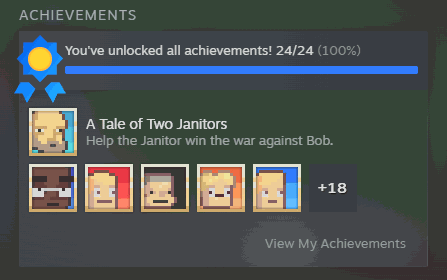
Wall of Fame
Award any Steam achievement, or all of them at once, and clear them back whenever you want a fresh slate.
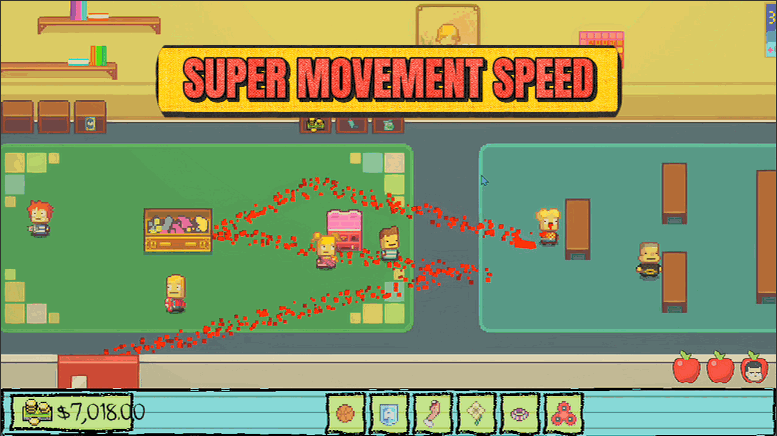
Sugar Rush
Crank up your walk speed with a simple slider. Skip the slow trudge between rooms and get where you're going, fast.
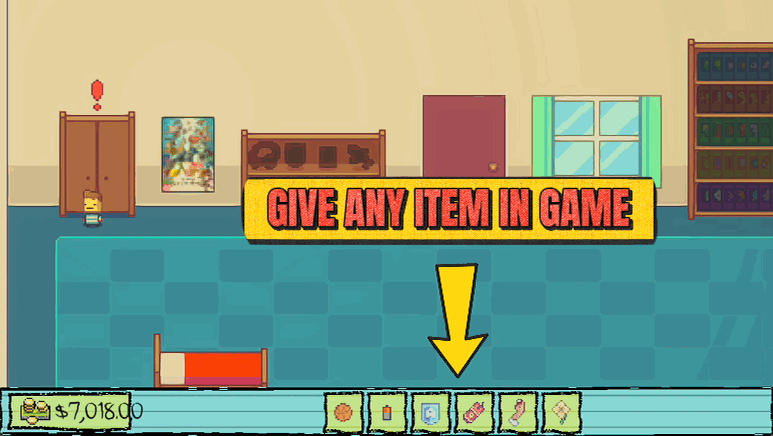
Sticky Fingers
Pick any item from a searchable list and drop it right into your backpack, so you never have to hunt the whole school for that one thing a mission needs.







