Want more mods for Kindergarten 2? Explore our entire collection!
Sticky Fingers
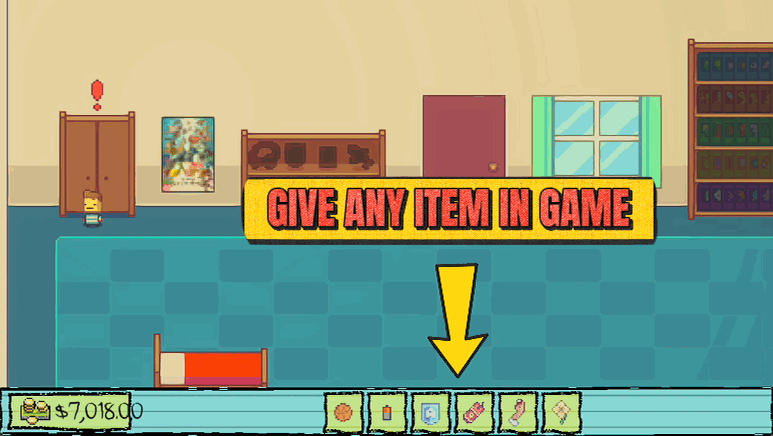
"Every item in the school, straight to your backpack."
How do I install Sticky Fingers?
Download the free ProjectMods desktop app, then install Sticky Fingers for Kindergarten 2 in one click.
</>What does Sticky Fingers do?
Kindergarten 2's puzzles hinge on tracking down the right item at the right time. Sticky Fingers skips the scavenger hunt: press Refresh Item List to load every item in the game, pick the one you want, and Give Item drops it straight into your backpack with the icon showing in your tray. Grab mission items, gadgets, contraband, or that Monstermon plushie whenever you please.
</>What is Sticky Fingers?
Sticky Fingers skips the scavenger hunt in Kindergarten 2. Load every item in the game into a searchable picker, choose the one you want, and drop it straight into your backpack with its icon showing in your tray. Grab mission items, gadgets, contraband, or that Monstermon plushie on demand, instead of combing the whole school for the one thing a puzzle needs.
</>Common questions about Sticky Fingers
What does Sticky Fingers do in Kindergarten 2?
Sticky Fingers lets you drop any item in Kindergarten 2 straight into your backpack, chosen from a searchable list. The game's puzzles often hinge on tracking down the right item at the right time, which can mean combing the whole school for one specific thing. Sticky Fingers skips that scavenger hunt: you load every item in the game into a picker, select the one you want, and it lands in your backpack with its icon showing in your tray. Mission items, gadgets, contraband, that Monstermon plushie — whatever a moment calls for, you can hand it to yourself on demand instead of hunting it down.
How do I give myself an item with Sticky Fingers?
Sticky Fingers works in three quick steps in Kindergarten 2. First, press Refresh Item List once you're in-game; this loads every item the game has into the picker. Next, use the Select Item dropdown to choose exactly what you want — the list is searchable, so you can find a specific item fast rather than scrolling forever. Finally, press Give Item and it drops straight into your backpack, with the icon appearing in your tray so you know it landed. That's the whole loop: refresh once, then select and give as many times as you like. It turns finding items from a schoolwide hunt into a couple of taps.
Which items can Sticky Fingers give me?
Sticky Fingers can hand you essentially any item in Kindergarten 2, because pressing Refresh Item List loads the game's full item roster into the picker. That covers the practical stuff missions demand, the science-lab gadgets, the contraband you'd normally have to sneak around for, and oddities like the Monstermon plushie. Whatever the game tracks as an item tends to show up in the list, so you're rarely stuck without an option. Since the picker is searchable, even with the whole roster loaded you can jump straight to the one you need. It's the difference between knowing an item exists somewhere in the school and simply choosing it from a menu.
Why is the item dropdown empty when I first load in?
Because the list is built on demand. When you first open Sticky Fingers in Kindergarten 2, the Select Item dropdown is empty until you press Refresh Item List — that's the step that scans the game and fills the picker with every item. It's not a fault; it's simply how the mod gathers an up-to-date list once you're actually in-game and everything has loaded. So the routine is: get into the game, press Refresh Item List once, and the dropdown populates. After that you can select and give items freely for the rest of your session. If the list ever looks stale, another Refresh rebuilds it.
Why would I use Sticky Fingers in Kindergarten 2?
Use Sticky Fingers whenever tracking down a specific item is the only thing standing between you and progress in Kindergarten 2. Puzzles that expect you to find, trade, or steal a particular object become instant when you can just pick it from a list. It's a lifesaver on replays, where re-hunting items you've already found once is pure busywork, and for anyone stuck on a mission that hinges on an item they can't locate. Content creators also like it for setting up a scene quickly without an on-camera scavenger hunt. Anytime the school's item-hunting gets tedious, Sticky Fingers puts what you need one tap away.
What options does Sticky Fingers include?
Select Item
Pick which item to drop into your backpack.
Refresh Item List
Load every item in the game into the picker. Do this once in-game before giving items.
Give Item
Add the selected item to your backpack.
Sticky Fingers is a ProjectMods mod for Kindergarten 2 that lets you pick any item from a searchable list and drop it straight into your backpack, so you never hunt the whole school for one thing.
System Requirements
What features does Sticky Fingers include?
- Drops any item in the game straight into your backpack from a searchable picker
- Loads the full item list once in-game, then hands you whatever you select in a tap
- Shows the item's icon in your tray the moment you grab it
- Covers mission items, gadgets, contraband, and collectibles alike
Best For
- Skipping the school-wide scavenger hunt when a mission needs one specific item you can't find
- Grabbing a gadget or contraband item for a plan without tracking down where it spawns
- Completionists who want a specific collectible, like the Monstermon plushie, on demand
- Recovering an item you used up or lost and need again to finish a puzzle
More Mods for Kindergarten 2
Do-Over
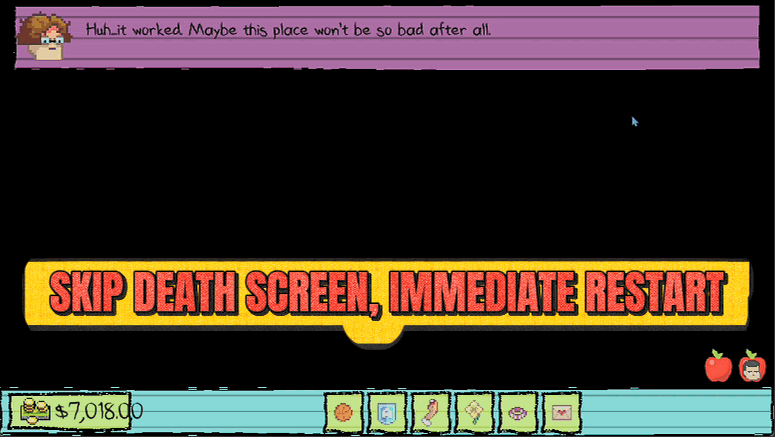
Skip the death screen entirely. The instant things go wrong, you pop straight back to the start of the block to try again.
Get Rich
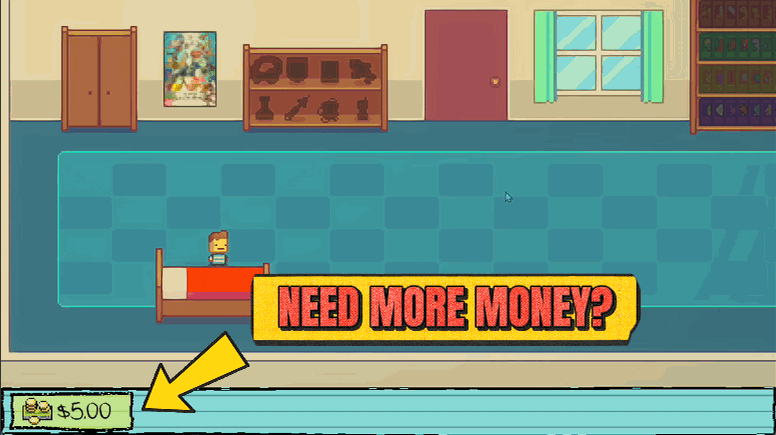
Top up your wallet to any amount, or wipe it clean. Buy out the vending machines, grease every palm in the schoolyard, and never come up short again.
Overtime
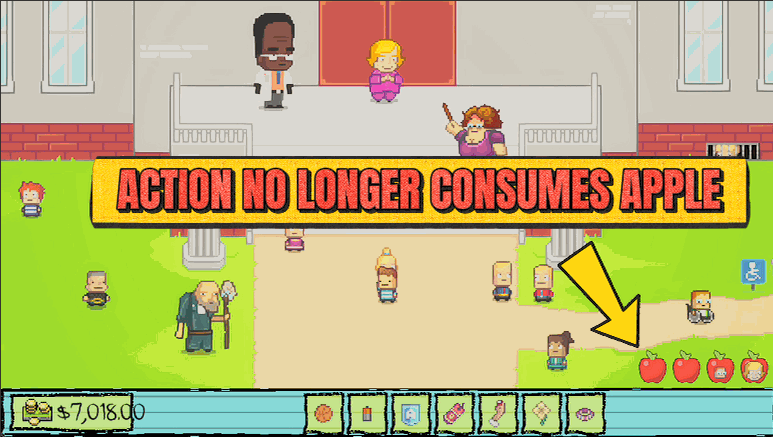
Stop the clock on your daily actions. Explore every room, talk to everyone, and try every plan without the day forcing you along.







