Want more mods for Kindergarten? Explore our entire collection!
Answer Key
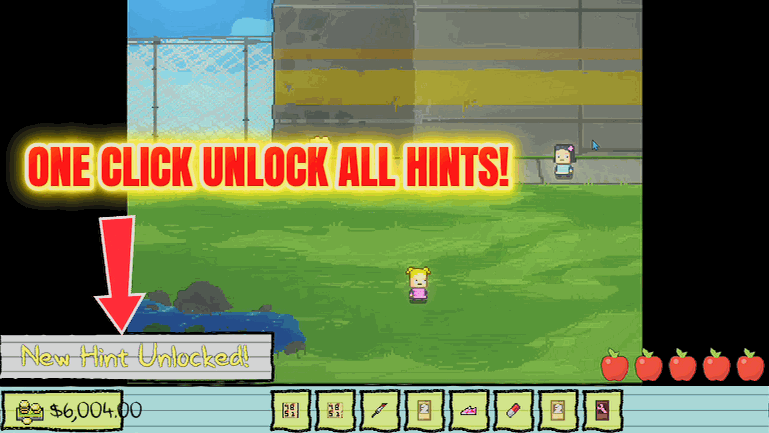
"Peek at every mission hint whenever you're stumped."
How do I install Answer Key?
Download the free ProjectMods desktop app, then install Answer Key for Kindergarten in one click.
</>What does Answer Key do?
Kindergarten's missions can be delightfully cryptic, and getting stuck means replaying a whole day. Answer Key unlocks every hint the game keeps in your planner. One press reveals the guidance for every character's questline, so when you're not sure what to do next you can just check your notes instead of hunting through a walkthrough. Great for finishing that last stubborn story path.
</>What is Answer Key?
Kindergarten's character missions love to be cryptic, and getting stuck can mean replaying an entire day. Answer Key unlocks every hint the game tucks into your planner in a single press, so you can finish that last stubborn storyline without alt-tabbing to a wiki. Part of the ProjectMods catalog for 400+ games.
</>Common questions about Answer Key
What does Answer Key do in Kindergarten?
Answer Key is a mod for Kindergarten that reveals every mission hint the game stores in your planner. With one press of Reveal All Hints, the guidance for every character's questline unlocks at once, so when you're not sure what to do next you can simply check your notes instead of hunting through a walkthrough. Kindergarten's missions are deliberately cryptic, and getting stuck often means replaying a whole day to try again. Answer Key removes that guesswork, making it ideal for finishing the last stubborn story path or catching a step you missed. It's a free-tier mod in the ProjectMods launcher, and you can grab those hints whenever you're stumped.
How does the Reveal All Hints button work?
Reveal All Hints is the single action that powers Answer Key in Kindergarten. Press it once and every hint tied to every character's mission unlocks in your in-game planner at the same time — you don't have to reveal them one storyline at a time. The hints are the same guidance Kindergarten already keeps for you; the mod just takes the lock off all of them together. That means the moment you're unsure which cupboard to check or which kid to talk to, the note is already sitting in your planner. It's handy on a fresh save where most hints are still hidden, and just as useful mid-run when one cryptic step has you stuck and about to replay the day.
Does Answer Key reveal hints for every character's storyline?
Yes. Answer Key unlocks the mission hints for every character's questline in Kindergarten at once, not just the storyline you're actively working on. Whether you're chasing Cindy, Nugget, Buggs, Lily, Monty, or any other kid's mission, the guidance for all of them appears in your planner together the moment you press Reveal All Hints. That makes it a good fit for a completion run where you're trying to clear every path, since you never have to guess which storyline a cryptic clue belongs to. The hints only cover objectives Kindergarten already tracks in your planner, so it points you toward your next move rather than playing the mission out for you. You still make the choices and pull off the plan yourself.
Do I need to press Reveal All Hints every day or just once?
Reveal All Hints is a one-press action, so you tap it whenever you want the current mission guidance surfaced in your Kindergarten planner. It isn't a toggle you leave running — think of it as asking the game to show you everything it knows right now. If you start a new day or reach a fresh point in a character's storyline and want the latest hint, press it again to pull up what's newly relevant. There are no sliders or values to tune; the whole mod is that single button. That keeps it dead simple: stuck, unsure, or just want to double-check your next step, hit Reveal All Hints and read your notes. Turn your attention back to the mystery once you know where to go.
When should I use Answer Key instead of a walkthrough?
Reach for Answer Key when you're mid-run in Kindergarten and don't want to break immersion by alt-tabbing to a wiki. A written walkthrough drags you out of the game, spoils steps you haven't reached, and often assumes a different order than the one you're playing. Answer Key keeps everything in your own planner, showing only the hints the game already tracks for your missions. It shines on that one stubborn storyline where a single cryptic clue is the difference between finishing the day and replaying it. It's also great for a completion push, when you're clearing every character's path and want a nudge without a full step-by-step spoiler. Content creators recording a playthrough can use it to stay on script without pausing to research.
What options does Answer Key include?
Reveal All Hints
Unlock every mission hint in your planner so you always know your next move.
Answer Key is a free ProjectMods mod for Kindergarten that reveals every mission hint in your planner with one press, so you always know your next move without checking a walkthrough.
System Requirements
What features does Answer Key include?
- Reveals every mission hint your planner tracks with one press, so the next step is never a mystery.
- Covers all of the school's questlines at once — every character's twisted little errand laid out.
- Keeps you in the game instead of alt-tabbing to a walkthrough in the middle of a day.
- Frees you from cross-referencing a fan wiki — the whole walkthrough basically lives in your notes now.
Best For
- You've hit a wall on a mission and don't want to replay a whole day just to test a guess.
- Returning player picking Kindergarten back up who's forgotten which character needs what.
- Completionist chasing the last story path and tired of digging through a fan wiki.
- Streamer answering chat's 'what do you do next?' without pausing to look it up.
More Mods for Kindergarten
/KindergartenStickyFingers1.png)
Sticky Fingers (Item Grabber)
Pick any item from a searchable list and drop it straight into your backpack — keys, tools, quest pieces, even Monstermon cards.
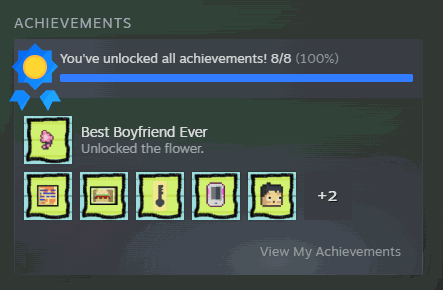
Wall of Fame
Award any Steam achievement, or every one at once. There's a clear button too if you want to wipe the slate and earn them for real.
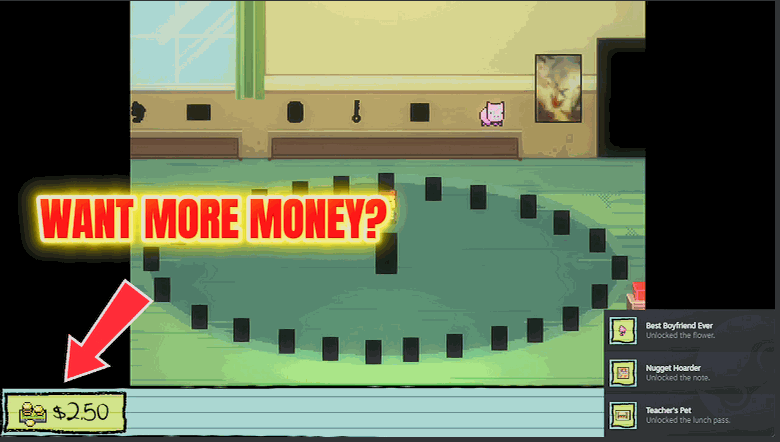
Get Rich
Top up your lunch money to whatever you need. Buy everything Monty is selling, breeze past pricey dialogue choices, and stop counting quarters.







