Want more mods for Kindergarten? Explore our entire collection!
Wall of Fame
"Every achievement, framed and hung on your profile."
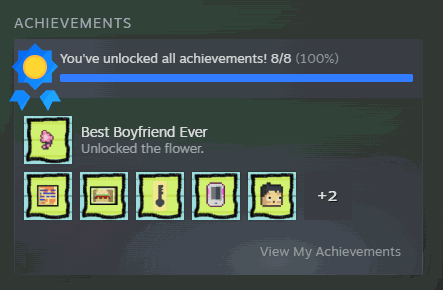
How do I install Wall of Fame?
Download the free ProjectMods desktop app, then install Wall of Fame for Kindergarten in one click.
</>What does Wall of Fame do?
Kindergarten hides an achievement behind each character's full storyline, and some of them take a lot of careful, murder-y planning. Wall of Fame lets you claim them on your terms. Load the list, award a single achievement or all of them in one press, and watch your profile fill up. Changed your mind? The clear button resets everything back to locked so you can go earn them the honest way.
</>What is Wall of Fame?
Kindergarten hides an achievement behind each character's full storyline, and some take a lot of careful, murder-y planning. Wall of Fame lets you claim them on your terms. Load the list, award a single achievement or every one at once, and watch your profile fill up. Changed your mind? The clear button resets them to locked so you can earn them the honest way. Free in the ProjectMods launcher.
</>Common questions about Wall of Fame
What does Wall of Fame do in Kindergarten?
Wall of Fame is a mod for Kindergarten that lets you manage the game's Steam achievements on your own terms. You can award any single achievement, unlock every one of them in a single press, or wipe the whole set back to locked with a clear button. Kindergarten tucks an achievement behind each character's complete storyline, and some of them take a lot of careful, murder-y planning to earn the normal way. Wall of Fame gives you a shortcut to claim the ones you want. And because it can reset everything too, you're never stuck with an unlocked list — change your mind and you can go back to earning them honestly. It's a free-tier mod in the ProjectMods launcher.
What's the difference between Award Selected and Award Everything?
Wall of Fame gives you two ways to unlock achievements in Kindergarten, depending on how much you want at once. Award Selected pairs with the Select Achievement dropdown: you pick one specific achievement from the list and grant just that one. It's the precise option, ideal when you've earned most of a character's storyline the honest way and only want to fill a single gap. Award Everything is the all-in-one button — a single press unlocks every achievement the game has at the same time, no picking required. That's the fast track for players who want a completed profile immediately. Both draw from the same list you load with Refresh, so between them you can either cherry-pick one achievement or clear the entire set in a moment. Choose whichever fits the run you're on.
Why is the achievement dropdown empty when I first start Kindergarten?
That's normal, and Refresh List fixes it. When Kindergarten first launches, Steam isn't always ready to hand over the achievement list yet, so Wall of Fame waits for you to ask for it rather than trying to fill the dropdown the moment the game opens. Until you press Refresh List, the Select Achievement dropdown will look empty. Once you're actually in-game, tap Refresh List once and it fills with all of Kindergarten's achievements, ready to pick from. From there, Select Achievement and Award Selected work as expected, and Award Everything or Clear Everything act on the full set. If the list ever seems incomplete, pressing Refresh again rebuilds it. It's a one-time step per session that makes sure the mod is pulling Steam's real, up-to-date achievement list rather than guessing at it too early.
What does the Clear Everything button do?
Clear Everything wipes every Kindergarten achievement back to locked in a single press. It's the reset switch for Wall of Fame, and it exists for players who change their mind. Maybe you unlocked everything to see the full list, or awarded a few and then decided you'd rather earn them properly — Clear Everything hands you a clean slate so you can go chase them the honest way. It acts on your Steam achievement status for the game, setting the whole set back to unearned. Because it's paired with the award buttons, you can freely experiment: grant some, clear them, and start over as many times as you like. If you only want to remove your progress and re-earn achievements legitimately, this is the button that lets you do exactly that.
Why would I use Wall of Fame in Kindergarten?
Kindergarten locks an achievement behind each character's complete storyline, and finishing every one means a lot of careful, sometimes gruesome planning across many replays. Wall of Fame is for players who want that 100% profile without grinding out paths they've already essentially mastered, or who got stuck one achievement short of the set. Award the ones you're missing and your profile fills out. It's also handy for completionists who cleared the hard content but hit a finicky, order-dependent achievement that refuses to pop. Content creators showcasing the game can use it to display a full set on stream, and because Clear Everything resets the slate, nobody is forced to keep unlocks they'd rather earn for real. It puts you in charge of exactly which achievements sit on your profile.
What options does Wall of Fame include?
Award Everything
Award every achievement in the game at once.
Clear Everything
Wipe every achievement back to locked. Use this if you'd rather earn them for real.
Award Selected
Award just the achievement you picked.
Refresh List
Load the game's achievements into the dropdown. Do this once in-game.
Select Achievement
Pick a single achievement to award.
Wall of Fame is a free ProjectMods mod for Kindergarten that lets you award any Steam achievement, or all of them at once, plus a clear button to wipe them back to locked.
System Requirements
What features does Wall of Fame include?
- Award any single Steam achievement from a dropdown, or grab every one in a single press.
- Fill up your profile without grinding each character's careful, murder-y storyline to the end.
- Wipe every achievement back to locked with the clear button to earn them honestly instead.
- Refresh once in-game to load the full achievement list, then pick and claim.
Best For
- You've finished the game and just want the last stubborn achievement off your list.
- Completionist tidying up a profile without replaying every twisted questline again.
- Curious player who wants to see the full achievement list and what each one is called.
- You changed your mind and want to wipe the slate to go earn them for real.
More Mods for Kindergarten
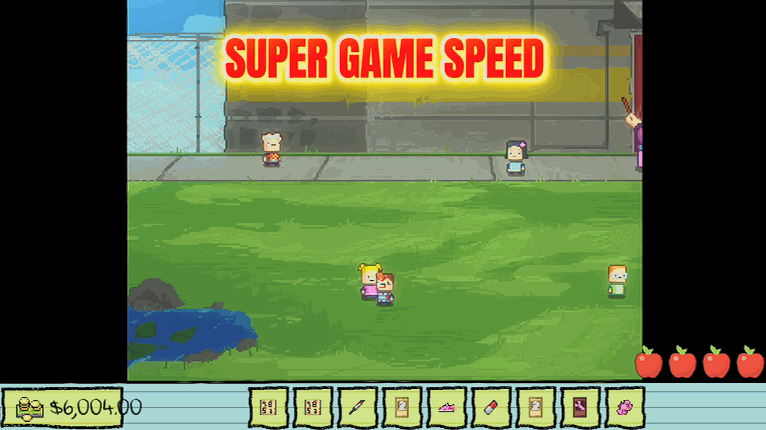
Fast Forward
A game-speed dial from slow motion up to 4x. Fast-forward through repeated days, or slow the mayhem down to catch every detail.
/KindergartenNineLives1.png)
Nine Lives (Death-Proof)
Lethal moments stop sending you back to the last checkpoint — you shrug them off and keep playing so you can explore without fear.
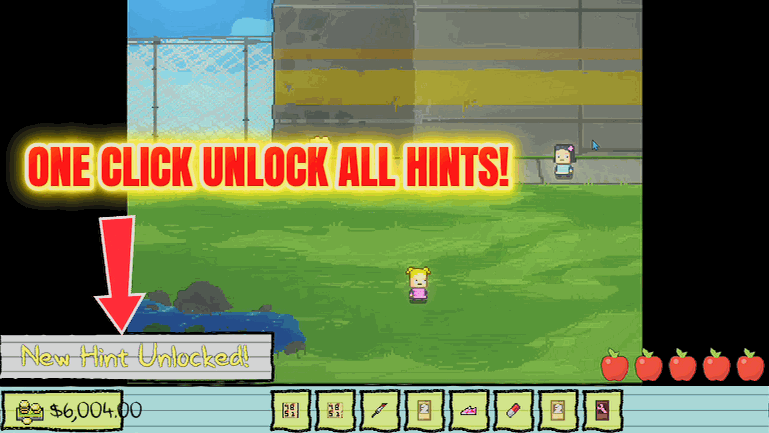
Answer Key
Reveal every mission hint in your planner so you always know your next move, without alt-tabbing to a wiki.







