Want more mods for Project: Doors Demo? Explore our entire collection!
Fly & Noclip
"Fly where you look. Walls optional."
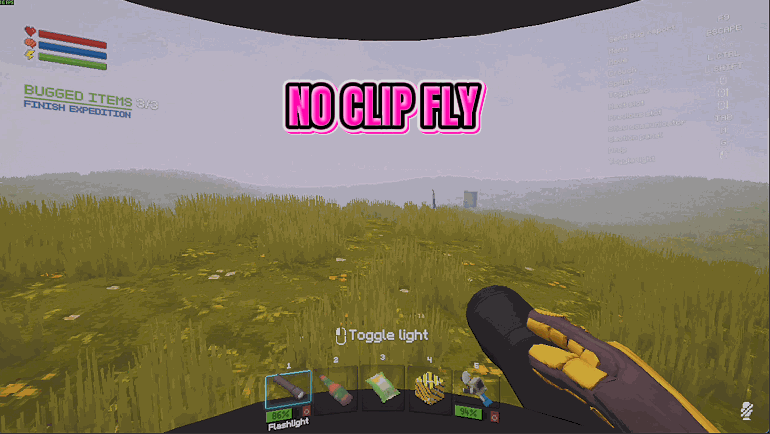
How do I install Fly & Noclip?
Download the free ProjectMods desktop app, then install Fly & Noclip for Project: Doors Demo in one click.
</>What does Fly & Noclip do?
A maze of rooms behind doors is slow going on foot, and some corners you can't reach at all. Fly & Noclip hands you free flight. Switch on Fly Enabled and you float: W A S D fly along where you look, Space rises, Ctrl sinks. Fly Speed sets the pace in metres per second, from 1 to 100, starting at 12. Hold Shift and you fly at Shift Speed instead, from 1 to 300, starting at 36. Jumping and sprinting are off while you fly, so holding Shift costs no stamina. Noclip lets you pass through walls and floors, and only does anything while Fly Enabled is on. Switch Noclip off inside a wall and you're moved onto the nearest surface above before walls turn solid again. Switch Fly Enabled off and gravity, jumping and sprinting come back and you're set down on the surface below you. It's your own character that flies, so the other players see you where you are.
</>What is Fly & Noclip?
Fly & Noclip gives your character free flight in Project: Doors Demo. Switch on Fly Enabled, steer with W A S D, Space and Ctrl, and tune Fly Speed and Shift Speed. Add Noclip to go through solid parts of the level. Everyone in a co-op game can fly, but pits are only harmless to a flying host or solo player. It never hides you from creatures, never blocks damage and never moves other players.
</>Common questions about Fly & Noclip
What does Fly & Noclip do in Project: Doors Demo?
It lets your own character fly and, with Noclip on, go through walls and floors. Both switches are off by default and nothing is saved. It only acts while you're in a game with your character, so nothing happens in the menus.
Does it work if I joined someone else's game?
Yes. Host, solo and joined players can all fly, and the rest of the squad sees you where you really are. The one difference is pits: for the host and solo players, flying into a pit does nothing, while a joined player is still taken by a pit as normal.
Why did I stop moving in mid-air?
You hover in place whenever the game isn't letting you move, such as during an emote, and the flight keys pause while the game window isn't in front. Click back into the game or let the emote finish and the keys respond again. You hold your position in the meantime.
Why does my character crouch when I sink?
Ctrl is also the game's crouch key, so your character crouches while you hold it to descend. It makes no difference to the flight. Jumping is off while you fly, which is why Space only ever rises, and Shift only ever switches you to Shift Speed.
What happens if I fly out of the level?
The game brings you back. Go more than 200 m below the level or 4000 m from its centre and the game itself moves you back into the level; that is the game's rule, not the mod's. If you switch Fly Enabled off while inside a pit you fall, and the game returns you to the level if there's no floor under you.
Do creatures still notice me while I fly?
Yes. Flying doesn't hide you from creatures and doesn't protect you from damage, so anything that could hurt you on foot still can. It isn't a detached camera either: your character itself moves, so wherever you fly is where you are. For jumping straight to a spot, the separate Teleport mod has the buttons.
What options does Fly & Noclip include?
Shift Speed
Flying speed in metres per second while you hold Shift, from 1 to 300. Default 36.
Fly Speed
Flying speed in metres per second, from 1 to 100. Default 12.
Noclip
You pass through walls and floors. It only works while Fly Enabled is on. Off (the default): walls stop you again.
Fly Enabled
You fly where you look: W A S D move you, Space rises, Ctrl sinks, and holding Shift flies at Shift Speed. Off (the default): you're set down on the ground below you.
Fly & Noclip is a ProjectMods mod for Project: Doors Demo that lets your character fly where you look at 1 to 100 metres per second (1 to 300 with Shift held) and, with Noclip on, pass through walls and floors.
System Requirements
What features does Fly & Noclip include?
- Fly Enabled takes gravity off your character and flies you along the direction you're looking.
- Noclip takes you through walls and floors while Fly Enabled is on.
- Fly Speed and Shift Speed are separate settings, so you can cruise at one pace and hold Shift for another.
- Switching off lands you: on the surface below, or on the nearest one above if you were under the floor or inside something solid.
- For the host and solo players, flying into a pit does nothing.
Best For
- You want to cross a large room without touching the floor, so switch on Fly Enabled, tap Space to lift off and leave Fly Speed at 12.
- A room has no way in that you can find. Switch on Noclip with Fly Enabled and go straight through the wall.
- The rest of the squad is far ahead. Raise Shift Speed towards 300 and hold Shift to close the gap.
- You're recording footage and want a slow, steady glide, so drop Fly Speed to 2 or 3 and steer with the mouse.
More Mods for Project: Doors Demo
Unlock All Database Entries
One button opens every entry of every subject in your database and saves them to your profile. It's permanent, with no undo, and only your own database changes.
God Mode
You take no damage and nothing can kill you, and a second switch gives the same protection to every other player in the lobby you host. Works for the host or in solo play.
More Inventory Slots
For solo play only: adds inventory slots while you're the only player in the game, up to 9 slots in total. With anyone else in the game it does nothing.







