Want more mods for Shift At Midnight? Explore our entire collection!
Register Overflow
"The till, the token jar and your wallet, all suddenly very full."
How do I install Register Overflow?
Download the free ProjectMods desktop app, then install Register Overflow for Shift At Midnight in one click.
</>What does Register Overflow do?
Register Overflow puts money where you need it. Three separate top-ups, three separate buttons: the store till that pays for upgrades and weapons, the token jar that feeds the vending machine, and your own wallet. Set the amount, press the button, and the mod tells you exactly how much actually landed and what your new balance is. If a top-up does not stick it says so rather than pretending it worked. One timing note for your personal wallet. The game only counts up your own takings at the end of a night, so press Fill My Wallet on the end-of-day screen and your new total shows up right there. That is the money your own bills come out of, like keeping the pet fed. The store till is different: change it any time and you will see it straight away on the shop computer. Works best when you are the one hosting the shift. If a friend is hosting, the mod routes the request through the game's own channel so it still goes through.
</>What is Register Overflow?
Register Overflow puts money where you need it in Shift At Midnight. The game keeps three separate balances and this mod tops up all of them: the store till that pays for upgrades and weapons, the token jar that feeds the vending machine, and your own personal wallet. Each one gets its own amount and its own button, so you can top up just the one you are short on. What sets it apart is that it checks its work: it reads your balance before and after and reports the real difference, so a top-up that did not go through says so instead of quietly claiming success. It works best when you are hosting the shift, and when a friend is hosting it sends the request through the game's own channel so it still goes through.
</>Common questions about Register Overflow
What does Register Overflow do in Shift At Midnight?
Register Overflow is a premium mod for Shift At Midnight that puts money exactly where you need it. The game keeps three separate balances and this mod tops up all of them: the store till that pays for upgrades and weapons, the token jar that feeds the vending machine, and your own personal wallet. Each one has its own amount to set and its own button to press, so you can top up just the one you are short on. Set an amount, press the button, and it tells you exactly how much actually landed and what your new balance is, rather than just claiming it worked.
What are the three balances Register Overflow can top up?
Register Overflow tops up three separate balances in Shift At Midnight, each with its own amount and button. The store till is the shop's money that pays for upgrades and weapons; the token jar holds the tokens that feed the vending machine; and your personal wallet is your own cash, the pot your own bills come out of, like keeping the pet fed. Because they are genuinely separate, you can fill just the one you need, dropping money into the till for a big upgrade, adding tokens for the machine, or padding your own wallet, without touching the others. Three top-ups, three buttons, so nothing is bundled together.
Does Register Overflow work when a friend is hosting the shift?
Yes, Register Overflow works whether you are hosting the shift or a friend is, though it works best when you host, in Shift At Midnight. The store's saved money is only fully under the control of whoever is hosting, so when someone else is in charge, the mod sends your top-up request through the game's own channel so it still goes through rather than quietly failing. That is why it stays reliable as a guest instead of only working for the host. And because it reports the real change to your balance every time, you can always see for yourself that a top-up landed no matter who is hosting the session.
Why does my wallet top-up only show up on the end-of-day screen?
Your wallet top-up in Register Overflow only shows up on the end-of-day screen because that is when Shift At Midnight actually counts up your personal takings. Press Fill My Wallet on the end-of-day screen and your new total appears right there. Press it mid-shift and it can look like nothing happened until the night wraps up and the game tallies everything. That is just how the personal wallet works, so it is expected rather than a fault. The store till is different, since you can change it any time and see it straight away on the shop computer. So time your wallet top-ups to the end-of-day screen and the till whenever you like.
How do I know a top-up actually worked in Register Overflow?
You know a top-up worked in Register Overflow because it reads your balance before and after and reports the real difference back to you in Shift At Midnight. A lot of money helpers simply say the change went through; this one actually checks, so if a top-up did not stick it tells you rather than pretending it succeeded. Set your amount, press the button, and you get the true figure that landed plus your new balance. That honesty is genuinely useful in co-op, where the store's money is controlled by the host and a request could otherwise fail silently. With Register Overflow you always see exactly what happened to the money.
What options does Register Overflow include?
Add To Till
Adds the Till Amount to the store till. Updates right away on the shop computer.
Add Tokens
Adds the Token Amount to your token jar for the vending machine.
Add To Wallet
Adds the Wallet Amount to your personal wallet and refreshes the end-of-day personal money total. Best used on the end-of-day / next-day screen.
Till Amount
Store till money for upgrades and weapons on the shop computer. Set how much to add when you press Add To Till.
Wallet Amount
Your personal cash for bills like pet food. Set how much to add when you press Add To Wallet.
Token Amount
Vending-machine tokens, separate from till money and your wallet. Set how many to add when you press Add Tokens.
Register Overflow adds money to the store till, tokens to your token jar and cash to your personal wallet in Shift At Midnight, by whatever amount you choose.
System Requirements
What features does Register Overflow include?
- Tops up the store till, the token jar and your personal wallet separately.
- You set the amount for each one, from a small nudge to a fortune.
- Reports the real change to your balance instead of a blind success message.
- Routes through the game's own channel when a friend is hosting the shift.
Best For
- Buying the store upgrade you want without grinding three more nights for it.
- Stocking up on traps and weapons before a night you know is going to be rough.
- Filling the token jar so the vending machine stops being a lottery.
More Mods for Shift At Midnight
Lights Out
Call off a hunt on the spot, slow down whatever is chasing you, or start one when you feel like it.
Double Time
Dial your walking, running, crouching and jumping up or down to whatever suits you.
Endless Rerolls
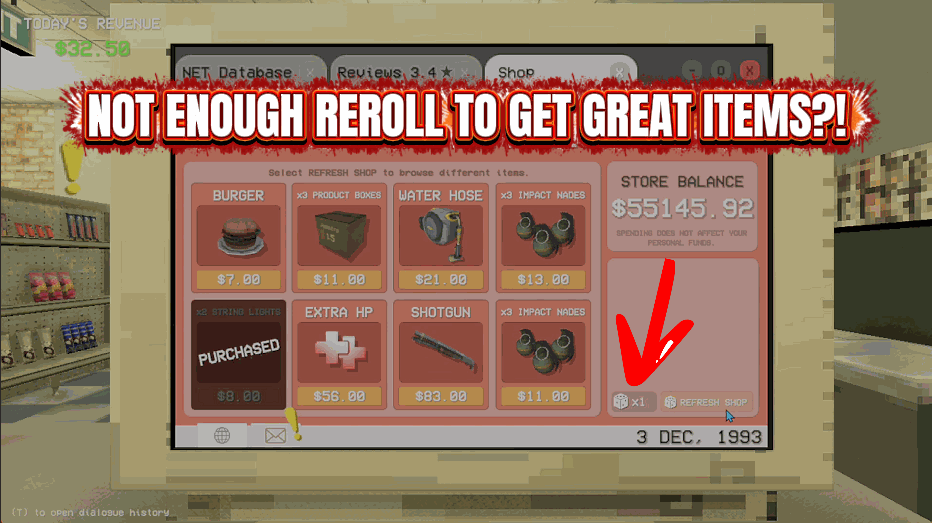
Keeps your shop reshuffles topped up so you can keep looking for the upgrade you want.







