Want more mods for Stonewards? Explore our entire collection!
Phantom Miner
"Straight through the rock, no digging required."
How do I install Phantom Miner?
Download the free ProjectMods desktop app, then install Phantom Miner for Stonewards in one click.
</>What does Phantom Miner do?
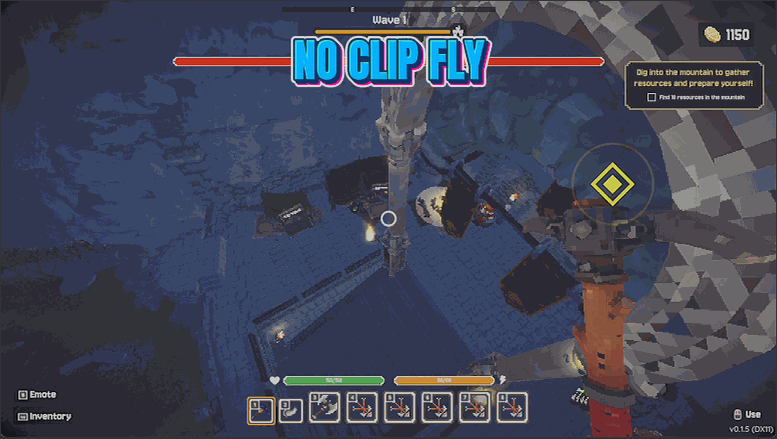
Stonewards buries its best stuff behind a lot of stone. Phantom Miner lets you go and look without swinging a pick. Turn on flight and you lift straight off the ground. WASD moves you in whatever direction you are facing, Space takes you up, Ctrl brings you down, and holding sprint kicks you into the faster speed. Both speeds are on their own sliders so you can drift carefully through a tight tunnel or cross the whole map in seconds. Walk Through Walls is the second switch. With it on nothing stops you, so you can sink through the floor into an unexplored cavern or pop up outside the walls to see what is coming. With it off you fly but still bump into things, which is the friendlier option for lining up a good screenshot. When you land, the mod checks whether you have come to rest inside solid rock and puts you back on real ground if you have, so switching flight off never leaves you wedged in a wall.
</>What is Phantom Miner?
Phantom Miner takes your Stonewards dwarf off the ground: movement keys to steer, Space up, Ctrl down, sprint for the faster gear, with both speeds on their own sliders. Turn on Walk Through Walls to sink through the floor into an unexplored cavern, or leave it off to fly and still bump into scenery for a clean screenshot. Free on ProjectMods.
</>Common questions about Phantom Miner
What does Phantom Miner do in Stonewards?
Phantom Miner lets you fly around a Stonewards map and drift straight through solid rock. Turn on flight and you lift off the ground; turn on Walk Through Walls and floors, walls and stone stop stopping you. It is built for scouting a cave system, finding the seam you missed, checking what is coming from outside the walls, or getting a look at the whole map from above. Both flight speeds sit on their own sliders, so you can creep through a tight tunnel or cross the map in seconds. Free on the ProjectMods desktop app.
How do the flight controls work?
Phantom Miner uses the movement keys you already have. The usual movement keys push you in whatever direction you are facing, Space takes you up, Ctrl brings you down, and holding your sprint key kicks you into the faster Boost Speed. There is nothing new to learn and no separate flight mode to fight with, which matters when you are threading through a Stonewards tunnel network rather than flying over open ground. Flight itself is on the Fly Enabled switch, so you can drop back to normal walking at any point without touching the sliders or losing the speeds you dialled in.
What does Walk Through Walls do, and can I fly without it?
It is a separate switch, so yes, you can fly and still bump into things. With Walk Through Walls off, Phantom Miner is a camera you can position anywhere in Stonewards, which is the friendlier setting for lining up a screenshot or watching a wave arrive from above without dropping through the terrain. With it on, nothing stops you: sink through the floor into an unexplored cavern, pass through a wall to see what is on the far side, or drop out of the world to look at the map from underneath. For scouting, you will want it on.
What is the difference between Fly Speed and Boost Speed?
In Phantom Miner, Fly Speed is your normal drift and Boost Speed is what you get while holding sprint. Keeping them separate matters more in Stonewards than in most games, because the same trip can involve inching through a mined-out shaft and then crossing the entire map. Set Fly Speed low enough that you can steer around rock precisely, and set Boost Speed as high as you like for the long hops between the dig site and the walls. Both are sliders you can adjust while playing, so if a setting feels wrong you can tune it without landing first.
What happens if I turn flight off while inside solid rock?
The mod checks and puts you back on real ground. That is the quirk worth knowing about Phantom Miner: because Walk Through Walls lets you park yourself inside a Stonewards wall or halfway through a floor, switching flight off there could otherwise leave you wedged in stone with nothing but digging to get out. When you land, it works out whether you have come to rest inside something solid and moves you somewhere you can actually stand. So you can explore freely, drop out of flight wherever you happen to be, and carry on playing.
What options does Phantom Miner include?
Fly Speed
How fast you drift while flying normally.
Walk Through Walls
Lets you drift straight through rock, floors and walls. Turn it off to fly but still bump into things.
Fly Enabled
Master switch for flight. Turn it off to drop back to normal walking.
Boost Speed
How fast you go while holding your sprint key. Handy for crossing the whole map.
Fly anywhere in Stonewards and drift straight through solid rock with Phantom Miner, a free mod on ProjectMods with separate sliders for normal and boosted flight speed.
System Requirements
What features does Phantom Miner include?
- Lift straight off the ground and fly wherever you are facing, with up and down on their own keys.
- Drift through rock, floors and walls, so an unexplored cavern is seconds away instead of an hour of digging.
- Tune drift speed and boost speed separately, to creep through a tight tunnel or cross the map in seconds.
- Switch the wall-drifting off to fly while still bumping into things, which is friendlier for lining up a shot.
- Land safely every time: come to rest inside solid rock and you get put back on real ground, never wedged.
Best For
- Players who have mined out half a map and want to see what is behind the rock before committing to a tunnel.
- Anyone hunting a resource node they know is somewhere in the cave system but cannot find the way in.
- Creators filming a flythrough of a cave network, or a wide shot of the walls just before a wave arrives.
- Streamers answering chat's question about what is on the other side of the map without a ten-minute dig.
- Curious players who just want to see how a Stonewards map is put together from above.
More Mods for Stonewards
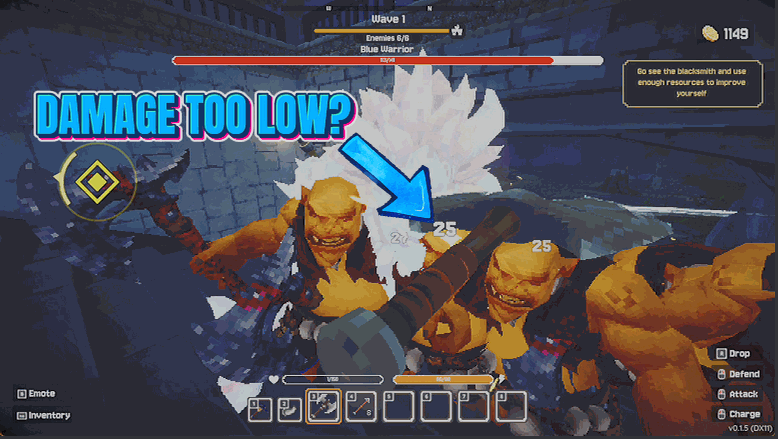
Glass Cannon
Hit far harder with melee, bow and magic, and land more critical hits, so waves that used to overwhelm you fall apart at the gate.
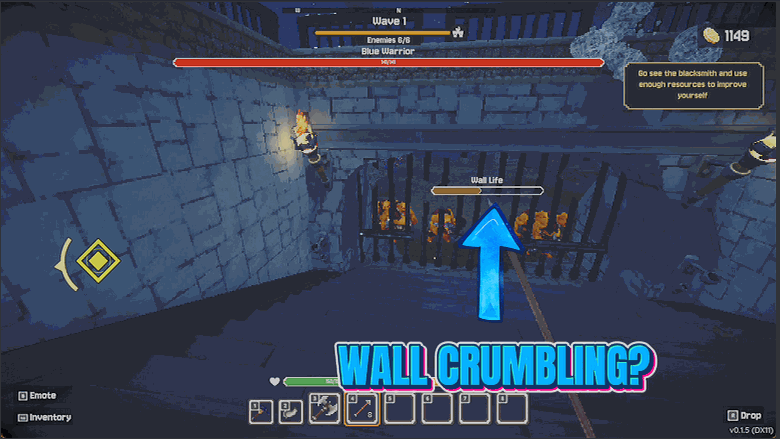
Royal Guard
Make the king and your walls indestructible, so a run never ends because one monster slipped past you while you were mining.
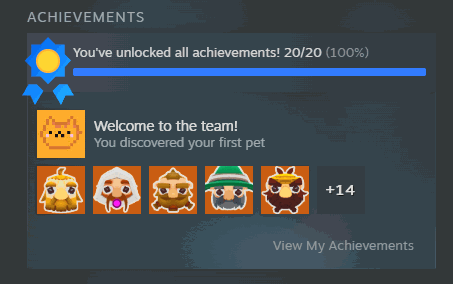
Wall of Fame
Award yourself any Stonewards achievement, or every last one at once. Your Steam profile and the in-game record both update, and you can clear them again whenever you want.