Want more mods for Stonewards? Explore our entire collection!
Quartermaster
"Whatever you need, straight into the pack."
How do I install Quartermaster?
Download the free ProjectMods desktop app, then install Quartermaster for Stonewards in one click.
</>What does Quartermaster do?
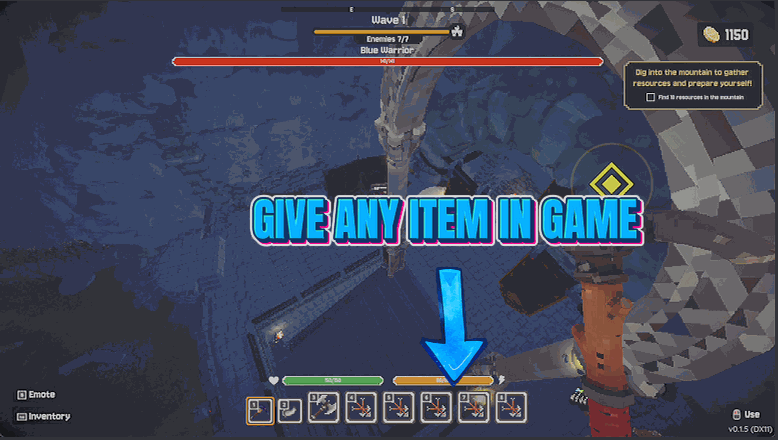
Sometimes a run stalls on one missing material. Quartermaster hands it straight to you. Press Refresh List and every item Stonewards knows about drops into the picker, sorted so you can find what you need. Choose one, set a quantity and press Hand It Over. It lands in your pack immediately. The mod is honest about what happened. Your pack has limits, so it tells you exactly how many made it in and how many did not fit, rather than claiming success and leaving you to find a half-empty slot later. Use it to test a craft without mining for it first, to stock up before a hard wave, or to get a build online early so you can find out whether it is any good before committing a whole evening to it. Supplies are handed out by whoever is running the session, so use this while playing solo or hosting.
</>What is Quartermaster?
Quartermaster loads every item Stonewards knows about into a picker, so a stalled run stops being a fetch quest. Choose an item, set a quantity, press Hand It Over, and it lands in your pack with an honest count of how many actually fit. Handy for testing a craft, stocking up before a hard wave, or getting a build online early. From ProjectMods, the community-first PC mod manager.
</>Common questions about Quartermaster
What does Quartermaster do in Stonewards?
Quartermaster hands you any item in Stonewards, in any quantity you like. Press Refresh List and every item the game knows about drops into the picker, sorted so you can find what you need. Choose one, set a number, press Hand It Over, and it lands in your pack immediately. It is honest about the result too: your pack has limits, so it tells you exactly how many made it in and how many did not fit rather than claiming success. Use it to test a craft, stock up before a hard wave, or get a build online early.
Why is the Select Item dropdown empty when I first load in?
The list starts empty on purpose. Press Refresh List and it fills straight away. Stonewards does not hand over its full item catalogue the second you load in, so Quartermaster waits until you ask rather than showing you a half-empty picker and letting you wonder what is missing. One press is all it takes, and from then on the dropdown holds everything the game has ready. If you ever open the mod and the picker looks short or out of date, press Refresh List again and it rebuilds with whatever the game has going at that moment.
What happens if my pack does not have room for everything?
It tells you. Ask for two hundred of something your Stonewards pack cannot hold and Quartermaster reports exactly how many went in and how many did not fit, rather than saying it worked and leaving you to discover a half-filled slot mid-run. That honesty matters when you are stocking up before a hard wave, because you find out immediately whether you actually have what you asked for. If you are hitting the limit often, a bigger pack helps, and Lucky Strike raises how much every slot can hold so Quartermaster has somewhere to put the rest.
Can I choose how many of an item I get?
Yes. In Quartermaster the How Many box sets the quantity for each hand-over, so you can take a single item to test a Stonewards recipe or a big stack to prepare for a long defensive stretch. Because the amount is per press, you can also repeat it: pick an item, set ten, press Hand It Over three times, and you have thirty without retyping anything. Combined with Refresh List and the picker, that makes the whole thing a few seconds of work. The reported count after each press tells you what actually landed, so the running total is never a guess.
Do I need to be hosting to use Quartermaster?
Use it solo or while you are hosting the session. Supplies in Stonewards are handed out by whoever is running the game, so Quartermaster only works when that person is you. If you have joined somebody else's session, the host is the one who can hand out items. The Host Note in the options is there as a reminder. In practice this is rarely a problem, because Quartermaster is at its most useful when you are playing alone to test a build, or hosting a group who all want to try a craft without mining for the ingredients first.
What options does Quartermaster include?
Select Item
Pick what you want handed over. Press Refresh List first to fill this in.
Host Note
Supplies come from whoever runs the session, so use this solo or while hosting.
Refresh List
Loads every item in the game into the picker above.
Hand It Over
Puts the chosen item straight into your pack.
How Many
How many of the chosen item to hand over at once.
Quartermaster hands you any item in Stonewards in any quantity: refresh the list, pick an item, set a number, and it lands straight in your pack. Built in-house by ProjectMods.
System Requirements
What features does Quartermaster include?
- Press Refresh List and every item the game knows about drops into the picker, sorted so you can find it.
- Choose any item, set a quantity, and press Hand It Over to put it straight into your pack.
- Get an honest count back: it tells you how many made it in and how many did not fit.
- Stock up before a hard wave, or test a craft without mining every single ingredient for it first.
- Use it solo or while hosting, since supplies come from whoever is running the session.
Best For
- Players with a build in mind and one missing material between them and finding out whether it works.
- Crews about to attempt a wave they keep losing to, who want the defenses fully stocked before the horn.
- Anyone who wants to see what a late-game item actually does before deciding to grind toward it.
- Hosts setting up a themed night with everyone kitted out in the same gear before the run starts.
- Creators filming a crafting guide who need every ingredient on hand in the order they will use it.
More Mods for Stonewards
Deep Pockets
Top up the currency you keep between runs and spend it on permanent upgrades right away, instead of grinding the same early maps to afford them.
Endless Reserves
Keep your stamina and mana bars full. Mine without stopping to catch your breath, block every hit, and cast whenever you feel like it.
Quarry King
Tear through stone far faster and pull more out of every block you break, so the mining half of a run stops eating all your time.