Want more mods for Valheim? Explore our entire collection!
Unlock Full Map
"Why explore when you can just know?"
How do I install Unlock Full Map?
Download the free ProjectMods desktop app, then install Unlock Full Map for Valheim in one click.
</>What does Unlock Full Map do?
Valheim's map is massive and beautiful, but discovering every inch of it on foot takes approximately seven hundred real-life hours and a lot of boat repairs. Cartographer's Day Off skips all that by revealing the entire world map in one click. Every biome, every island, every ocean, every mountain — instantly visible. Perfect for planning your next base location, finding that Merchant you've been searching for since day one, or just satisfying that completionist itch without sailing in circles for another three hours. Leif Erikson wishes he had this mod.
</>What is Unlock Full Map?
Unlock Full Map is a ProjectMods mod for Valheim that reveals the entire world map at once. See every biome border, coastline, island, and ocean tile without sailing or trekking through fog. ProjectMods is a free game modding platform and desktop app with 1,600+ mods across 400+ PC games.
</>Common questions about Unlock Full Map
What does Unlock Full Map do in Valheim?
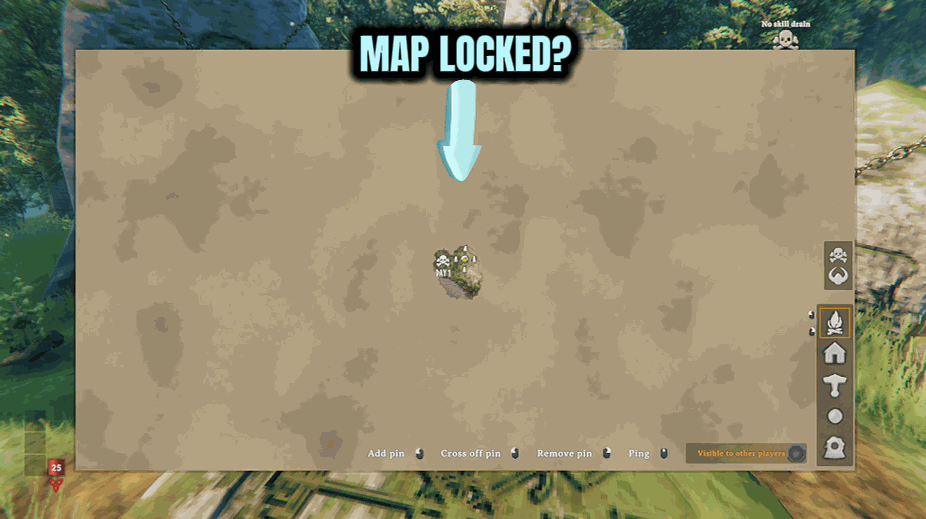
Unlock Full Map is a ProjectMods mod for Valheim that strips the fog of war off your Viking's entire world map in one click. Open the mod panel, click Reveal Entire Map, and every biome, coastline, island, mountain range, ocean tile, and inland lake becomes visible immediately. You can see exactly where the Meadows ends and the Black Forest begins, plot a sailing route from your base to the Plains without guessing, and spot every island in the ocean grid. The reveal is permanent on that save — once uncovered, the map stays uncovered. Pins, ping markers, and exploration-locked points of interest still appear normally as you actually visit them, so map progression continues working alongside the reveal.
What does the Reveal Entire Map button actually do?
Reveal Entire Map is the single action button in this Valheim mod. Click it once and every fog-covered tile on your current world's map is marked as explored — the same effect your Viking would get from physically standing on every meter of the world, just in one button press. The reveal applies to the world you're currently in, so each Valheim seed gets its own reveal when you click in that save. The button is safe to click multiple times; subsequent clicks just confirm the already-revealed state. There's no slider, no partial reveal, no biome filter — the action is a clean all-or-nothing reveal, designed for players who want the map answer immediately rather than over a long playthrough.
Does Unlock Full Map mark trader locations, boss altars, or specific points of interest?
No. Unlock Full Map in Valheim reveals only the terrain — biome colors, coastlines, mountain shapes, ocean tiles — not the discrete points of interest. Haldor the merchant, Hildir's camp, boss summoning altars, runestones, crypts, fuling villages, and other location markers still need to be found the normal way (visited in person or pinged into existence). Many players actually prefer this split: you get the geographic overview for trip planning, but the satisfaction of physically finding Haldor or Hildir stays intact. If you want trader and boss locations to drop into your inventory directly for testing, pair Unlock Full Map with Odin's Shop in the ProjectMods launcher for boss trophies, then fly to the points with Odin's Remote.
Can I un-reveal the map afterward if I change my mind?
Reveal Entire Map is one-way within a given Valheim save — once a tile is marked explored, it stays explored on that save. The mod doesn't currently include an "un-reveal" or "reset fog" button, since most players who use it are doing so deliberately to skip rediscovery work. If you genuinely want the fog back, the cleanest path is to start a fresh world (Valheim worlds are per-seed, not per-character) and either skip the mod on that new seed or simply not click Reveal until you're ready. Toggling the mod off after revealing doesn't restore the fog — the world data already records those tiles as visited, exactly as if your Viking had walked them.
Who is Unlock Full Map really useful for in Valheim?
Unlock Full Map shines for four clear Valheim audiences. Returning players coming back to a long-paused save who don't want to spend ten hours re-mapping a half-explored world before resuming the actual game. Content creators planning a video route who need to see the world layout up front to choose film-worthy locations. Completionists who want the satisfaction of a fully revealed map without the literal seven-hundred-hour exploration commitment. And streamers fielding chat questions like "what biome is north of you?" in real time. Compared to Subnautica, Raft, or Green Hell — where exploration is the entire core loop — Valheim's map is so large that many players actively welcome the option to skip rediscovery and focus on building, raiding, and bosses.
What options does Unlock Full Map include?
Reveal Entire Map
Press this to uncover the entire world map instantly!
Unlock Full Map is a ProjectMods mod for Valheim that uncovers your Viking's entire world map in a single click — every biome, island, ocean, and coastline visible instantly, with no exploration required.
System Requirements
What features does Unlock Full Map include?
- Reveal every biome, island, coastline, and ocean tile of your seed with a single button press
- Spot the nearest Black Forest, Swamp, Mountain, Plains, Mistlands, and Ashlands without sailing a single tile
- Find Haldor and Hildir on the world map without circling the same archipelago for three real hours
- Plan multi-biome base networks and portal hubs while seeing the whole landscape at once
- Your discovery progress on the map updates instantly — no exploration grind, no foggy edges left
Best For
- Returning Vikings hopping into a brand-new seed who already know the early game and want straight to Mistlands prep
- Builders shopping for the perfect Meadows-Black Forest border plot without committing to days of scouting
- Streamers planning a biome tour episode who want the route mapped before the camera rolls
- Completionists chasing every island, trader, and Vegvisir on a single seed without missing a coastline
- Co-op groups divvying up regions for base-building who want everyone looking at the same revealed map
More Mods for Valheim
/ValheimWeatherWand1.jpg)
Weather Wand (Pick Your Sky)
Take the weather off random and put it in your hands. Lock in clear skies, call down a thunderstorm, or drop the fog whenever you feel like it — and switch straight back to natural weather with one pick.

Spring Thaw
Deep North snow doesn't just stop you building — once it's fully piled on, it starts damaging your base. One press sweeps every structure around you clean, or leave it permanently swept and the damage never begins.
/ValheimVikingToolboxHealthStamina1.jpg)
Iron Hide (God Mode & Health)
Flip on total invincibility, stay pinned at a full health bar, and crank your maximum health up to a legend. Face the Tenth World on your terms — no more graveyard runs.







