Want more mods for Valheim? Explore our entire collection!
Weather Wand (Pick Your Sky)
"Command the skies of the Tenth World — endless sunshine, or roll in a thunderstorm on cue."
/ValheimWeatherWand1.jpg)
How do I install Weather Wand (Pick Your Sky)?
Download the free ProjectMods desktop app, then install Weather Wand (Pick Your Sky) for Valheim in one click.
</>What does Weather Wand (Pick Your Sky) do?
Valheim's weather has a mind of its own. You finally finish the perfect longhouse, go to grab a screenshot, and the sky rolls in grey and soaks everything for the next ten minutes. Weather Wand hands that decision back to you. Open the mod menu and you get one simple control: a weather picker. Choose Clear and the sun stays out for as long as you want it. Choose Thunderstorm and the clouds roll in on command, lightning and all. Fancy the eerie Mistlands fog over your Meadows base for a spooky build shot? Pick it. Want a snowstorm howling around your Mountains fort for atmosphere? Done. When you're finished playing director, flip the picker to Off and the world goes right back to changing weather on its own, exactly like vanilla. The list of skies you can choose from is pulled straight from your own copy of the game, so it always matches whatever version you're running — every weather the game knows about shows up, and any new ones added in future updates appear automatically. Your choice holds while you play and comes back the next time you load in, so you're never fighting the sky between sessions. Made for builders framing the perfect shot, content creators who need a storm to hit on cue, screenshot hunters chasing golden-hour light, and anyone who's simply had enough of endless rain ruining the view.
</>What is Weather Wand (Pick Your Sky)?
Weather Wand is a ProjectMods mod for Valheim that puts the sky under your control. Open the mod menu, pick any weather the game has — clear, misty, rain, thunderstorm, snowstorm and more — and it locks in across your whole world, or pick Off to return to natural weather. The list is read from your own installed game so it always matches your version. ProjectMods is a free game modding platform and desktop app with 1,600+ mods across 400+ PC games.
</>Common questions about Weather Wand (Pick Your Sky)
What does Weather Wand do in Valheim?
Weather Wand is a ProjectMods mod for Valheim that lets you decide what the sky does instead of leaving it to the game's random weather. Open the mod menu and you get a single weather picker listing every sky the game has — clear, misty, rain, thunderstorm, snowstorm and the rest. Choose one and it takes over the weather across your whole world for as long as you want. When you're done, set the picker to Off and the game goes back to changing the weather on its own, just like an unmodded save. No console commands, no config files, no restarts — one menu, one pick.
How do I go back to normal weather?
Set the weather picker to Off. That single choice hands control straight back to Valheim, and the game resumes its usual random weather cycle for wherever your Viking is standing — rain in the Meadows, fog in the Mistlands, snow in the Mountains, all exactly as it would behave without the mod. You can flip between a forced sky and Off as many times as you like in a session; nothing is permanent, and turning the mod off entirely also returns the weather to normal.
Which weather options can I choose from?
All of them. Weather Wand reads the weather list straight from your own installed copy of the game rather than a fixed built-in list, so every sky the game knows about is available to pick — the everyday ones like clear, misty and rain, the dramatic ones like thunderstorm and snowstorm, and the special biome and event skies too. Because the list comes from your game files, it automatically matches whatever version you're on, and any new weather added in a future Valheim update simply shows up as a new choice with no work on your end.
Does the weather I pick stay after I reload the game?
Yes. Your choice is remembered, so when you load back into a world the sky you picked is put back in place for you — no need to set it again every session. If you'd rather the game take over, just switch the picker to Off before or after loading. Note that forcing a sky is a display choice for your session, not a change written into your save file, so your world stays completely vanilla-safe: your pick only applies while the mod is switched on.
Will Weather Wand affect other players on my server?
Weather Wand controls the sky on your own game as you play. Valheim is a private-world survival game with no server-side anti-cheat, so it's safe to use on your solo and private co-op worlds without worry. On a shared server the safest approach is to treat it as your personal view control and check your server's rules before forcing weather during group play, the same courtesy you'd extend with any other visual mod. For solo builders, screenshot hunters and content creators it's a drop-in, one-menu tool.
What options does Weather Wand (Pick Your Sky) include?
Weather
Choose the sky you want locked in over your world, or Off to let the weather change on its own. The list fills with every weather your game has once you load into a save.
Weather Wand is a ProjectMods mod for Valheim that lets you force the sky to any weather in the game — pick clear skies, rain, a thunderstorm, fog, or a snowstorm from a menu and it holds everywhere, or choose Off to hand the weather back to the game.
System Requirements
What features does Weather Wand (Pick Your Sky) include?
- Pick any weather in the game from a simple menu and it takes over the sky everywhere you go
- Choose Off at any time to hand the weather straight back to the game, exactly like vanilla
- The weather list is read from your own copy of Valheim, so it always matches your version and picks up new skies from updates
- Great for clear-sky screenshots, on-cue thunderstorms, spooky fog, or howling snow for atmosphere
- Your pick holds while you play and comes back when you load in again — no fighting the sky between sessions
Best For
- Builders who want steady clear skies and good light while they photograph a finished base
- Content creators staging a scene that needs a thunderstorm or fog to hit exactly on cue
- Screenshot hunters chasing golden-hour sun instead of whatever the game randomly rolls
- Roleplay and cinematic servers setting a dramatic mood — storm over the boss fight, snow over the winter fort
- Players simply tired of endless rain and grey skies wrecking the view of their world
More Mods for Valheim
/ValheimFastTravelTeleport1.jpg)
Fast Travel + (Teleport)
Teleport instantly to any map pin you've placed. Pick a pin, press a button, and skip the boat ride entirely.
Unlock Full Map
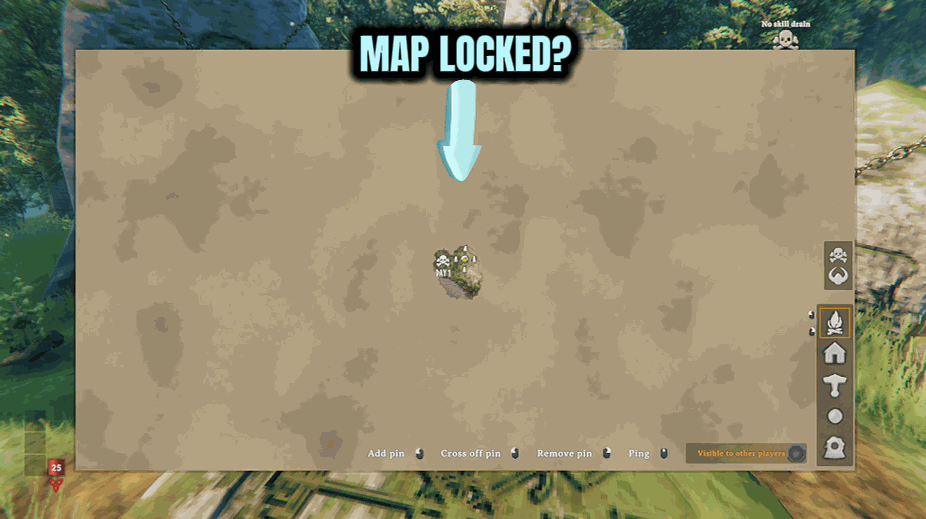
Reveal the entire Valheim map instantly with one button press. Every biome, every coastline, every island — no walking required.

Packhorse
Widen your pack from the usual four rows up to nine — the most Valheim itself will allow.







