Want more mods for Baldi's Basics Plus? Explore our entire collection!
Faculty Lounge
"Send any troublemaker to time-out."
How do I install Faculty Lounge?
Download the free ProjectMods desktop app, then install Faculty Lounge for Baldi's Basics Plus in one click.
</>What does Faculty Lounge do?
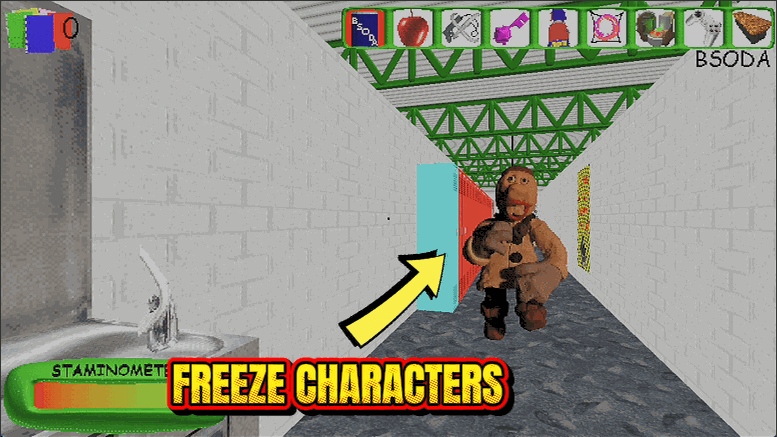
Baldi breathing down your neck while Playtime drags you into jump-rope? Not today. Faculty Lounge lets you pick any troublemaker and hit Freeze Selected to pin them in place, so you can stroll past the Bully or slip around Gotta Sweep without a scratch. Need the whole schoolhouse to hold still? Freeze Everyone sends the entire cast to time-out at once, clearing you a path to every notebook. When you want the chase back, Unfreeze Selected or Unfreeze Everyone brings the room roaring back to life. Perfect for learning a floor, lining up a tricky exit, or soaking up a rare moment of quiet in the noisiest school around.
</>What is Faculty Lounge?
Faculty Lounge lets you freeze any character in Baldi's Basics Plus individually, or lock down the whole cast in one press. Shut down Playtime, the Bully or Gotta Sweep when they get in the way, then unfreeze them whenever you like to build the exact run you want. It installs in one click from ProjectMods, the community-first PC mod manager.
</>Common questions about Faculty Lounge
What does Faculty Lounge do in Baldi's Basics Plus?
Faculty Lounge lets you freeze the characters of Baldi's Basics Plus on demand. Pick someone from the dropdown and freeze just them, or press one button to freeze the entire cast at once, then unfreeze individuals or everyone whenever you choose. It is the tool for shutting down whichever character is spoiling your run, whether that is Playtime dragging you into a jump-rope game, the Bully blocking a doorway, or Gotta Sweep barrelling down a corridor. By deciding exactly who can move and who cannot, you get to build the precise run you want instead of fighting the whole school at the same time.
How do Faculty Lounge's freeze and unfreeze controls work?
Faculty Lounge gives you five controls in Baldi's Basics Plus. A Character dropdown picks your target, Freeze Selected stops that one character where they stand, and Unfreeze Selected lets them move again. For bigger moments, Freeze Everyone locks the entire cast at once and Unfreeze Everyone releases them all together. That mix means you can surgically remove a single troublemaker or clear the whole school in a single tap. Because freezing and unfreezing are separate actions, you stay in full control: freeze the Bully while you grab a notebook, then release him once you are clear, all without touching anyone else in the building.
Which characters can Faculty Lounge freeze?
Faculty Lounge targets the roster of Baldi's Basics Plus through its Character dropdown, so the schoolhouse cast that wanders the halls and interferes with your run is fair game, including the likes of Playtime, the Bully and Gotta Sweep. Choose any one of them to freeze on its own, or use Freeze Everyone to catch the whole group in a single press. This lets you tailor a run to your mood: neutralise just the one character that keeps ending your attempts, or clear the corridors entirely for a calm exploration. Unfreezing puts any of them straight back into normal motion whenever you want.
Should I use Freeze Selected or Freeze Everyone?
It depends on the moment in Baldi's Basics Plus. Freeze Selected, paired with the Character dropdown, is the precise option, perfect when only one character is a problem and you want the rest of the school to keep the run feeling alive. Freeze Everyone is the panic button and the sandbox tool: one press stills the entire cast so you can explore, line up a screenshot, or plan your route with zero interference. Many players mix the two, freezing everyone to get their bearings, then unfreezing all and re-freezing just the single character who keeps catching them out floor after floor.
Why would I use Faculty Lounge in Baldi's Basics Plus?
Faculty Lounge is for players who want to direct the schoolhouse instead of just surviving it. Curious players freeze the cast to get a close look at characters that normally never hold still, content creators use it to stage clean shots and explain each one on stream, and anyone learning a floor can clear the halls to practise in peace. It pairs neatly with our Chill Pill mod, which handles Baldi's speed specifically, so together they let you set the pace of every threat. Faculty Lounge is a free-tier mod in ProjectMods, the community-first PC mod manager, added in a single click.
What options does Faculty Lounge include?
Unfreeze Everyone
Let everyone you froze move again.
Character
The character to freeze or unfreeze.
Unfreeze Selected
Let the chosen character move again.
Freeze Selected
Freeze the character chosen above.
Freeze Everyone
Freeze every character in the school at once.
Faculty Lounge is a ProjectMods mod that freezes any character in Baldi's Basics Plus, or the entire cast at once, so you can shut down whoever is ruining your run.
System Requirements
What features does Faculty Lounge include?
- Pick any character from the list and freeze them right where they stand
- Shut down the whole cast at once, then thaw everyone when you're ready
- Silence Playtime's jump rope, the Bully's shakedowns or Gotta Sweep's shoves one at a time
- Unfreeze anyone on demand to drop the pressure back in exactly when you want it
Best For
- Players who love exploring but hate one specific character constantly wrecking their run
- Content creators staging a clean shot of a room without Gotta Sweep barging through mid-take
- Completionists who want Baldi active for the thrill but Playtime frozen so they can grab notebooks in peace
More Mods for Baldi's Basics Plus
Thought Bubble Bank
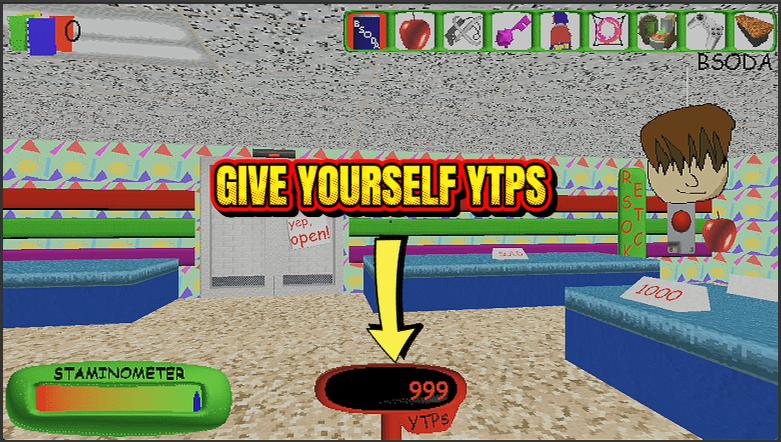
Top up your YTP score whenever you want, then spend it big at the school store. One button to hand yourself points, one to wipe them back to zero.
Hall Pass
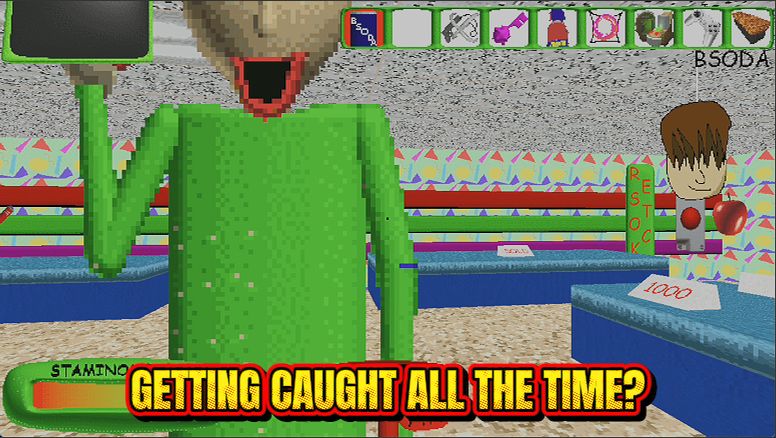
Baldi can chase all he wants, but his catch just bounces off. Explore every floor at your own pace with zero game-overs.
Cartography Class
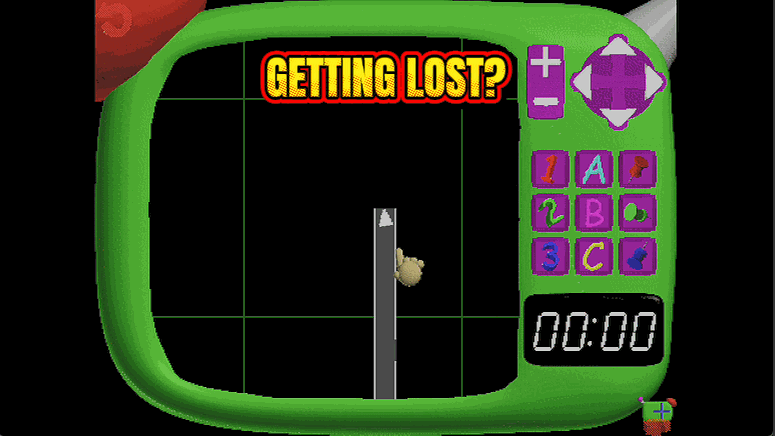
Reveal every room and hallway on your map instantly, so you always know where the exits, notebooks and shortcuts are before Baldi does.