Want more mods for Graveyard Keeper 2 Demo? Explore our entire collection!
Five Star Cemetery
"Turns out the dead do leave reviews."
How do I install Five Star Cemetery?
Download the free ProjectMods desktop app, then install Five Star Cemetery for Graveyard Keeper 2 Demo in one click.
</>What does Five Star Cemetery do?
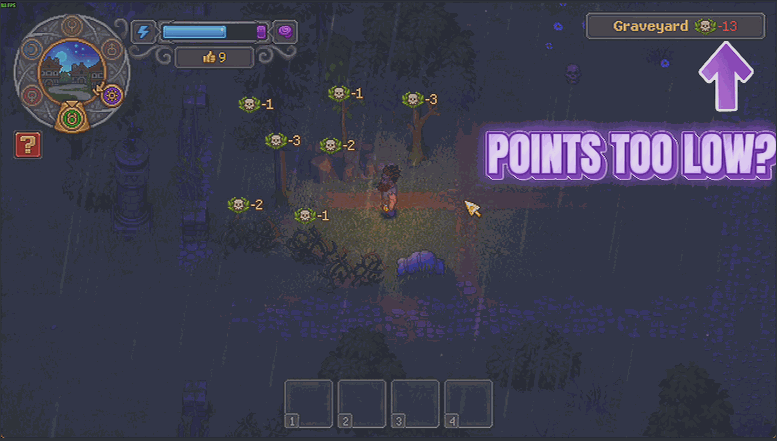
Raising a graveyard's rating is the long game: clear the weeds, replace the markers, plant the right thing in the right plot, wait, repeat. Five Star Cemetery lets you skip to the part where it already looks the way you pictured it. Set the quality score you want, press the button, and your graveyard is holding that number. There is a second button for every other area you own, so the whole place comes up together instead of one patch at a time. Use it to see what a high rating actually unlocks before you commit a week of in-game days to earning it, or just to stop a demo save stalling on a number you have already proved you can hit. It is a top-up, not a takeover. Everything you have genuinely built still counts toward the total, the rating on screen updates the moment you press, and the mod never drags an area below what it had earned on its own. Reset Boost hands every single area back exactly the rating it had before you started.
</>What is Five Star Cemetery?
Five Star Cemetery lets you pick a rating in Graveyard Keeper 2 Demo and bring your graveyard up to it instantly, with a second button that does the same for every area you own. It is a top-up rather than a takeover: what you built still counts, nothing is ever dragged lower, and Reset Boost restores the original ratings. From ProjectMods, the community-first PC mod manager for 400+ games.
</>Common questions about Five Star Cemetery
What does Five Star Cemetery do in Graveyard Keeper 2 Demo?
Five Star Cemetery sets the rating your areas hold in Graveyard Keeper 2 Demo. You choose a number in Target Quality, press Boost Graveyard, and your graveyard is holding that rating immediately instead of after a week of clearing weeds, replacing markers and waiting. Boost Every Zone does the same for every other area you own so the whole place comes up together rather than one patch at a time. Reset Boost hands every area back the rating it had before you pressed anything, so the mod is always reversible and nothing you earned yourself is lost.
What is the difference between Boost Graveyard and Boost Every Zone?
Scope. Boost Graveyard only touches the graveyard itself, which is what you want when the graveyard rating is the one thing holding your Graveyard Keeper 2 Demo run back. Boost Every Zone applies the same Target Quality number to every area you own, so the whole property comes up in a single press instead of you working through them one at a time. Both land on the number you set rather than adding on top of it, so pressing either button twice does not double anything - it simply keeps that area sitting at the rating you picked.
Does it overwrite the work I already put into my graveyard?
No. Five Star Cemetery is a top-up, not a takeover. Everything you genuinely built in Graveyard Keeper 2 Demo still counts toward the total, and the mod never drags an area below the rating it had already earned on its own - if a zone is already above your Target Quality, it is left alone. Reset Boost then hands every single area back exactly the rating it held before you pressed anything, so you can experiment with a high rating and return to your real numbers without having lost the work in between.
What rating should I put in Target Quality?
Whatever you want that area to be holding, because Target Quality is the destination rather than an amount to add. Set it low in Graveyard Keeper 2 Demo for a gentle nudge past whatever your graveyard is currently stuck below, or set it high to see what a genuinely well-kept cemetery unlocks. Press the same button again at any point and the area lands on that same number rather than climbing further, which makes it safe to experiment with. The rating on screen updates the moment you press, so you can compare numbers without reloading anything.
Why would I boost my graveyard rating instead of earning it?
Mostly to see what a high rating actually unlocks before committing a week of in-game days to it. Raising a rating in Graveyard Keeper 2 Demo is the long game - clear the weeds, replace the markers, plant the right thing in the right plot, wait, repeat - and a demo save rarely lasts long enough to reach the payoff. Five Star Cemetery lets you look at the destination first and then decide whether the journey is for you. It also stops a demo run stalling on a number you have already proved you can hit.
What options does Five Star Cemetery include?
Reset Boost
Hands every area back the rating it had before you pressed anything.
Target Quality
The quality score you want an area to reach once you press one of the buttons below.
Boost Graveyard
Brings your graveyard up to the rating above. Press it again any time you want and it lands on the same number.
Boost Every Zone
Does the same for every area you own, not just the graveyard.
Five Star Cemetery is a Graveyard Keeper 2 Demo mod from ProjectMods that takes your graveyard, or every area you own, up to a rating you choose in one press, and can hand every rating back exactly as it was.
System Requirements
What features does Five Star Cemetery include?
- Pick a target rating and bring your graveyard up to it with a single press.
- Boost every other area you own at once instead of tidying one plot at a time.
- Watch the rating on screen update the moment you press, so you know exactly where you landed.
- Hand every area back its original rating with Reset Boost, exactly as you built it.
- Keep the work you genuinely earned, because the mod only ever tops up and never drags an area down.
Best For
- Players who want to see what a high-rated graveyard unlocks before spending a week of in-game days earning it.
- Anyone whose demo save has stalled on one rating number they have already proved they can hit.
- Decorators who would rather arrange headstones because they like how it looks than because the score demands it.
- Streamers showing off the top end of the graveyard rating system in a single sitting.
More Mods for Graveyard Keeper 2 Demo
Thin Air
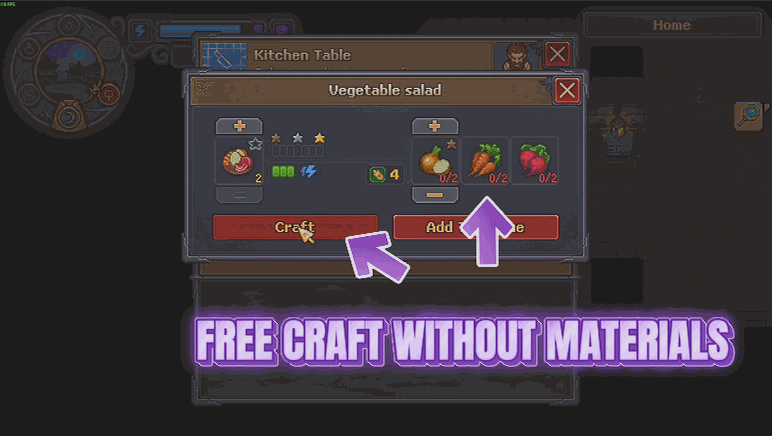
Recipes and buildings stop charging you for materials, and everything still comes out exactly as it always did. Craft and build what you want without the shopping trip first.
Hoarder's Habit
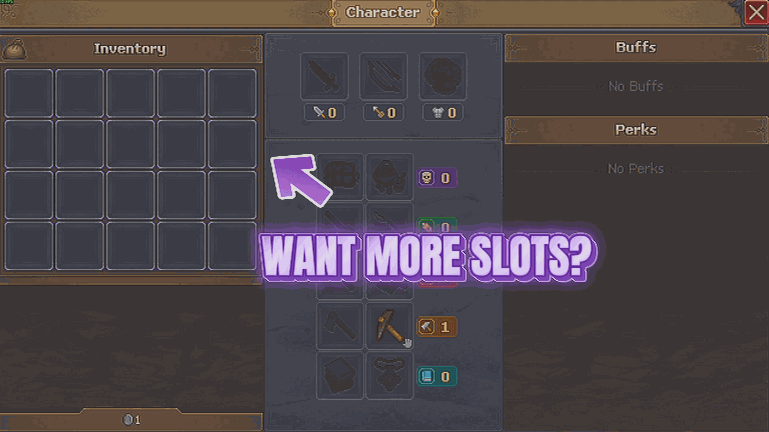
Gives your bag and your tool belt a lot more room, so a good gathering run does not end with you standing in a field deciding which logs to abandon. Pick how many slots you want on each.
Coffin Coffers
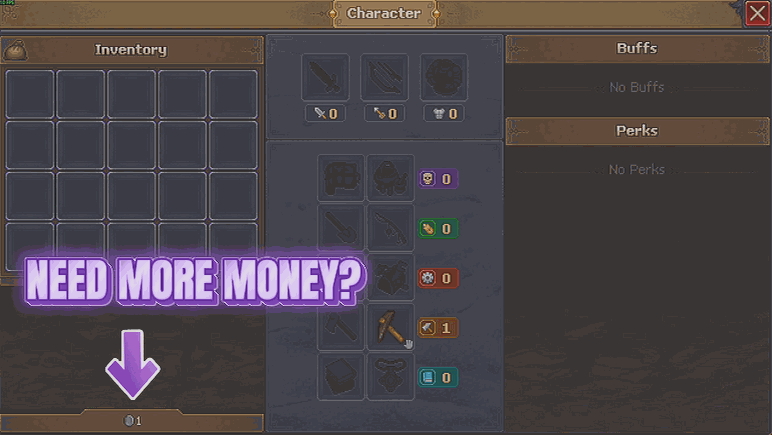
Drop as much money into your purse as you like, whenever you like. There is also a switch that lifts the limit on how much you can hold, so the really big piles actually stay put.







