Want more mods for Graveyard Keeper 2 Demo? Explore our entire collection!
Graveyard Shift (Endless Energy)
"Work till dawn, then work some more."
/GraveyardKeeper2DemoGraveyardShift1.png)
How do I install Graveyard Shift (Endless Energy)?
Download the free ProjectMods desktop app, then install Graveyard Shift (Endless Energy) for Graveyard Keeper 2 Demo in one click.
</>What does Graveyard Shift (Endless Energy) do?
Energy is the thing that decides how much of a day you actually get. You line up a stack of jobs at the workbench, you get two of them done, and suddenly your keeper is out of puff and you are hunting for something to eat before anything else happens. Graveyard Shift takes that ceiling away entirely. With it switched on, your energy stays topped right up. Swing the axe as long as you like, work through a whole crafting queue in one sitting, clear out that pile of jobs you have been putting off since the tutorial. The bar sits full and the work just keeps flowing. It is a straightforward on-off switch. Flip it on for a big build session, flip it back off when you want the normal rhythm of eat, work, sleep again - your save carries on exactly as it was either way.
</>What is Graveyard Shift (Endless Energy)?
Graveyard Shift (Endless Energy) removes the ceiling on how much you get done in a Graveyard Keeper 2 Demo day. With the switch on, your energy stays topped up, so you can swing the axe as long as you like and clear a whole crafting queue in one sitting. Flip it off and the normal eat, work, sleep rhythm returns. A free mod from ProjectMods, the community-first PC mod manager for 400+ games.
</>Common questions about Graveyard Shift (Endless Energy)
What does Graveyard Shift (Endless Energy) do in Graveyard Keeper 2 Demo?
Graveyard Shift keeps your energy bar full in Graveyard Keeper 2 Demo so work never has to stop. Normally you line up a stack of jobs at the workbench, get two of them done, and then your keeper is out of puff and you are off hunting for something to eat before anything else can happen. With Endless Energy switched on, that ceiling disappears: the bar sits full and the work keeps flowing. It is one straightforward toggle, so flipping it back off returns energy to its normal drain and your save carries on exactly as it was.
Which jobs does the energy top-up cover?
All the ones that cost you energy in Graveyard Keeper 2 Demo, because Graveyard Shift works on the bar rather than on any single task. Chopping, mining, smithing, digging and the whole crafting queue all draw from the same pool, so keeping it full means none of them stop you. That makes it the mod for a long build session: work through the pile of jobs you have been putting off since the tutorial without a single trip back for food. The jobs themselves are unchanged - same timings, same outputs, just without the interruption in the middle.
Does it change food or the day cycle as well?
No. Graveyard Shift only holds your energy bar full in Graveyard Keeper 2 Demo. Everything else about your keeper's day carries on exactly as the game intends - food still works the way it always did, the clock still runs, and the world still does its thing around you. The mod is deliberately narrow so it is predictable: the only thing that changes is that work stops being rationed by the bar. If you want the day itself to behave differently, that is what Timekeeper is for, and the two run together happily.
Does Endless Energy have a strength setting?
No, it is a single switch called Endless Energy and that is all there is to it. Graveyard Shift was built as a clean on-off for Graveyard Keeper 2 Demo because a partly full energy bar is not a meaningfully different experience from an empty one - either work interrupts you or it does not. You can flip it while you play, which is the point: on for a big building or crafting session, off when you want the normal eat, work, sleep rhythm back. Nothing sticks to your save either way.
Which other Graveyard Keeper 2 Demo mods pair well with it?
Snap Craft is the obvious partner - endless energy keeps you working while Snap Craft stops each job taking real minutes, which together turn an evening of chores into an actual building session. Heirloom Tools is the third piece, since there is little point having endless energy if your axe gives up halfway through. Dead Man Walking suits people who work in the parts of the map that bite back. All of them are separate switches in Graveyard Keeper 2 Demo, so you can run one, two or the lot depending on how much of the grind you want gone.
What options does Graveyard Shift (Endless Energy) include?
Endless Energy
Keeps your energy full so work never has to stop. Turn it off to go back to normal.
Graveyard Shift (Endless Energy) keeps your energy bar full in Graveyard Keeper 2 Demo so work never stops for a meal, and it is one of the free mods in the ProjectMods catalogue.
System Requirements
What features does Graveyard Shift (Endless Energy) include?
- Keep your energy bar full so chopping, mining, smithing and digging never have to stop.
- Work a whole crafting queue in one sitting instead of breaking off to hunt for food.
- Clear the pile of jobs you have been putting off since the tutorial in one long session.
- Flip it off whenever you want the normal eat, work, sleep rhythm back, with your save untouched.
Best For
- Players with an hour of demo time who want it spent building rather than foraging for a snack.
- Anyone lining up a big graveyard clean-up that normally takes days of stop-start work.
- Crafters who like the workbench loop and could do without the interruption between two items.
- Streamers running a long build session where a food break kills the pace on camera.
More Mods for Graveyard Keeper 2 Demo
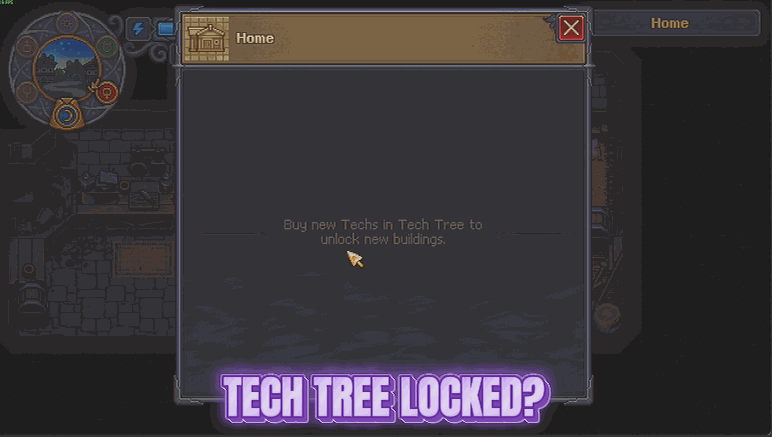
Enlightenment
Opens the entire tech tree and fills your alchemy folio in one click, so every craft, building and brew the demo has to offer is ready the moment you want it.
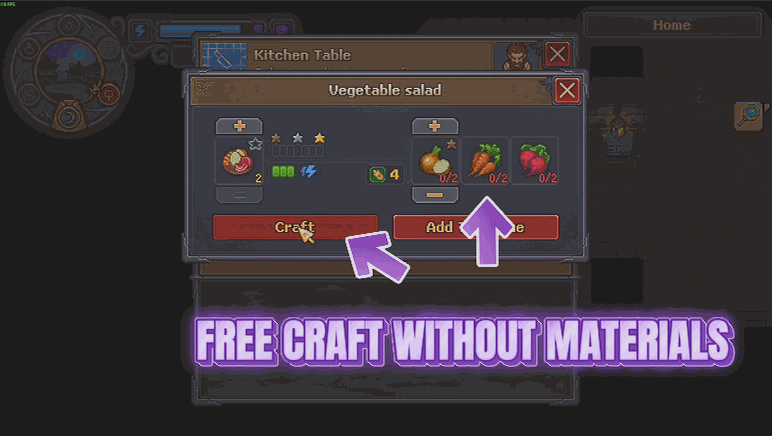
Thin Air
Recipes and buildings stop charging you for materials, and everything still comes out exactly as it always did. Craft and build what you want without the shopping trip first.
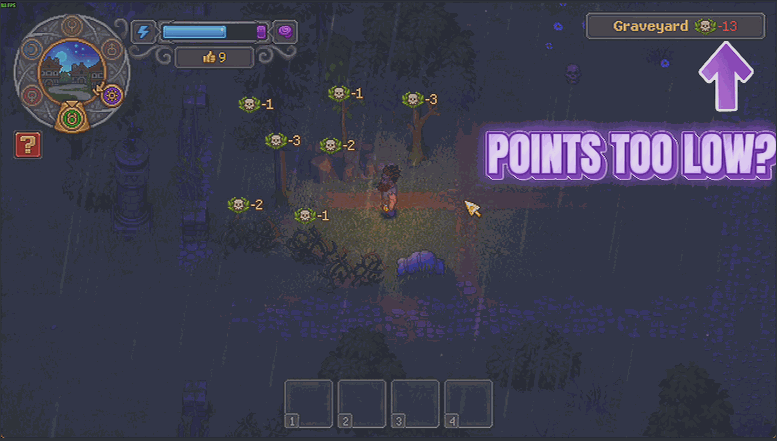
Five Star Cemetery
Set the quality score you want your graveyard to reach and it gets there in one press. There is a button for every other area too, and one to put everything back exactly as you built it.







