Want more mods for Project: Doors Demo? Explore our entire collection!
Enemy Difficulty Settings
"Slow them to a crawl. Or make them triple the threat."
How do I install Enemy Difficulty Settings?
Download the free ProjectMods desktop app, then install Enemy Difficulty Settings for Project: Doors Demo in one click.
</>What does Enemy Difficulty Settings do?
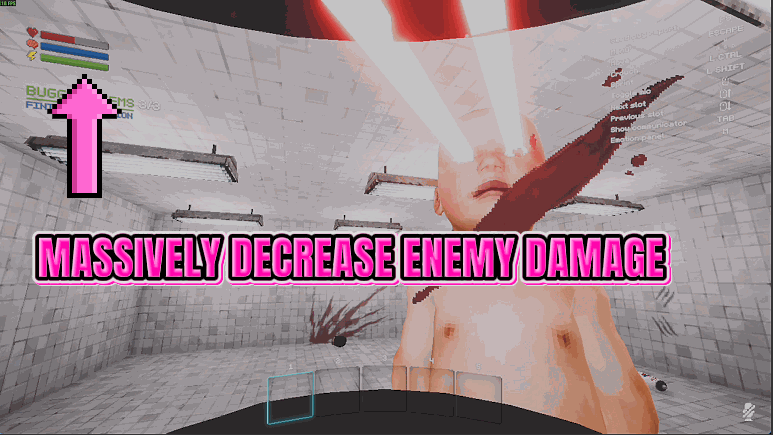
The enemies in Project: Doors Demo come at one fixed strength, which can be too much for a new squad and too little for one that knows the rooms. Enemy Difficulty Settings hands you four sliders. Switch on Change Enemy Settings (off by default) as the host or in a solo game, then set each percentage in steps of 10, where 100 is the game's own value. Enemy Speed Percent runs from 10 to 300 and reaches an enemy the next time it changes pace. Enemy Damage Percent runs from 0 to 300 and counts from the next hit. Enemy Sight Percent and Enemy Hearing Percent share the speed slider's limits and apply at once. The last two are narrower than they sound. Enemy Sight Percent only changes enemies that hunt by sight, and Enemy Hearing Percent only changes enemies that hunt by sound. Some enemies use neither, so only speed and damage reach them. Sanity loss from enemies and hazards that are not enemies stay as they are. Switching Change Enemy Settings off puts all four values back to the game's own.
</>What is Enemy Difficulty Settings?
Enemy Difficulty Settings makes the enemies of Project: Doors Demo easier or harder for the host or a solo player. Switch on Change Enemy Settings, then set Enemy Speed Percent, Enemy Damage Percent, Enemy Sight Percent and Enemy Hearing Percent, with 100 as normal. Sight reaches only enemies that hunt by sight, and hearing only enemies that hunt by sound. It never changes how many enemies there are, their health or your own stats.
</>Common questions about Enemy Difficulty Settings
What does Enemy Difficulty Settings do in Project: Doors Demo?
It lets you scale four things about the enemies: movement speed, hit damage, sight and hearing. Each is a percentage of the game's own value, and they only count while Change Enemy Settings is on and you are hosting or playing alone. With all four left at 100, switching it on changes nothing.
Why didn't Enemy Sight Percent or Enemy Hearing Percent change a particular enemy?
Because each of those two sliders only reaches some enemies. Enemy Sight Percent works on the ones that find you by seeing you, and Enemy Hearing Percent on the ones that find you by listening. An enemy that uses neither sense ignores both sliders, and only Enemy Speed Percent and Enemy Damage Percent affect it. Setting either one to 300 for such an enemy leaves it exactly as it was.
I changed Enemy Speed Percent and the enemy in front of me kept its pace. Why?
Speed takes hold the next time an enemy changes pace, for example when it goes from walking to running, not in the middle of a stride. Enemy Damage Percent waits in a similar way and counts from the next hit. Changes to the sight and hearing sliders apply at once.
Does setting Enemy Damage Percent to 0 mean nothing can hurt me?
No. At 0, enemy hits do no damage, but the slider does not touch the sanity you lose to enemies, and hazards that are not enemies, anomalies among them, hurt as much as ever. Enemies also keep chasing you at whatever speed you set.
Do my percentages carry over to the next expedition?
Yes, as long as Change Enemy Settings stays on. A new expedition starts from the game's values and your percentages are applied to it again. Nothing is written to your save, so the moment you switch Change Enemy Settings off, every later expedition runs on the game's own numbers.
Can a player who joined my game use the sliders?
No, only the host's settings count. A joining player's Change Enemy Settings switch has no effect, and the game shows them a note saying it only works for the host. The host's values are felt by everyone though, since all players face the same enemies.
What options does Enemy Difficulty Settings include?
Enemy Hearing Percent
How well enemies that hunt by sound can hear with Change Enemy Settings on, from 10 to 300 percent of the game's hearing. 100 is normal. Enemies that don't hunt by sound are not changed.
Enemy Speed Percent
How fast enemies move with Change Enemy Settings on, from 10 to 300 percent of the game's speed. 100 is normal. Enemies pick it up the next time they change pace.
Change Enemy Settings
Enemies use the four percentages below while you host or play solo. Speed and damage reach every enemy the game scales; sight only changes enemies that hunt by sight and hearing only those that hunt by sound. Normally off. Switching it off puts enemies back at the game's own values.
Enemy Damage Percent
How hard enemies hit with Change Enemy Settings on, from 0 to 300 percent of the game's damage. 100 is normal and 0 means their hits do no damage.
Enemy Sight Percent
How far enemies that hunt by sight can see with Change Enemy Settings on, from 10 to 300 percent of the game's sight. 100 is normal. Enemies that don't hunt by sight are not changed.
Enemy Difficulty Settings is a ProjectMods mod for Project: Doors Demo that lets the host or a solo player scale enemy speed, damage, sight and hearing by percentage. The sight and hearing sliders each change only some enemies, not all of them.
System Requirements
What features does Enemy Difficulty Settings include?
- Enemy Speed Percent makes enemies move at anything from a tenth of their normal speed to three times as fast, taking hold the next time an enemy changes between walking and running.
- Enemy Damage Percent scales every enemy hit from the next one on, and at 0 their hits do no damage at all.
- Enemy Sight Percent changes how far the sight hunters can see and leaves the other enemies alone.
- Enemy Hearing Percent works on the enemies that listen for you: a higher value lets them hear from further away and pick up quieter noise.
- All four sliders move in steps of 10 and do nothing until Change Enemy Settings is on.
- The host's enemies are everyone's enemies, so every player in the game feels the same settings.
Best For
- Your squad keeps getting outrun between rooms, so host with Change Enemy Settings on and Enemy Speed Percent at 70 to give everyone room to turn and run.
- You want the scares without the deaths on a first expedition. Set Enemy Damage Percent to 0 and enemies still chase and swing, but their hits take no health.
- A group that knows the demo well finds it too gentle, so push Enemy Speed Percent to 150 and Enemy Damage Percent to 200 for a harder run at the quota.
- Sneaking past the enemies that listen keeps failing. Drop Enemy Hearing Percent to 30 and they need louder noise from closer in before they react.
- You want to practise breaking line of sight, so raise Enemy Sight Percent to 300 and the sight hunters spot you from three times as far.
More Mods for Project: Doors Demo
Give Artifact
Add an artifact to your collection: one you pick from the artifacts the game hands out as rewards, or one with freshly rolled effects. Every press is saved to your profile for good, and the mod has no undo.
Accessibility
Comfort options for your own screen: a colour filter for anyone who mixes up certain colours, stronger contrast, HUD text and subtitles up to twice the size, and switches that hide the hurt and low sanity screen effects.
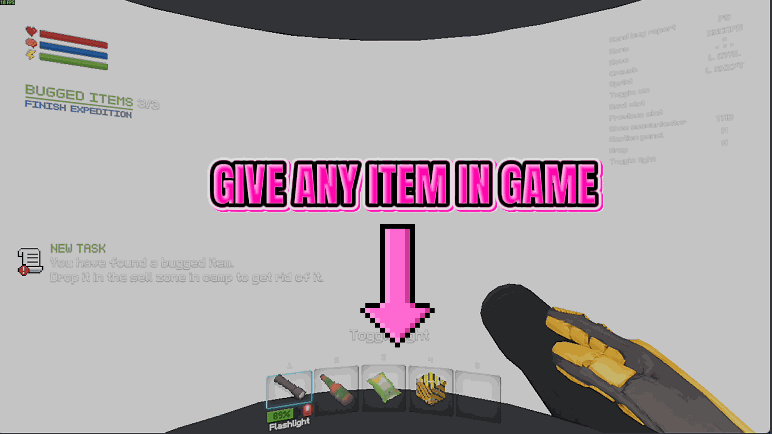
Give Item
Pick any item from the game's own list and drop up to 20 copies just in front of you, ready to pick up. Host and solo games only, in the camp or on an expedition.







