Want more mods for The Planet Crafter? Explore our entire collection!
Time Warp
"Terraforming takes millennia. You don't have millennia."
How do I install Time Warp?
Download the free ProjectMods desktop app, then install Time Warp for The Planet Crafter in one click.
</>What does Time Warp do?
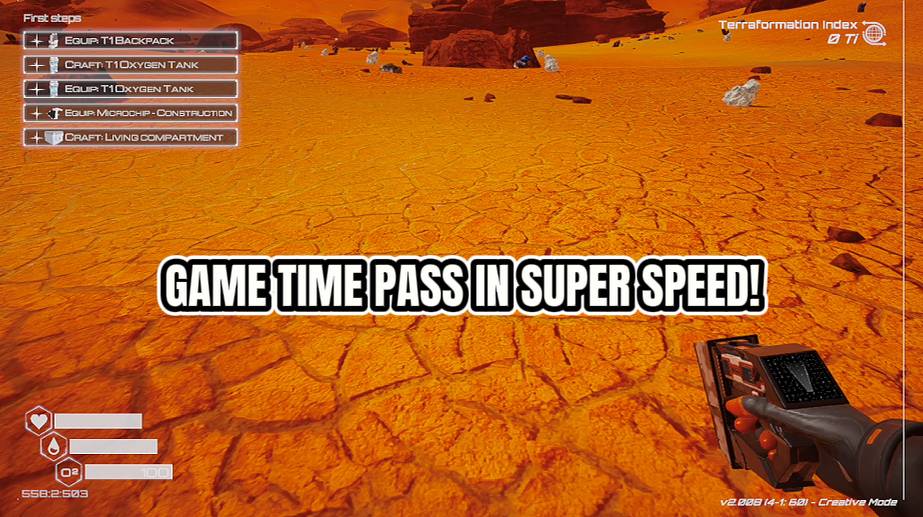
Terraforming a planet is a long-term commitment. Like, geological-timescale long-term. Time Warp lets you fast-forward through the boring bits by multiplying the game's speed up to 100x. Set it to 2x for a casual speedup, 10x to watch your oxygen generators go brrr, or crank it to 100x and witness decades of atmospheric change in minutes. Everything speeds up — machines, timers, progress bars, all of it. The game returns to normal speed when you unload the mod, so you won't accidentally live your entire playthrough in fast-forward. Although honestly, at 100x speed, you might terraform the planet before you finish reading this description. Warning: At 100x speed, your character also moves 100x faster. Walking off a cliff becomes a space launch.
</>What is Time Warp?
Time Warp for The Planet Crafter speeds the entire simulation up to one hundred times normal — machines, timers, terraforming progress, and player movement all scale together. Free from ProjectMods, the community-first game modding platform, perfect for collapsing long grinds.
</>Common questions about Time Warp
What does Time Warp do in The Planet Crafter?
Time Warp is a pacing mod for The Planet Crafter from ProjectMods that multiplies the entire game's speed by a value you choose, up to one hundred times normal. The mod scales the simulation: oxygen generators tick faster, heat units accumulate faster, pressure stages cross thresholds in minutes instead of hours, machines produce more per second, and timed events resolve quicker. The Planet Crafter is a long-form terraforming game, and a single full run can span dozens of real-world hours just watching the bars climb. Time Warp compresses that into a session-sized experience. Two-times for a casual nudge, ten-times for a serious push, one-hundred-times for watching geological change unfold over a coffee.
What does the Set Game Speed option in Time Warp control in The Planet Crafter?
Set Game Speed in Time Warp for The Planet Crafter is the multiplier that decides how fast the entire simulation runs. The value applies to everything the engine ticks — your character, machines, animations, terraforming bars, day-night cycles, rocket animations, and physics. Set it to 2x for a barely-noticeable speedup that takes the edge off slow stretches. Set it to 10x to watch oxygen generators feel productive again. Push it to 100x for a cinematic fast-forward through atmospheric change. The number is yours to dial in on the fly through the option panel, so a single play session can cycle between slow exploration moments and fast progress sprints. ProjectMods built it as a true global multiplier.
Does Time Warp speed up the player too, or only the world?
Time Warp in The Planet Crafter scales the entire simulation, which means your character moves and falls at the same multiplied speed as the rest of the world. At low multipliers like two or three times, this feels like a brisk pace. At ten times, sprinting feels like a vehicle. At one hundred times, walking off a cliff becomes a genuine space launch — the engine sends you a long way before gravity catches up. This is a fun side-effect rather than a bug; the multiplier is honest. Players who only want the world to speed up while their character stays normal need to be aware of this. ProjectMods documented it so you can plan your usage.
Does the game return to normal speed when I unload Time Warp in The Planet Crafter?
Yes. Time Warp in The Planet Crafter reverts to vanilla speed the moment the mod is unloaded through the ProjectMods desktop app. There is no lingering multiplier, no save-file corruption, no need to manually reset the value. Toggle Time Warp off, launch the game through the launcher, and everything ticks at the developer-intended pace again. This makes it safe to use Time Warp for the slow middle portion of a save — pushing through pressure and biomass milestones at high speed — and then disable it for the ending you actually want to experience cinematically. The reversibility is part of the standard ProjectMods design: every mod is non-destructive to the save.
Why would a returning Planet Crafter player install Time Warp?
Returning players coming back to The Planet Crafter after months away usually have one goal: see what is new without grinding through the same atmospheric stages they already finished on their previous save. Time Warp from ProjectMods turns that progression catch-up into a short session instead of a multi-day commitment. Set it to ten or twenty times for a comfortable pace and the oxygen, heat, pressure, and biomass stages click over while you build or explore the new content. Pair it with Token Printer for funding and Instant Architect for blueprint access, and a returning player can be at endgame in one sitting. The community-first ProjectMods catalog targets exactly that returning audience.
What options does Time Warp include?
Game Speed
How fast the game runs. 2 means everything goes twice as fast! Great for speeding up terraforming.
Set Game Speed!
Press this to change the game speed to your chosen number!
Time Warp is a free The Planet Crafter mod from ProjectMods that multiplies the game's speed up to 100x, so machines, terraforming progress, and the entire world run dramatically faster.
System Requirements
What features does Time Warp include?
- Multiply game speed up to 100x so oxygen, heat, and pressure climb in real-time front of you
- Set a modest 2x for casual speedups or sprint to 100x for full atmosphere fast-forward
- Speeds up everything — machines, plant growth, drone cycles, trade rockets, and biomass timers
- Returns to normal speed automatically when you unload the mod, no save-stuck weirdness
- Pairs with Express Delivery to make trade-rocket cycles practically instant on big speed settings
Best For
- Builders waiting on plant growth and biomass milestones who want to skip the slow stretches
- Returning players doing a quick replay run who don't have another 80 hours to spare
- Content creators filming time-lapse-style videos of a planet greening up in minutes of footage
- Streamers compressing long terraforming sessions so chat sees the satisfying milestone jumps live
- Casual players who love the build phase but want the meter climbs to feel more responsive
More Mods for The Planet Crafter
Gravity Editor
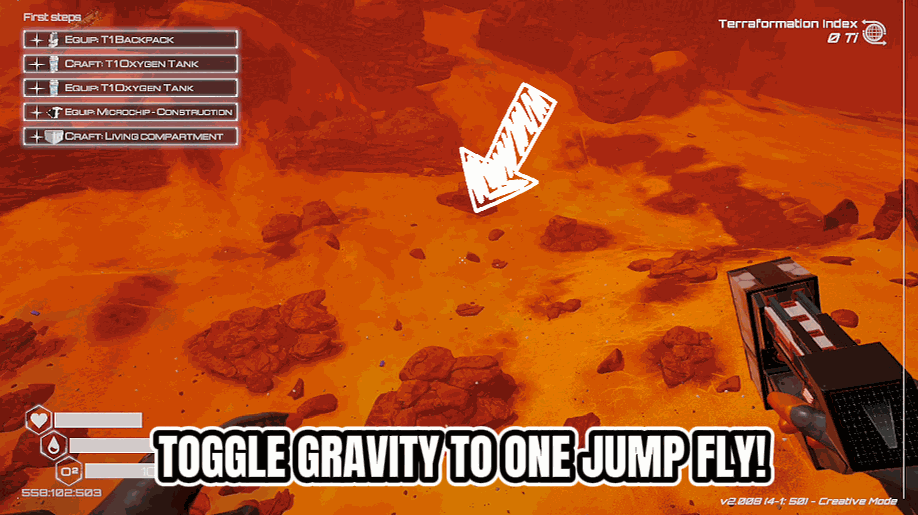
Adjust the planet's gravity from moon-bouncy to Jupiter-crushing. Go negative to fall upward. Terraforming the gravity itself.
/ThePlanetCrafterSpoilerAlert1.jpg)
Spoiler Alert (End Scene)
Play any of the game's endings on demand. Pick an ending from the list, press play, and watch the finale at your departure platform - then get bounced back to your save so the launch doesn't retire it.
/ThePlanetCrafterZeroG1.jpg)
Zero-G (Fly)
Fly anywhere on the planet in noclip mode. Adjust your cruise and sprint speeds. Mountains, buildings, terrain — none of it can stop you now.







